101
STILL : LOOP :RECMODE:KEYOUT : DELAY : 6/6
CLIP/DLY: =ON : =STD : =STIL2: =OFF : F=60
(10) Go to PAGE 4 in the [STILL] menu.
(11) Press F3 (PLAY) to play the animation logo. Playback begins the current frame.
13-2-3. Setting Playback IN/OUT Points
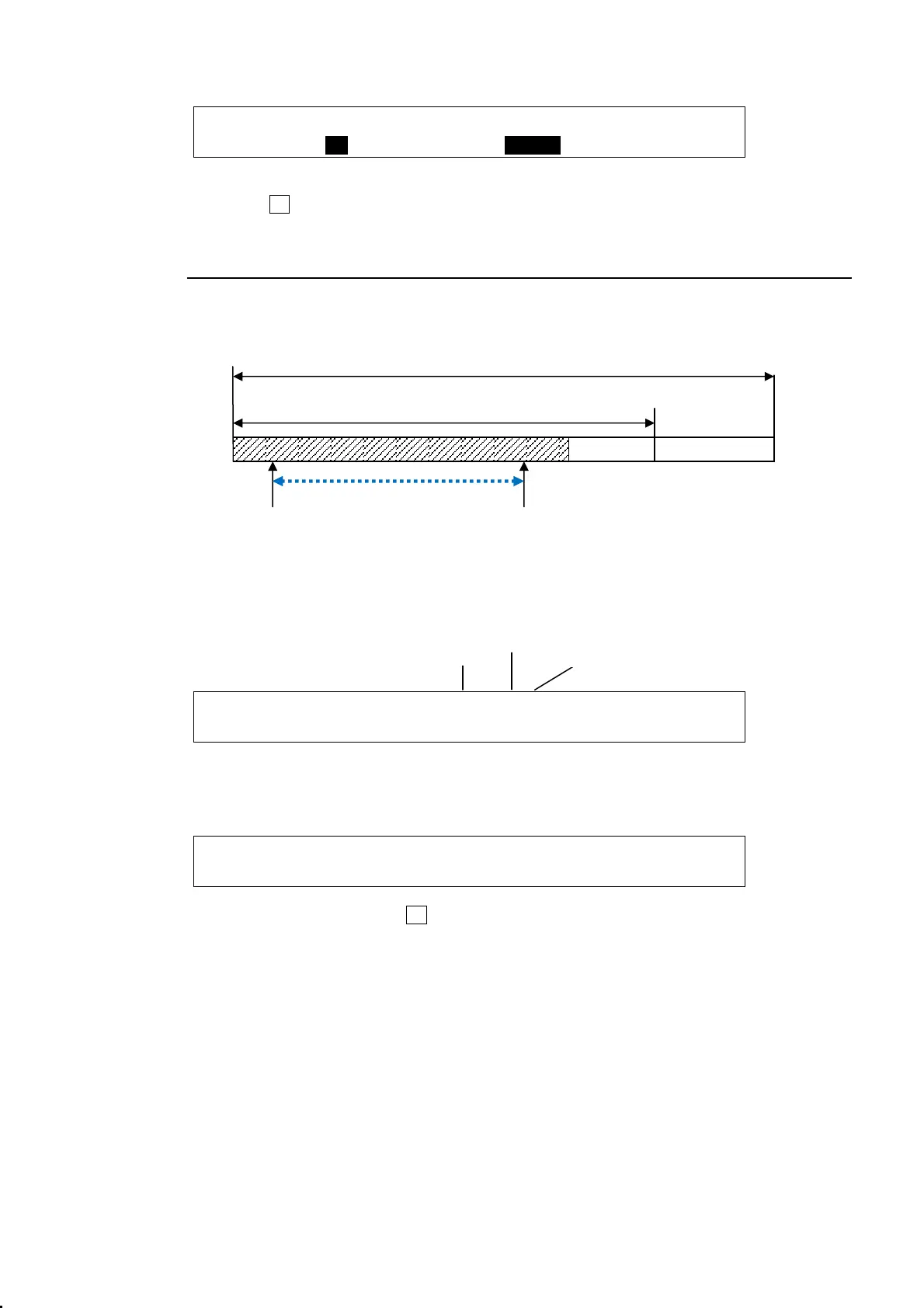
IN and OUT points allow you to limit a range for playback as shown in the figure below.
Clip Memory
(1) Open to PAGE 4 in the [STILL] menu.
The image displayed on the monitor will be that of current frame.
STILL : (STOP 1/40): VAR : 4/6
CLIP : >STOP : >REC : >PLAY : >1.0 : F=60
(2) Go to PAGE 5 in the [STILL] menu.
Change the CURRENT value to display each image, if needed. Then specify Set IN and
OUT points.
STILL :CURRENT: IN : OUT : CLEAR : 5/6
CLIP : =1 : =5 : =35 : >OFF : F=60
(3) Go back to PAGE 4. Press F3 (PLAY) to start playing. The playback is played from the IN
point to the OUT point.
OUT-pointIN-point
Recorded frames
60 frames
Range to be played back
Clip status
Recorded frames
Current image



 To Next Page