34
5-7-2. Setting Up the Gradation Matte
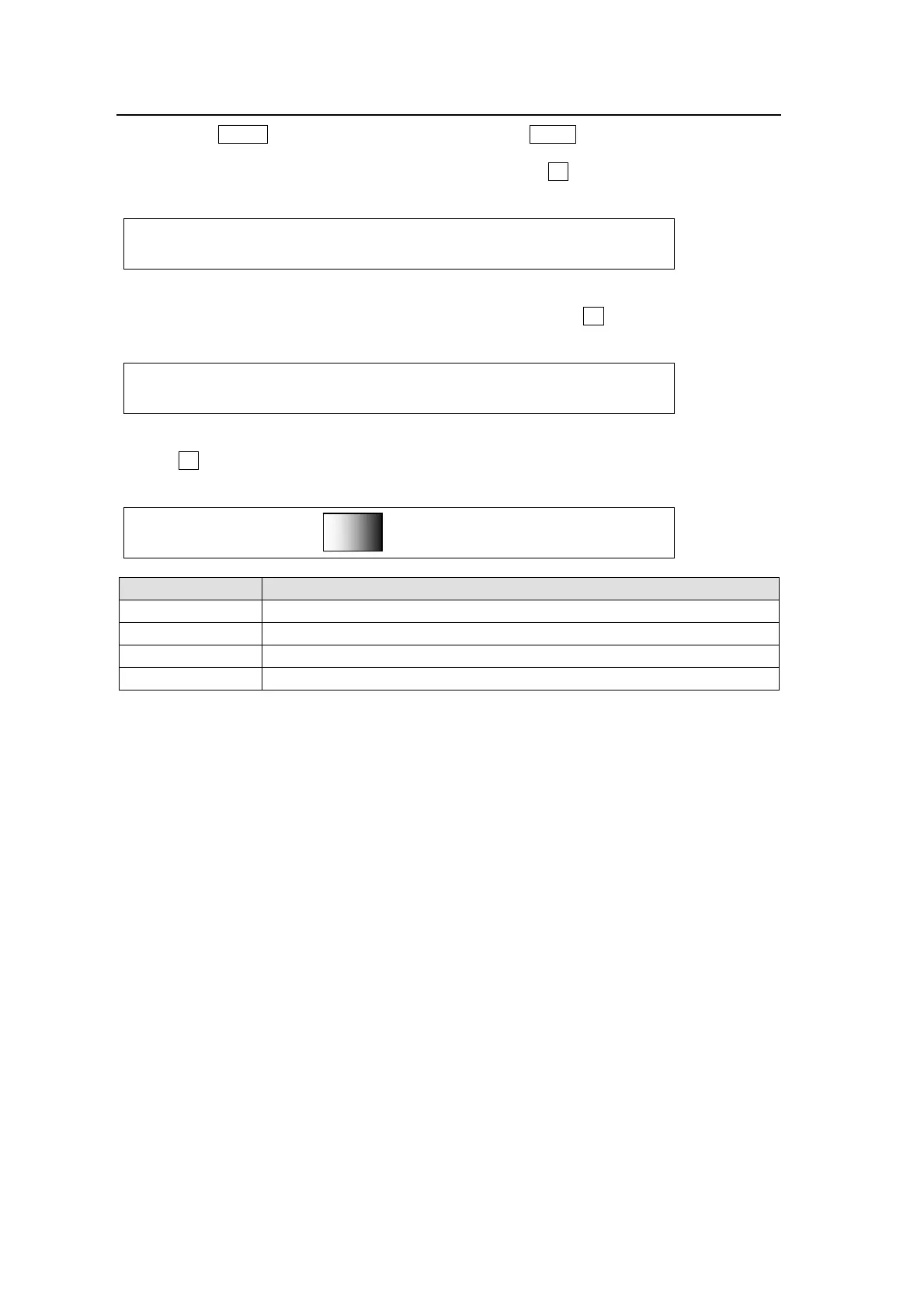
(1) Press the MENU control button and then press the MATT button to display the [BUS
MATT 2 COLOR](2/4) menu.
(2) To select an extreme color for the gradation matte, turn F4 to select a color or enter the
HSL values to specify the color.
MATT2 : BUS MATT2 COLOR1 :RECALL : 2/4
COLOR1 :S=50.0 L=80.2 H=125.5: >GREEN:
(3) Press the page down button to go to the [MATT 2 COLOR2](3/4) menu.
(4) To select the other extreme color for the gradation matte, turn F4 to select a color or enter
the HSL values to specify the color.
MATT2 : BUS MATT2 COLOR2 :RECALL : 3/4
COLOR2 :S=50.0 L=80.2 H=125.5: >GREEN:
(5) Press the page down button to go to the [BUS MATT 2 GMAT](4/4) menu.
(6) Turn F1 to select a pattern for the gradation matte. Set the position at POS and adjust the
softness gradation at SOFT.
MATT2 :PATTERN : POS : SOFT : 4/4
GMAT : =H : =0 : =0 :
PATTERN setting Description
COLOR1 Displays the matte color set at BUS MATT2 COLOR1.
H Displays a horizontal gradient from COLOR1 to COLOR2.
V Displays a vertical gradient from COLOR1 to COLOR2.
H/V Displays a diagonal gradient from COLOR1 to COLOR2.



 To Next Page