31
5-3. Resize Function
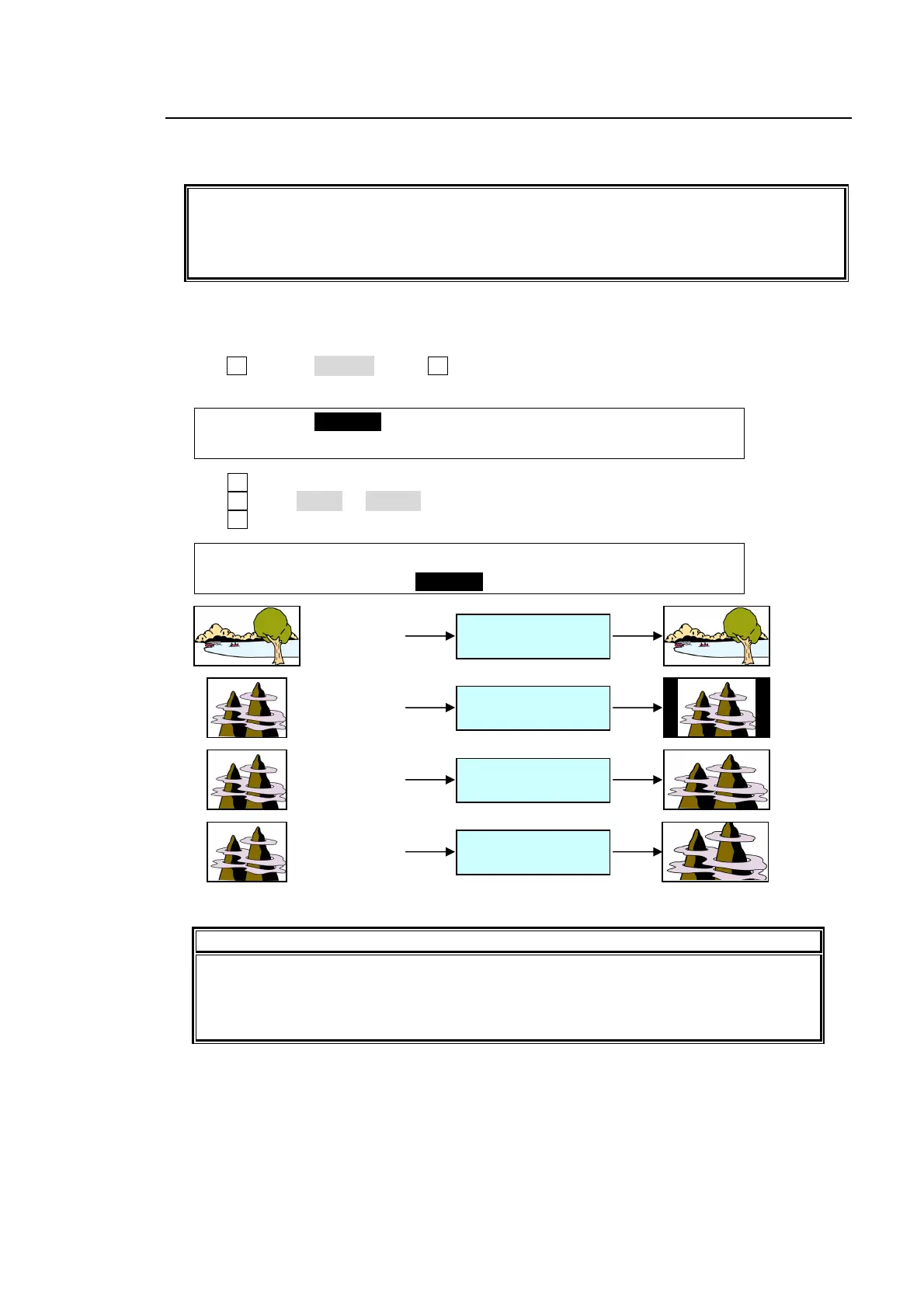
A resize function allows users to input SD signals at the same frame-rate as HD mode and use
them as HD images by upsizing.
The Resize function is available in the following inputs:
IN01 to IN04 Up to 2 inputs
IN05 to IN08 Up to 2 inputs
HVS-30HSDI (extension card) All 4 inputs
To use this function, proceed as follows.
(1) Display the [SETUP-INPUT] menu.
(2) Turn F1 to select SIGNAL. Press F1 or the page down button to display the [SETUP – INPUT
- SIGNAL] menu.
SETUP :>SIGNAL >PROC AMP>RENAME >ASSIGN
INPUT :
(3) Turn F1 to select an input signal for resizing.
(4) Turn F2 to set AUTO or SD-SDI for FORMAT.
(5) Turn F3 to select an aspect ratio under RESIZE.
INPUT :SELECT :FORMAT :RESIZE : FS : 1/3
SIGNAL : =IN04 : =SD-SDI : =4:3 : =ON :
IMPORTANT
The Resize function is automatically enabled when SD signals are input to the
switcher in HD mode, and FORMAT in the [SYSTEM-INPUT- SIGNAL] menu is set to
SD-SDI. ((Please make sure the Resize function stays disabled if HD-SDI is set for
FORMAT.)
IN01 (HD)
(1080/59.94i)
FORMAT (AUTO)
RESIZE (OFF)
IN04 (SD)
(525/59.94i)
FORMAT (SD-SDI)
RESIZE (4:3)
IN04 (SD)
(525/59.94i)
FORMAT (SD-SDI)
RESIZE (SQUEEZE)
IN04 (SD)
(525/59.94i)
FORMAT (SD-SDI)
RESIZE (LETTER)



 To Next Page