178
25-1. Assigning Router Channel to RS-422 port
25-1-1. Assigning Router Control Function
(1) Open the [SETUP-SYSTEM-RS-422] menu.
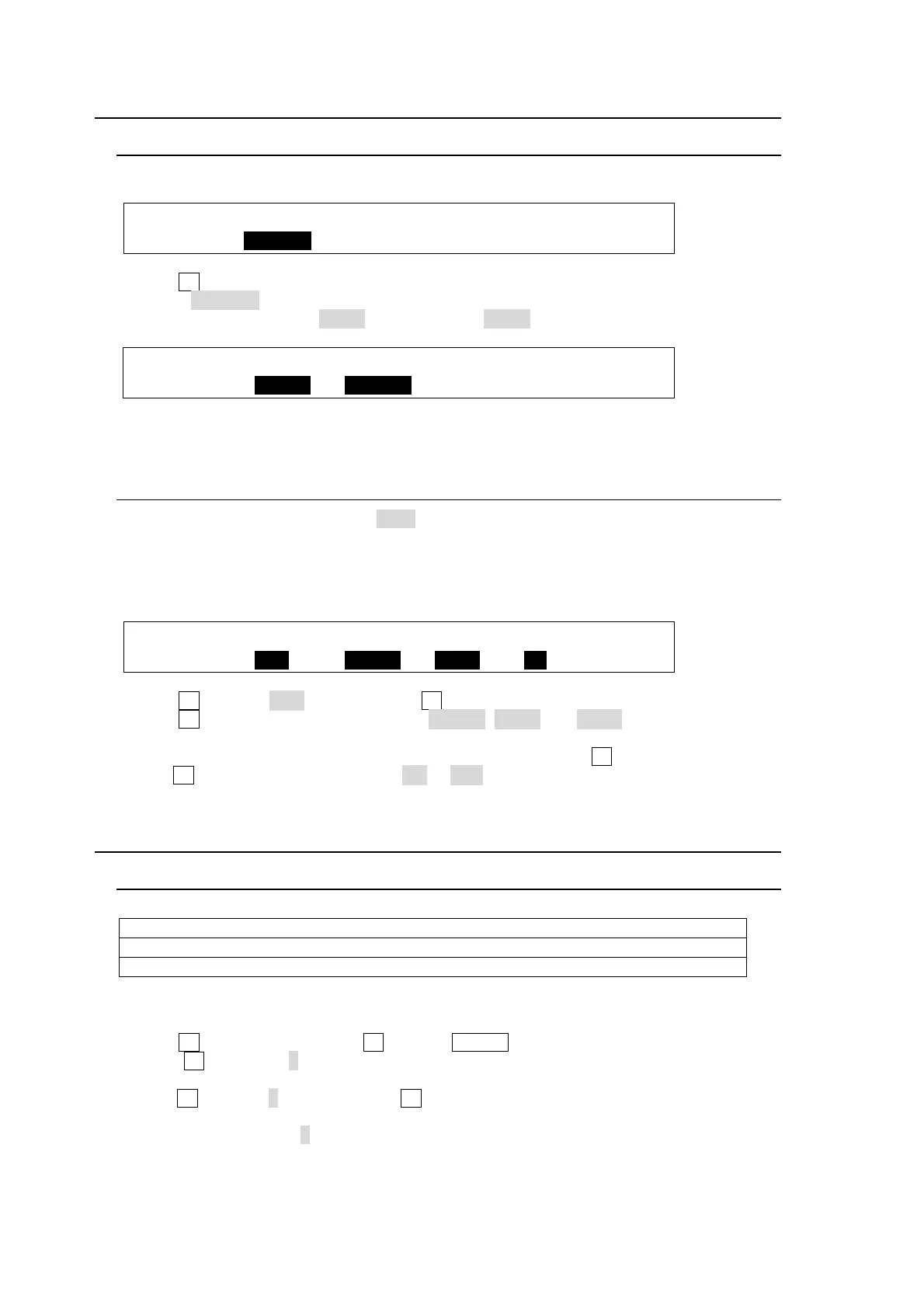
SETUP :>FORMAT >REF I/O >ARCNET >ETHERNET
SYSTEM :>RS-422 >TIME >INIT >REBOOT
(2) Turn F1 to select an RS-422 port for router control.
(3) Select ROUTER under FUNC.
(4) Set BAUD (baudrate) to 57600 and PARITY to NONE.
SYSTEM :SELECT :FUNC :BAUD :PARITY : 1/1
RS-422 : =PORT1 :=ROUTER: =57600: =NONE :
(5) After settings are complete, reboot the switcher. (See section 22-1. "Rebooting System".)
25-1-2. Setting MFR Link
When the title link display is set to ON, the switcher accepts video titles with video signals
from a router and displays them on the control panel in accordance with crosspoint switches
on the router.
(1) Open the [SETUP-EXT I/F-ROUTER] (6/6) menu.
EXT I/F : LINK : CHARA :SELECT :DISPLAY: 6/6
ROUTER : =MFR : =SHORT: =IN01 : =ON :
(2) Turn F1 to select MFR and then press F1.
(3) Turn F2 to select a name link type from SHORT, LONG and BOTH. Both types of names
are stored in the HVS-350HS.
(4) Title link should be set respectively for each video. First, turn F3 to select a video, then
turn F4 to set the title link display to ON or OFF.
25-2. Router Control
25-2-1. Crosspoint Switches using the Menu
To execute the following commands:
Select a router level.
Connect Source channel 2 to Destination channel 1.
Connect Source channel 4 to Destination channel 2.
Proceed as follows:
(1) Display the [SETUP-EXT I/F-ROUTER] (2/6) menu.
(2) Turn F1 to select a level. Turn F1 or press ENTER on the keypad to confirm the setting.
(3) Turn F2 to select 1 under DEST (destination). The currently connected source is
displayed under SRC (source).
(4)Turn F3 to select 2, and then press F3 to switch the source. The HVS-350HS sends the
crosspoint switch command to the router.
(5) The switcher displays 2 under SRC after having received a successful response from the
router.



 To Next Page