115
16. Multiviewer
The multiviewer allows users to monitor multiple images such as the video sources input to the
switcher and internally generated or combined images on the same screen. The HVS-350HS
provides two multiviewer outputs, each of them has three types of split displays: quad, 10 and 16
way. They can display different videos in a different pattern. The video titles and the on-air tally
information can also be displayed. Note that the multiviewer outputs are delayed by one frame
relative to the program output.
The setup procedure for the multiviewer is as follows:
1. Assign a multiviewer video to an AUX output bus
2. Select a split-screen type.
3. Select video for each split area.
4. Add titles, on-air tally and frame borders.
16-1. Assigning the Multiviewer to an AUX Bus
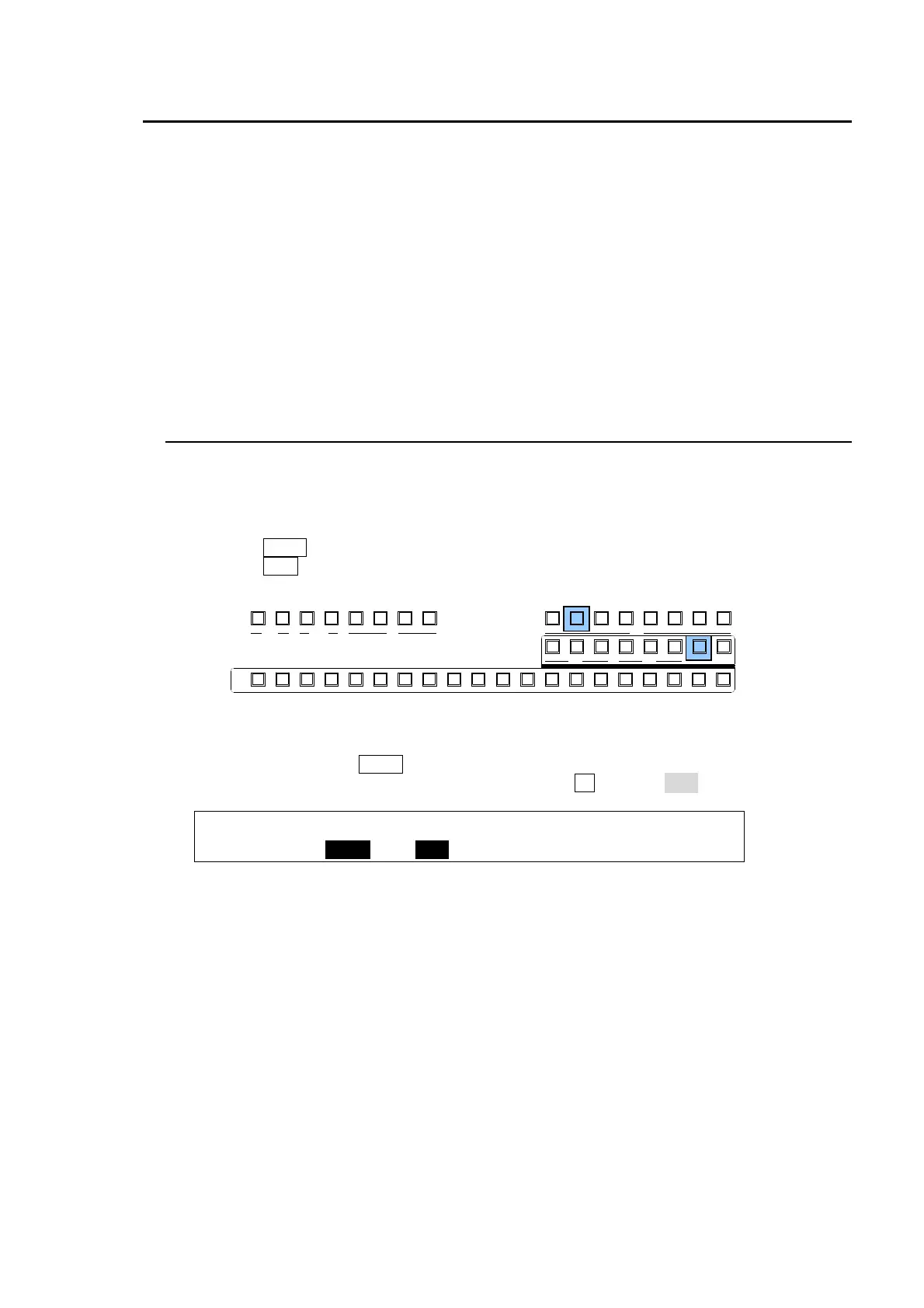
The multiviewer function can be assigned to any AUX bus. There are two ways to select an AUX
bus: using the buttons in the BUS SELECT block or using the menus. In the following example
AUX2 is selected to be the Multiviewer1 output.
Using the Buttons in the BUS SELECT
(1) Press the AUX2 button in the BUS SELECT block.
(2) Press the MV1 button in the KEY/AUX block.
Using the Menu
(1) Press twice quickly the AUX2 button in the BUS SELECT block.
(2) The [SETUP-OUTPUT-AUX XPT] menu opens. Turn F2 to select MV1.
OUTPUT :SELECT : XPT : CTRL : ANCI : 1/2
AUX XPT : =AUX2 : =MV1 : =ON : =OFF :
AUX
PREV M V1CLEAN MV2
2345 67891011121
KEY/AUX
PGMPREV CLEANPGM
M/E
2345 6781
P/P
DSK
2341
KEYER
212
P IN P
1
13 14 15 16 17 18 19 20



 To Next Page