81
10-6. Chroma Key
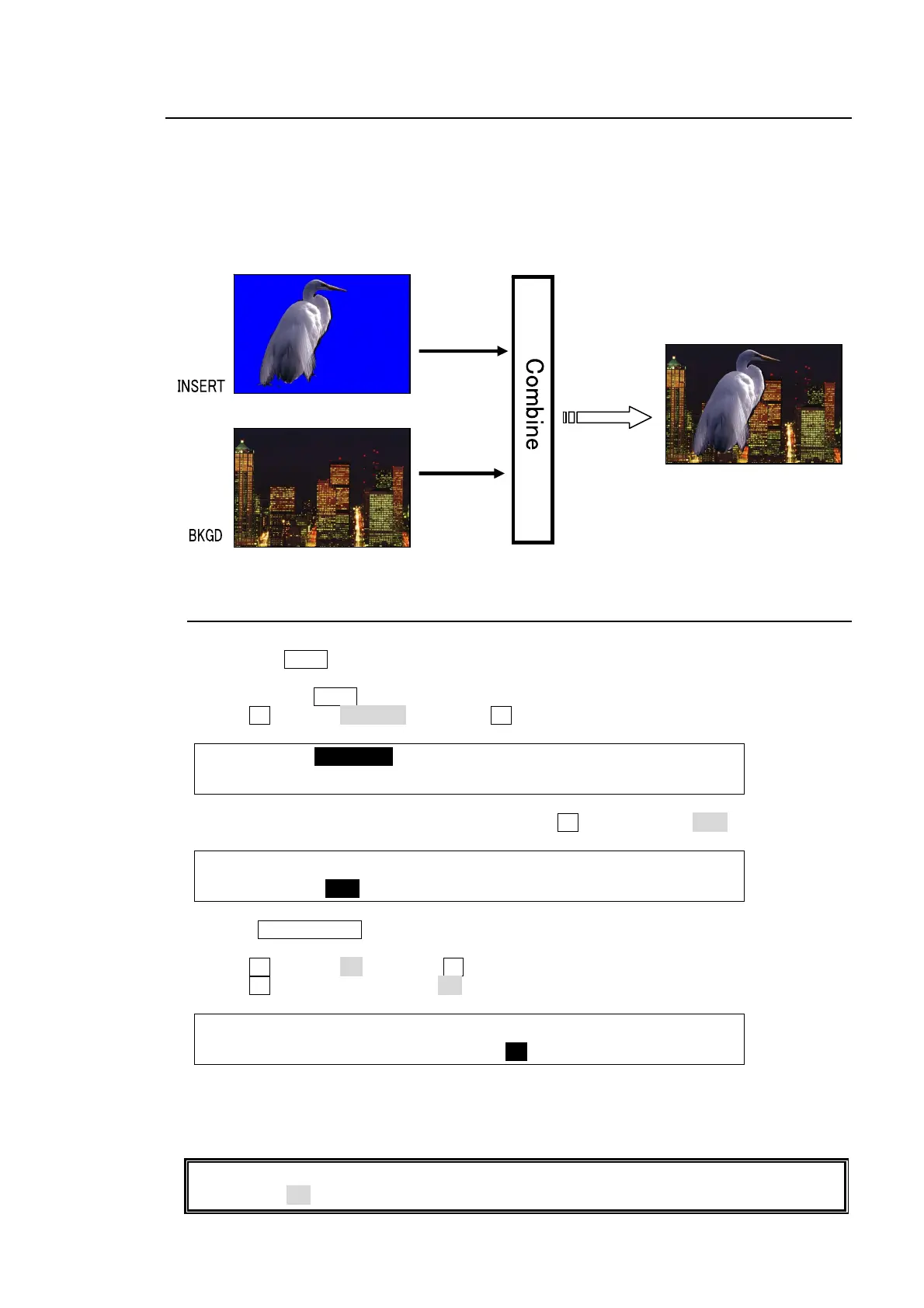
Chroma key is a method for creating a key signal using a chroma component instead of a
luminance component. It is mostly used for compositing moving subjects such a person in the
virtual background. For example, to place a person onto a background graphic, first film the
person standing in front of a background such as a blue screen. The blue part of the filmed
image is detected and will be used to create the key signal.
10-6-1. Creating a Chroma Key
(1) Select a signal to be used as a background on the M/E PGM bus.
(2) Press the KEY1 button in BUS SELECT and select a Chroma key signal in the KEY/AUX
bus. (The signal can be selected in the INSERT item in the [KEY1 - INS/SRC] menu.)
(3) Quickly press KEY1 twice in BUS SELECT to display the [KEY1 SETUP] menu.
(4) Turn F1 to select INS/SRC, and press F1 or the page down button.
KEY1 :>INS/SRC >EDGE >MASK >CK
SETUP :>POS/SIZ >BORDER >SUB EFF >INIT
(5) The [KEY1 - INS/SRC] menu is displayed. Turn F1 to set TYPE to CHR.
KEY1 : TYPE :INSERT :SOURCE :INVERT : 1/3
INS/SRC : =CHR : >IN01 : =IN01 : =OFF :
(6) Press KEY1 ON AIR to display KEY1 on the M/E program screen.
(7) Press the page up button to return to the [KEY1 SETUP] menu.
(8) Turn F1 to select CK and press F1 to display the [KEY1 - AUTO CK] menu.
(9) Turn F3 to change SELECT to ON to activate the Auto Chroma key.
KEY1 : POSITION :SELECT :PGM OUT: 1/5
AUTO CK :X=0 Y=0 : =ON : =OFF :
(10) KEY1 is displayed on the topmost layer of the M/E preview image and a cross hair cursor
appears. The current position of the cursor is displayed at POS X and POS Y in the [KEY1
- AUTO CK] menu.
If you need to have a crosshair cursor also appear on the M/E PGM screen, set the PGM
OUT item to ON in the [KEY1 - AUTO CK] menu.
Chromake



 To Next Page