197
31. Upgrading Operational Version
Consult your FOR-A supplier in order to upgrade your switcher.
Before upgrading, check the current version of the software and firmware in the [SETUP-
STATUS-VERSION] menu.
You will need to use the FILE special menu function to download and apply the operational
software files in a USB flash memory. The files listed below contain the software upgrades for
your switcher.
Firmware for HVS-350HS
Software: XXXXXXXX.MCB
Hardware: XXXXXXXX.MFB
Firmware for HVS-35OU/ROU
Software: XXXXXXXX.OCD
Hardware: XXXXXXXX.OFB
31-1. How to Verify Version
Once the system is upgraded, the setting data will be lost and return to their factory default
settings. Important setting data should be backed up by saving it to USB flash memory.
To upgrade your switcher, follow the procedure below:
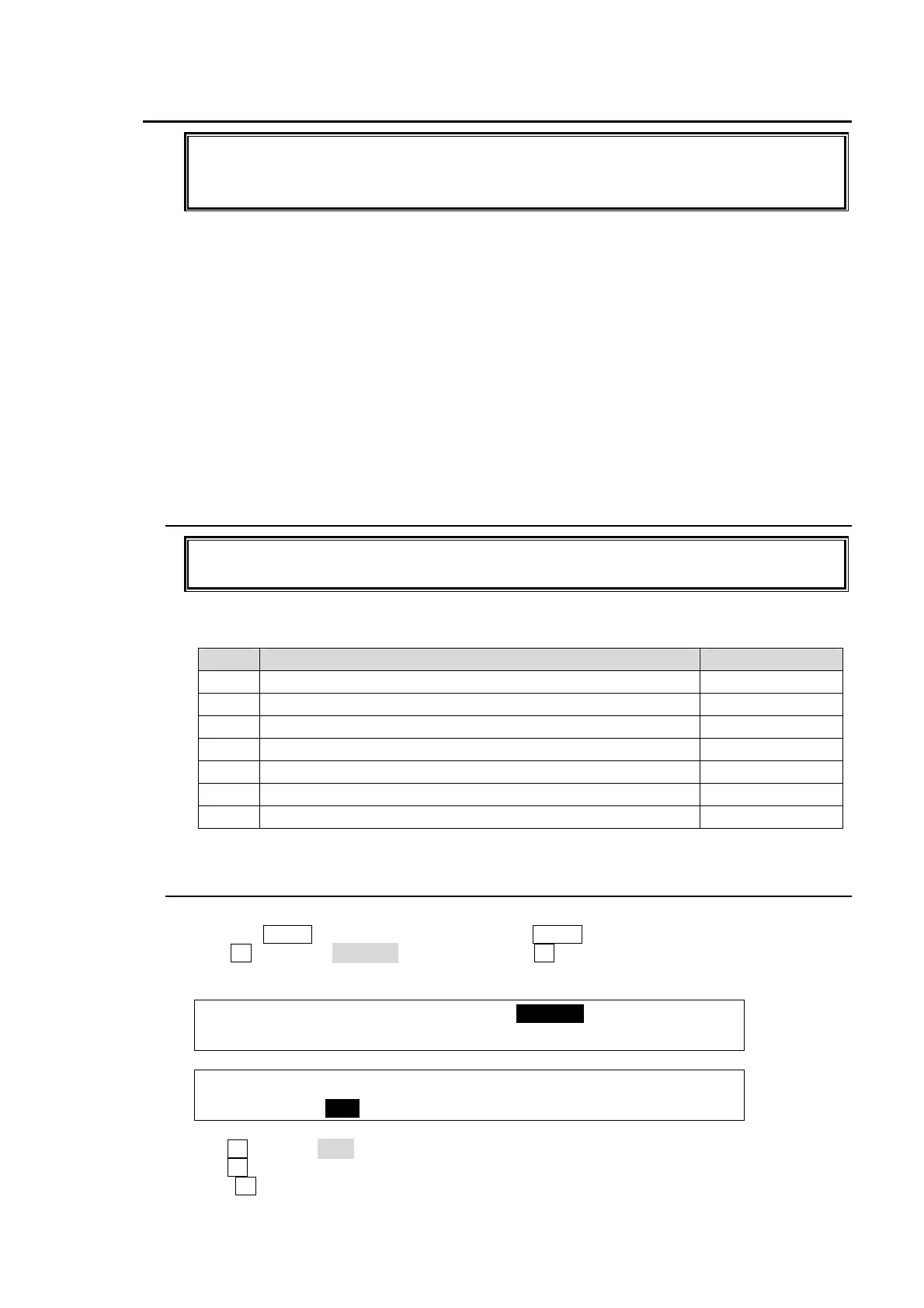
Step Description Refer to
1 Save current setting data to USB flash memory. 19-3
2 Upgrade the software 31-2
3 Reboot the switcher. 22-1
4 Initialize the switcher. 22-2
5 Load the setting data saved at step 1. 31-3
6 Reboot the switcher. 22-1
7 Turn power off then on at HVS-35OU/35ROU
31-2. Upgrading HVS-350HS
(1) Insert the USB flash memory that contains the upgrade data into the USB port.
(2) Press the MENU control button, then press the 9/FILE button to open the FILE top menu.
(3) Turn F1 to select UPDATE, and then press F1 or the page down button to open the
[FILE-UPDATE] menu.
FILE :>LOAD >SAVE >UPDATE
TOP :
FILE : EXT : LOAD : <DIR> 1/1
UPDATE : =MCB : : XXXXXXXX 101MB
(3) Turn F1 to select MCB to the EXT (File Extension) item.
(4) Turn F3 to select an MCB file.
(5) Press F3 to start upgrading.



 To Next Page