78
10-2. Full Key
(1) Follow Step (1) to Step (4) in "Luminance Key" above.
(2) The [KEY1- INS/SRC] menu is displayed. Turn F1 to set TYPE to FULL. The insert signal
can also be selected at INSERT.
KEY1 : TYPE :INSERT :SOURCE :INVERT : 1/3
INS/SRC : =FULL : >IN01 : =IN01 : =OFF :
See section 8-5. "KEY Transitions" and 8-9. "IN/OUT Effects for PinP, KEY and DSK" for
details on transitions. See section 10-4. "Adjusting Key Signal" for details on making fine
adjustment.
Edge, Invert, Mask and 2D DVE effects can be applied to the luminance key.
10-3. Bus Key
Bus Key uses different signals for Key Insert and Key Source. To create a Bus Key, select a Key
Insert signal and a Key Source signal in the menus. Since selecting a signal in the menu takes
time, the HVS-350 series has a KEY LINK function, which enables you to select a key source
and insert using only a source button. See section 10-3-1. "Key Link" for details.
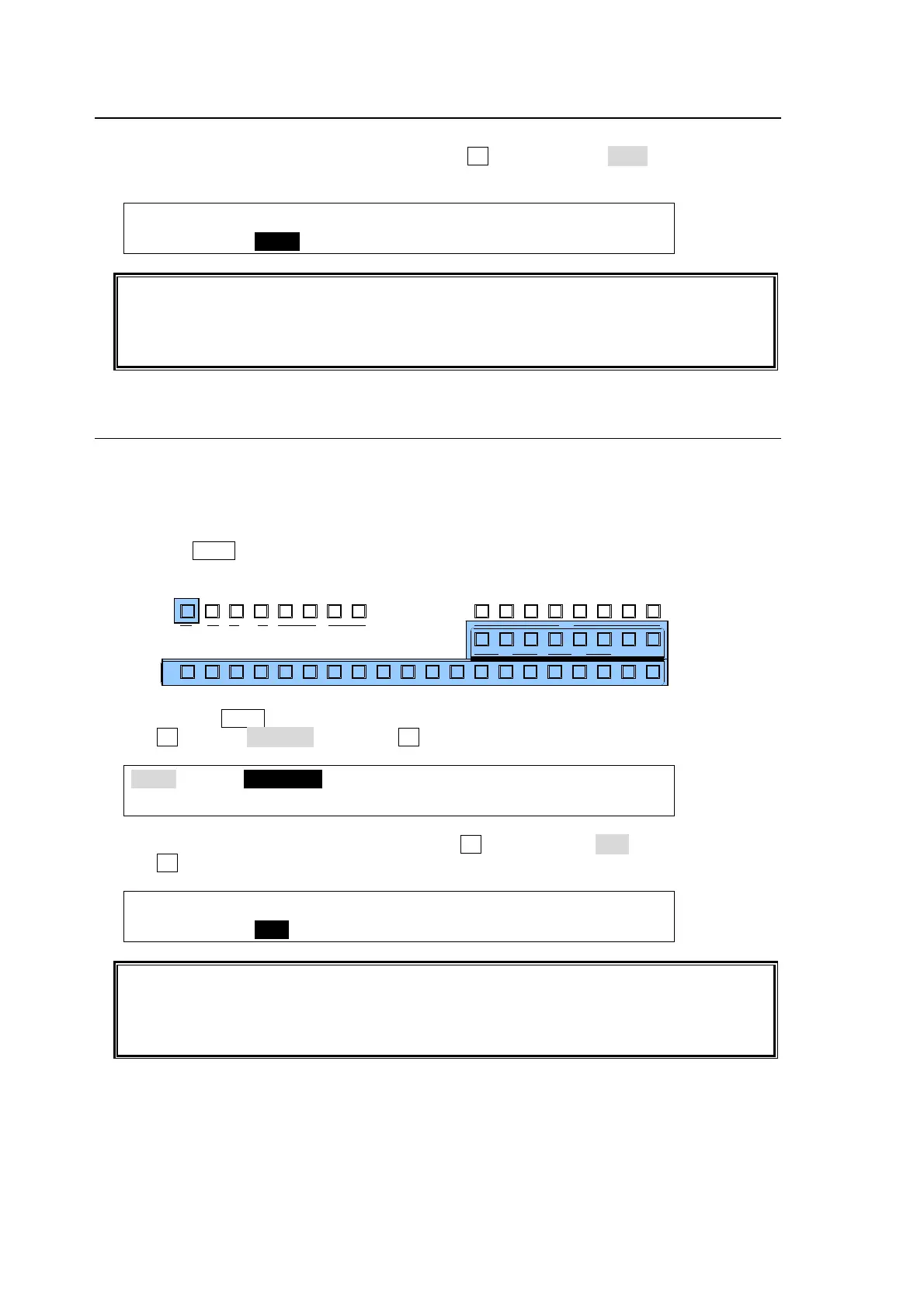
(1) Press the KEY1 button in BUS SELECT.
(2) Select a signal for Key Insert in the KEY/AUX bus.
(3) Quickly press KEY1 twice in BUS SELECT to display the [KEY1SETUP] menu.
(4) Turn F1 to select INS/SRC, and press F1 or the page down button.
KEY1 :>INS/SRC >EDGE >MASK >CK
SETUP :>POS/SIZ >BORDER >SUB EFF >INIT
(5) The [KEY1- INS/SRC] menu is displayed. Turn F1 to set TYPE to BUS.
(6) Turn F3 to select a signal for Key Source in SOURCE.
KEY1 : TYPE :INSERT :SOURCE :INVERT : 1/3
INS/SRC : =BUS : >IN01 : =IN02 : =OFF :
See section 8-5. "KEY Transitions" and 8-9. "IN/OUT Effects for PinP, KEY and DSK" for
details on transitions. See section 10-4. "Adjusting Key Signal" for details on making fine
adjustments.
Edge, Invert, Mask and 2D DVE effects can be applied to the luminance key.
AUX
PREV M V1CLEAN MV2
2345 67891011121
KEY/AUX
PGMPREV CLEANPGM
M/E
2345 6781
P/P
DSK
2341
KEYER
212
P IN P
1
13 14 15 16 17 18 19 20



 To Next Page