141
19. File Operations
The switcher is capable of storing operational data to USB flash memory and of recalling and
downloading previously saved data for application to production operations. Operational data
including system settings, wipe settings, stills, bus settings and events can be all saved to and
downloaded from the USB flash memory.
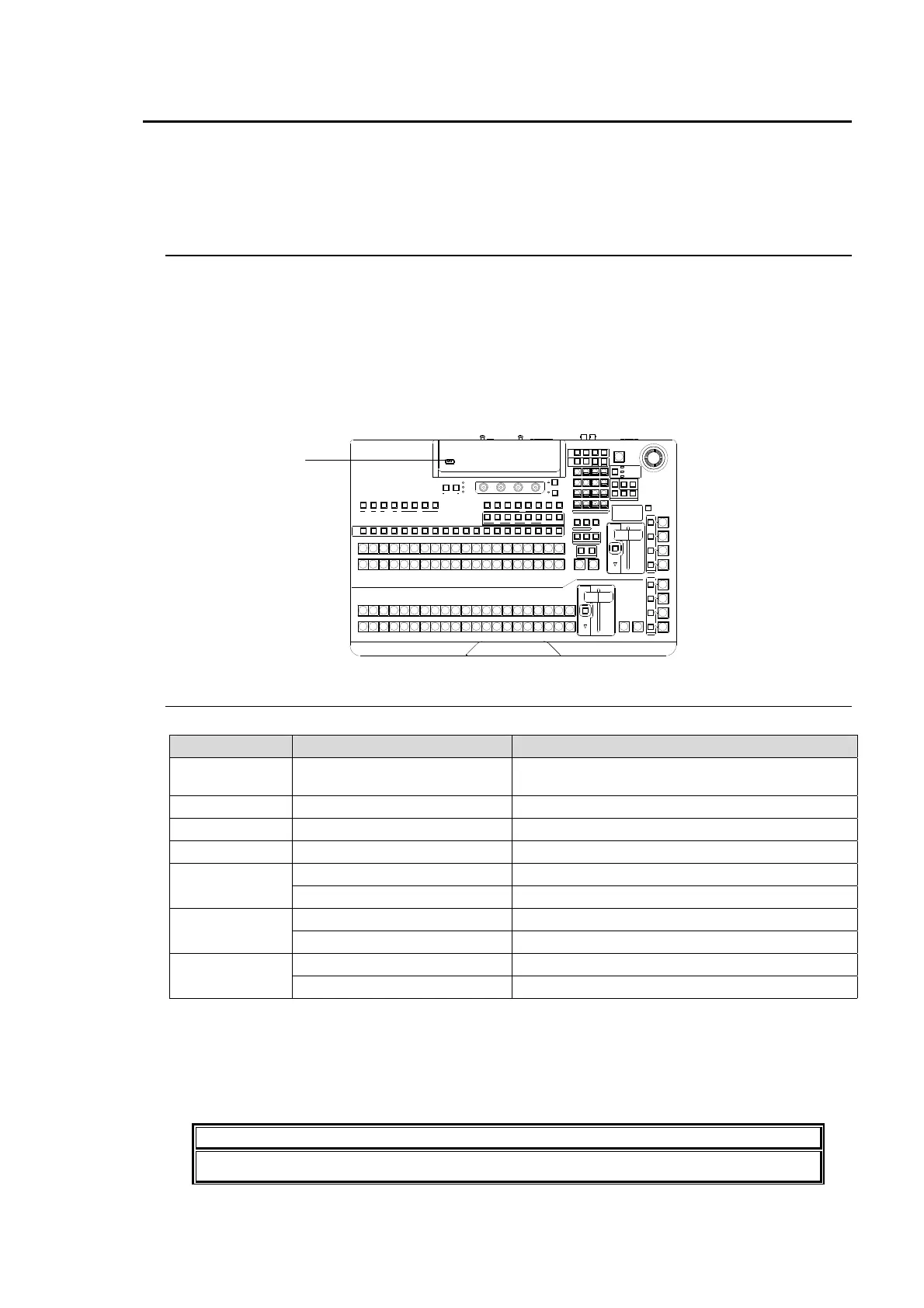
19-1. USB Flash Memory
For available USB flash memory devices, see "Available File List" in the Appendix. Inserting
and removing of USB memory devices should be performed slowly and firmly.
The access lamp on the USB flash memory blinks while saving or reading data. Check
access to the USB flash memory before and while performing the operations. Do not remove
the USB flash memory while the access lamp is flashing. This could corrupt the stored data or
damage the USB flash memory device.
The remaining storage space on the USB memory device is displayed at the bottom
right-hand side in the FILE menu.
19-2. Available Files
The following file formats can be saved / loaded to / from USB flash memory.
File Extension File Name (*1) File Data Description
all DATA.all System data, all wipe data, all event memory
data and all sequence data.
sys HVS350.sys System data
mem EVENT.mem All event memory data
seq SEQDAT**.seq Each sequence memory data
jpg (*2) *.jpg JPEG format files (standard RGB)
STILL1.jpg to STILL4.jpg Still 1 to Still 4 capture video in jpg format
tga (*2) *.tga TARGA format files (uncompressed RGB)
STILL1.tga to STILL4.tga Still 1 to Still 4 capture video in targa format
bmp (*2) *.bmp Bitmap format files (uncompressed RGB)
STILL1.bmp to STILL4.bmp Still 1 to Still 4 capture video in bitmap format
Note that file names are limited to max. 16 characters in length (ASCII code).
(*1) The files are automatically named to the correct name as shown in the table above when
saving to the USB flash memory.
(*2) When loading a jpeg. targa or bitmap file from the USB flash memory, you can select a
centered or tiled format as well as a normal one. In this case, a centered or tiled format image
file is saved to STILL in jpg, tga or bmp format.
IMPORTANT
To use USB memory sticks with the switcher, format them in FAT or FAT32 file system.
USB port
AUTO CUT
AUTO CUT
DSK 2
DSK 1
USB MEMORY
TRANS
BLACK
DVE
DVE
DVE
DVE
DVE
DVE
P/P
121110987654123 M/E
M/E
1110987654123
FADE R LIMI T
FADE R LIMI T
DIRECTION
AUX
PREV MV1CLEAN MV2
234567891011121
KEY/AUX
PGMPREV CLEANPGM
M/E
23456781
P/P
DSK
2341
KEYER
212
P IN P
1
ON AIR
12
USER BUTTON
ALARM
POW ER1
POW ER2
F4
F3F2F1
PAGE
SELECT / KEYPAD
BKGD
KEY1
KEY2
13
12
14 15 16 17 18 19 20
13 14 15 16 17 18 19 20
13 14 15 16 17 18 19 20
MENUME NU FINE D EF
ROTPOSWIPE POS
JOYSTICK
KEYER/P IN P
(2D DVE)
WIPE
CHANNEL
HVS-350HS
DIGITAL VIDEO SWITCHER
P IN P
1
P IN P
2
KEY 1
KEY 2
DSK 3
DSK 4
ON AIR
REV
BKGD
NOR/ REV
KEY1
NEXT T RANSITI ON
TRANSITION TYPE
PATTERN
KEY2
WIPEMIX
MEMORY
CONTROL
WIPE
MENU
INC
DEC
+/-
PLAY
STOP
CLEAR
2D DVE
USER BUTTON
7
4
1
CUT
0
COPY
EVENT
COPY/SWAP
8
SWAPCOPY
5
RECALL
PASTE
SEQUENCE
SEQ EDIT
9
NEW
6
INS
3
ADD
STORE
ENTER
OVWR
SETUP STILL MATT FILE
KEY1 KEY2 P IN P1 P I N P2
DSK1 DSK2 DSK3 DSK4
WIPE
TRANSITION
RATE
2
DEL



 To Next Page