47
7-1-1. Selecting Video Sources on M/E and P/P
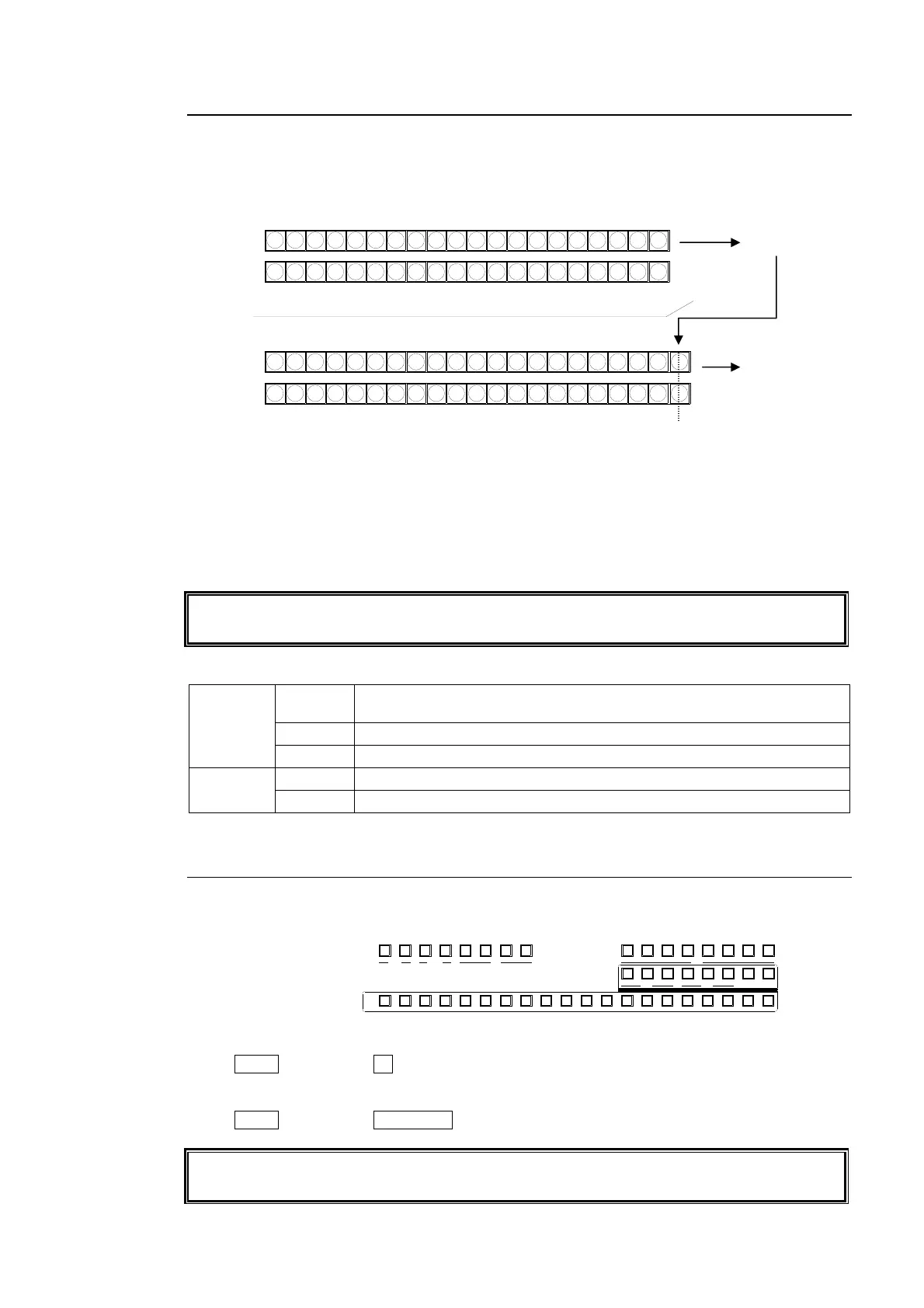
Press the desired bus button on the PGM bus row. The video signal assigned to the selected
bus button is displayed on the program output screen. At the factory default setting, the
PGM bus is the upper row and the PST bus is the bottom row both in the M/E and P/P bus
sections.
Press the desired bus button on the PST bus. The video signal assigned to the selected bus
button is displayed on the preview output screen. Then move the fader lever from end to
end to check how the button indication changes as the signals are switched. Once the
transition is complete, the selected signals on PGM and PST are switched (flip-flop).
The switcher's basic operation is to select the next video on the PST bus and send it to air via
transition. And Repeat them again and again.
Users can change the button switching mode for the M/E and the P/P from P/P to A/B. (See
section 7-2. "Button Switching Mode in M/E and P/P bus.")
Button Indication on the P/P and the M/E buses
M/E bus
Red
Indicates that the video is displayed on the P/P program screen.
(Re-entry)
Green Indicates that the video is displayed on the M/E program screen.
Orange Indicates that the video is set to next output on the M/E bus.
P/P bus
Red Indicates that the video is displayed on the P/P program screen.
Orange Indicates that the video is set to next output on the P/P bus.
7-1-2. Selecting Video Sources for AUX Outputs
(1) Press the desired AUX button in the Bus Select section. The button will light up.
(2) Press a desired button on the KEY/AUX bus.
Example1) To Select IN1 for AUX1
Press AUX1. Then press 1 (IN01) on the KEY/AUX.
Example2) To Select M/E PREV for AUX2
Press AUX2. Then press M/E PREV on the KEY/AUX.
See section 10. "KEY and DSK" and section 13. "Picture-in-Picture" for how to select video
sources for KEY, DSK and PinP.
PGM row
PST row
M/E PGM output
M/E re-entry
button
P/P
121110987654123 M/E
M/E
1110987654123
13
12
14 15 16 17 18 19 20
13 14 15 16 17 18 19 20
PGM row
PST row
P/P PGM output
M/E
P
P
AUX
PREV MV1CLEAN MV2
234567891011121
KEY/AUX
PGMPREV CLEANPGM
M/E
23456781
P/P
DSK
2341
KEYER
212
P IN P
1
13 14 15 16 17 18 19 20
Bus selection buttons
KEY/AUX bus



 To Next Page