177
25. Connecting to FOR-A MFR-5000 Series Router
The switcher can connect and control a FOR-A MFR-5000 series routing switcher. Router
crosspoint switches can be performed on the switcher's control panel by assigning the router
control to a user button.
In addition to the router control, video titles on the router can be handed to the switcher. If the
switcher accepts video signals from the router and their title links (MFR link) are enabled, Video
names on the switcher control panel are changed in accordance with crosspoint switches on the
router. When an MFR-5000 is connected to the switcher, router control commands and title data
can be transferred through a single RS-422 connection. Refer to the MFR-5000 series router
manual for details on router settings.
Manageable number of sources, destinations and levels are:
Level 16
Source 1,024
Destination 256
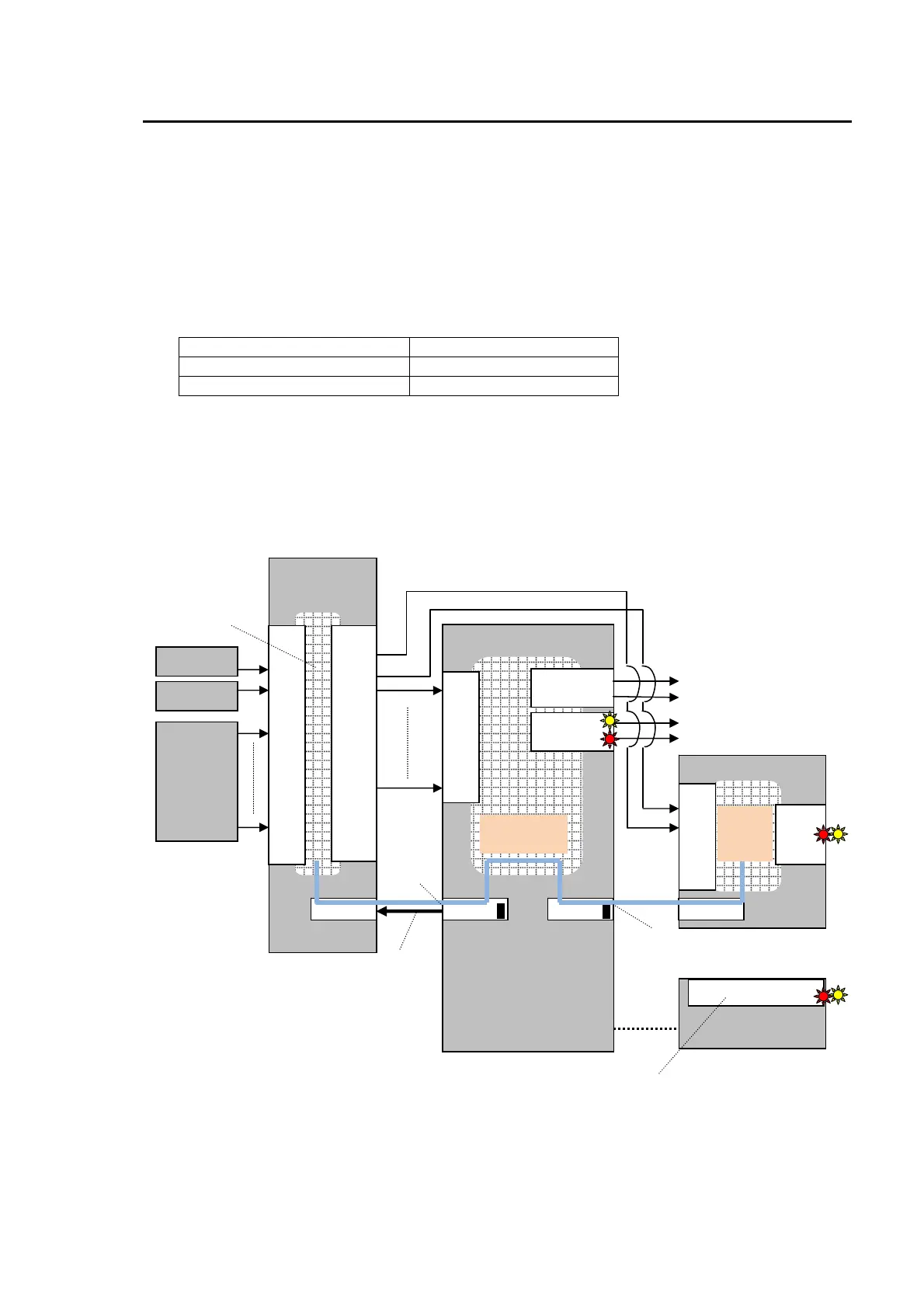
Connect an MFR-5000 to an RS-422 port (from 1 to 4) on the HVS-350HS using an RS-422
straight-through cable. Then configure the RS-422 port for the router control. Crosspoint switches
can be performed by using a user button, AUX1-8 and KEY/AUX bus buttons.
System Example
HVS-350HS
Router
(MFR-5000)
IN
01
02
|
|
|
|
|
|
|
|
|
16
RS-422
OUT
01
02
|
|
|
|
|
|
|
|
|
16
RS-422 1
Camera
Camera
Video
server
IN
01
02
|
|
|
08
PREV
PGM
Multiviewer (UMD)
M/E PREV
M/E PGM
To other devices
To other devices
RS-422 3
IN
01
02
|
|
16
OUT
01
02
RS-422
MFR
(Receive)
See 23-1
TSL (Send)
See 23-3-1.
Routing
Router control
See 23-2.
Tally Output
(See. 21-2)
Arcnet
HVS-350HS OU
GPI/TALLY OUT
Title
links
Title
& Tally
links



 To Next Page