3
2. Panel Descriptions
2-1. HVS-350HS
Front Panel
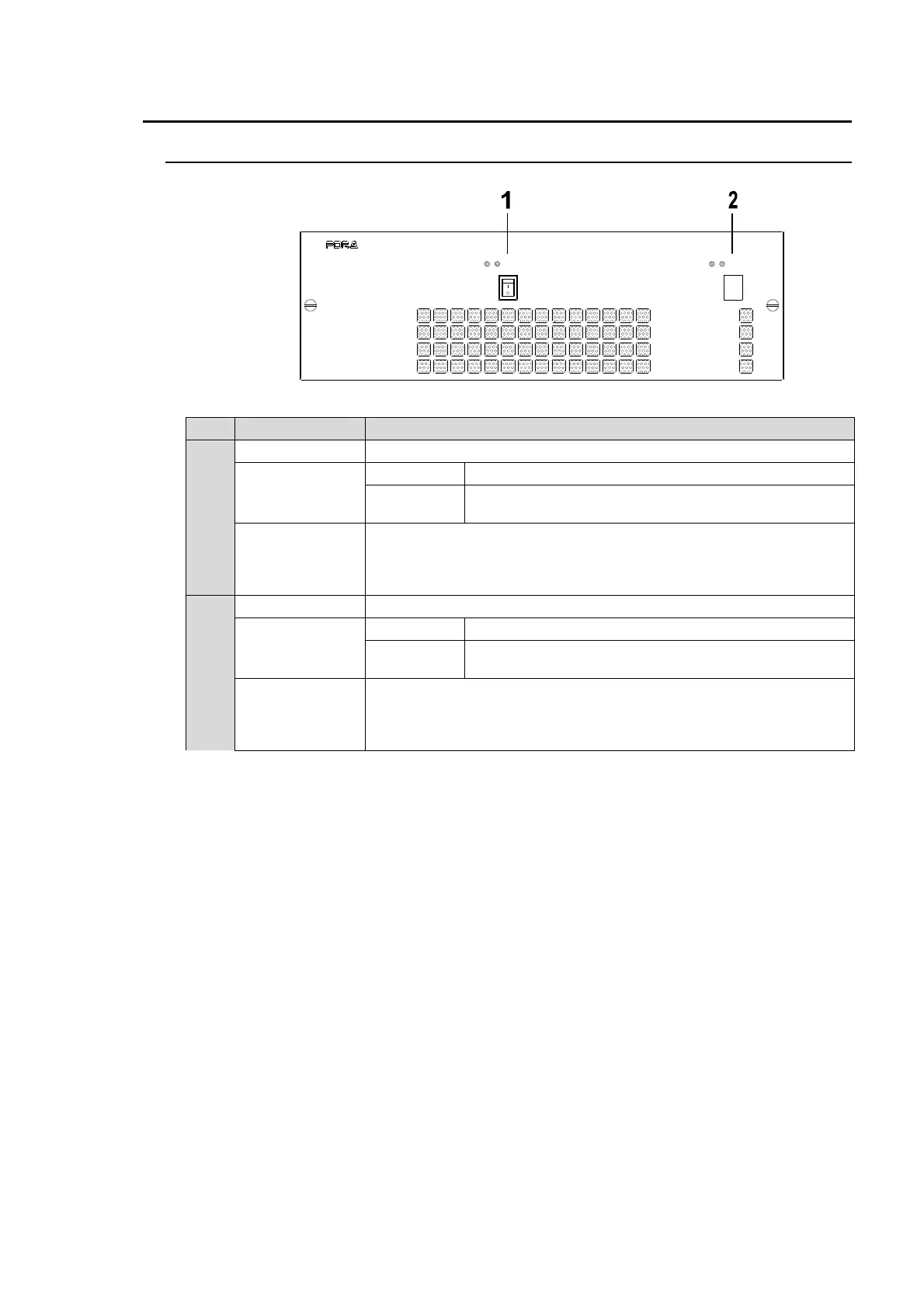
No. Name Description
1
Power switch 1 For Power 1 ON/OFF.
POWER 1
indicator
Lit green Power is supplied to the unit.
Unlit
Power is not supplied to the unit. Or power unit is not
installed.
ALARM 1
indicator
Lit red when a cooling fan fails. In such a case, power off the unit and
consult your FOR-A supplier. The indicator is normally unlit.
This indicator works the same as the ALARM indicator located on the
Control panel.
2
Power switch 1 For Power 2 ON/OFF (option).
POWER 2
indicator
Lit green Power is supplied to the unit.
Unlit
Power is not supplied to the unit. Or power unit is not
installed.
ALARM 2
indicator
Lit red when a cooling fan fails. In such a case, power off the unit and
consult your FOR-A supplier. The indicator is normally unlit.
This indicator works the same as the ALARM indicator located on the
Control panel.
ON
POWER 1
OFF
POW ER 1ALARM
ON
POWER 2
OFF
POW ER 2ALARM
HVS-350HS
DIGITAL VIDEO S WITCHER



 To Next Page