40
6-3. Clean Set Up
The switcher can output the CLEAN video via an auxiliary output. Users can also add the KEY
image to CLEAN. Follow the procedure below to assign the clean video to an AUX output. AUX3
is used in this example
Routing an M/E Clean Video to AUX Output
(1) Open the [SETUP-OUTPUT-AUX XPT] menu.
(2) Turn F1 to select AUX3.
(3) Turn F2 to select MECL.
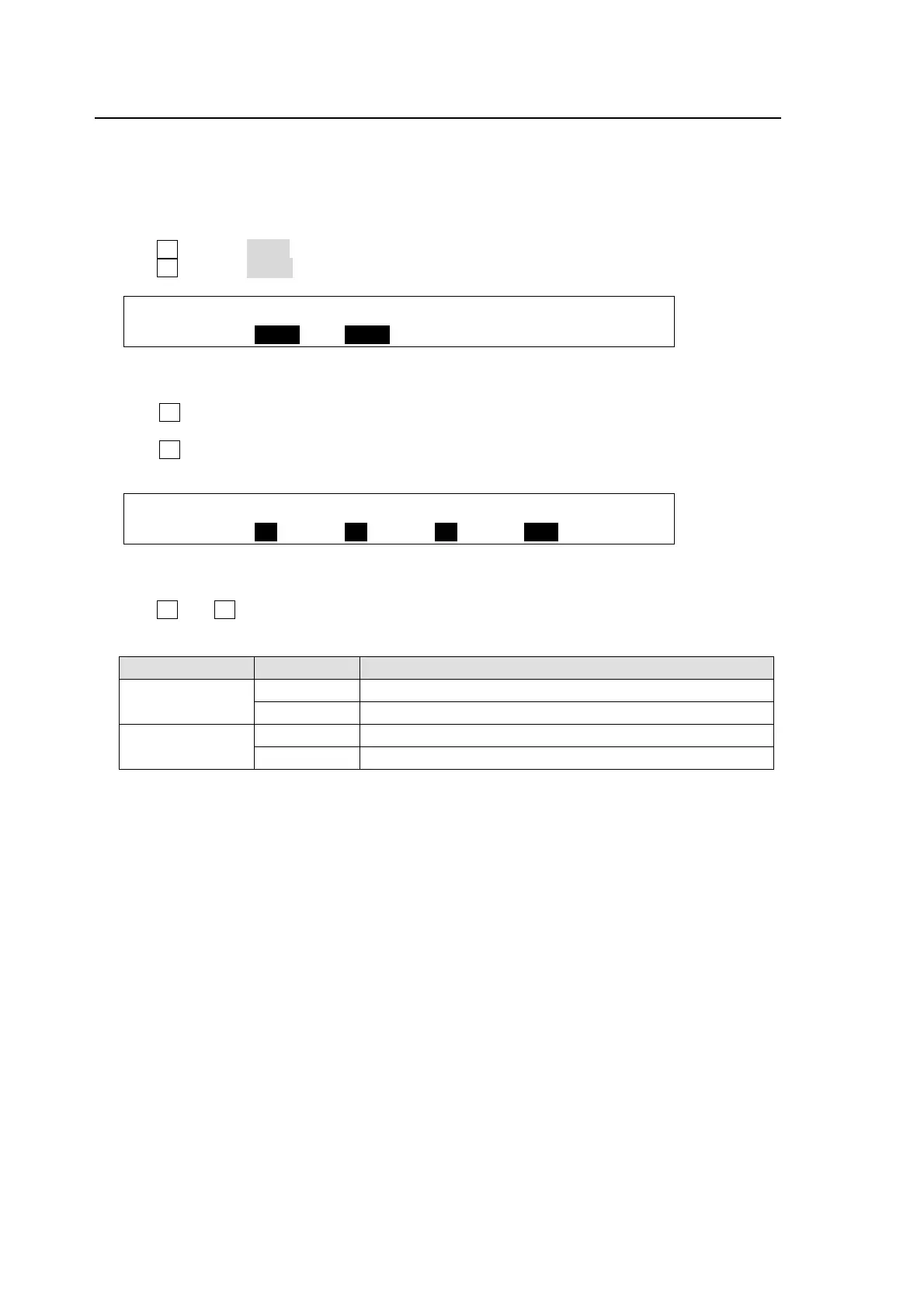
OUTPUT :SELECT : XPT : TRANS RATE : 1/2
AUX XPT : =AUX3 : =MECL : En=OFF =0 :
Displaying KEY Images on M/E Clean
(1) Open the [SETUP – OUTPUT – CLEAN/PREVIEW] menu.
(2) Turn F1 to insert the KEY1 image into the clean image. Then press the push-button to
confirm the setting.
(3) Turn F2 to insert the KEY2 image into the clean image. Then press the push-button to
confirm the setting.
OUTPUT : KEY1 : KEY2 : PinP1 : PinP2 : 1/3
CLEAN : =ON : =ON : =ON : =OFF :
Displaying PinP Images on M/E Clean
(1) Open the [SETUP – OUTPUT – CLEAN/PREVIEW] menu.
(2) Turn F3 and F4 to nsert the PinP1 and PinP2 images into the clean image. Then press the
push-button to confirm the setting.
Item Setting Description
KEY1-2
ON KEY image is added to Clean
OFF KEY image is not added to Clean.
PinP1-2
ON PinP image is added to Clean
OFF PinP image is not added to Clean.



 To Next Page