54
To Check Next Video:
To check the Preview video, assign the Preview video to an AUX bus to display the image.
(See section 6-2. "Preview Set Up.") To check the clean video, assign the Clean video to an
AUX bus to display the clear signal of program video. (See section 6-3. "Pattern (WIPE)
Transitions.")
8-4-2. P/P Bus
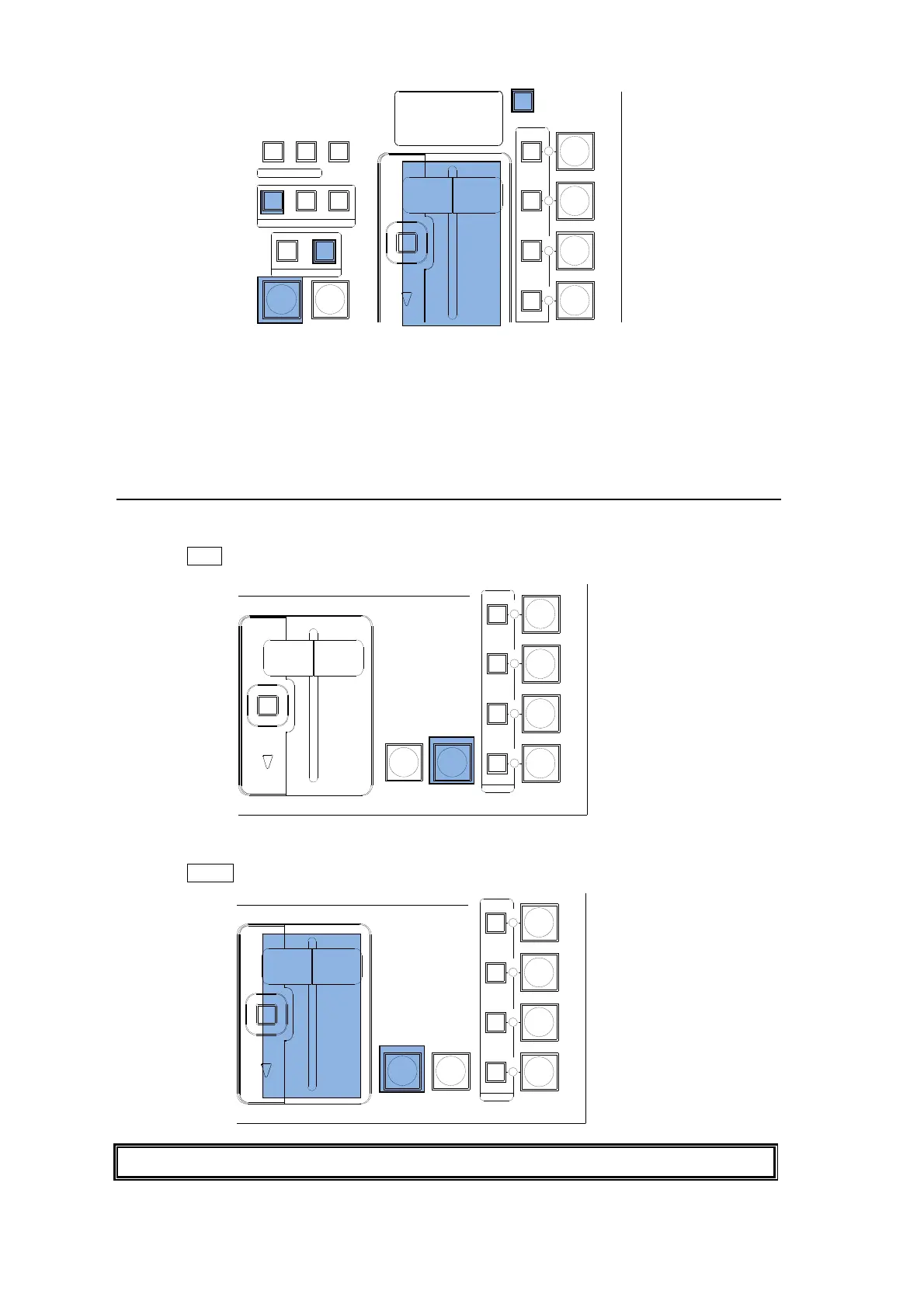
CUT Transition
(1) Select a video source in the PST bus block.
(2) Press CUT to perform the background CUT transition.
MIX Transition
(1) Select a video source in the PST bus block.
(2) Press AUTO or move the fader lever to perform the background MIX transition.
The pattern transitions cannot be performed on the P/P bus.
AUTO CUT
DVE
DVE
FADER LIMIT
DIRECTION
P IN P
1
P IN P
2
KEY 1
KEY 2
REV
BKGD
NOR/REV
KEY1
NEXT TRANSITION
TRANSITION TYPE
PATTERN
KEY2
WIPEMIX
TRANSITION
RATE
AUTO CUT
DSK 2
DSK 1
DVE
DVE
DVE
DVE
FADER LIMIT
ON AIR
DSK 3
DSK 4
AUTO CUT
DSK 2
DSK 1
DVE
DVE
DVE
DVE
FADER LIMIT
ON AIR
DSK 3
DSK 4



 To Next Page