71
9-5. How to Reset the WIPE Menu
All parameters in the WIPE menu can be returned to factory default settings by the procedures
below.
To Reset a Part of the Modified Pattern using the WIPE Menu:
The INIT items in the menu allows the user to reset a submenu respectively in the WIPE menu.
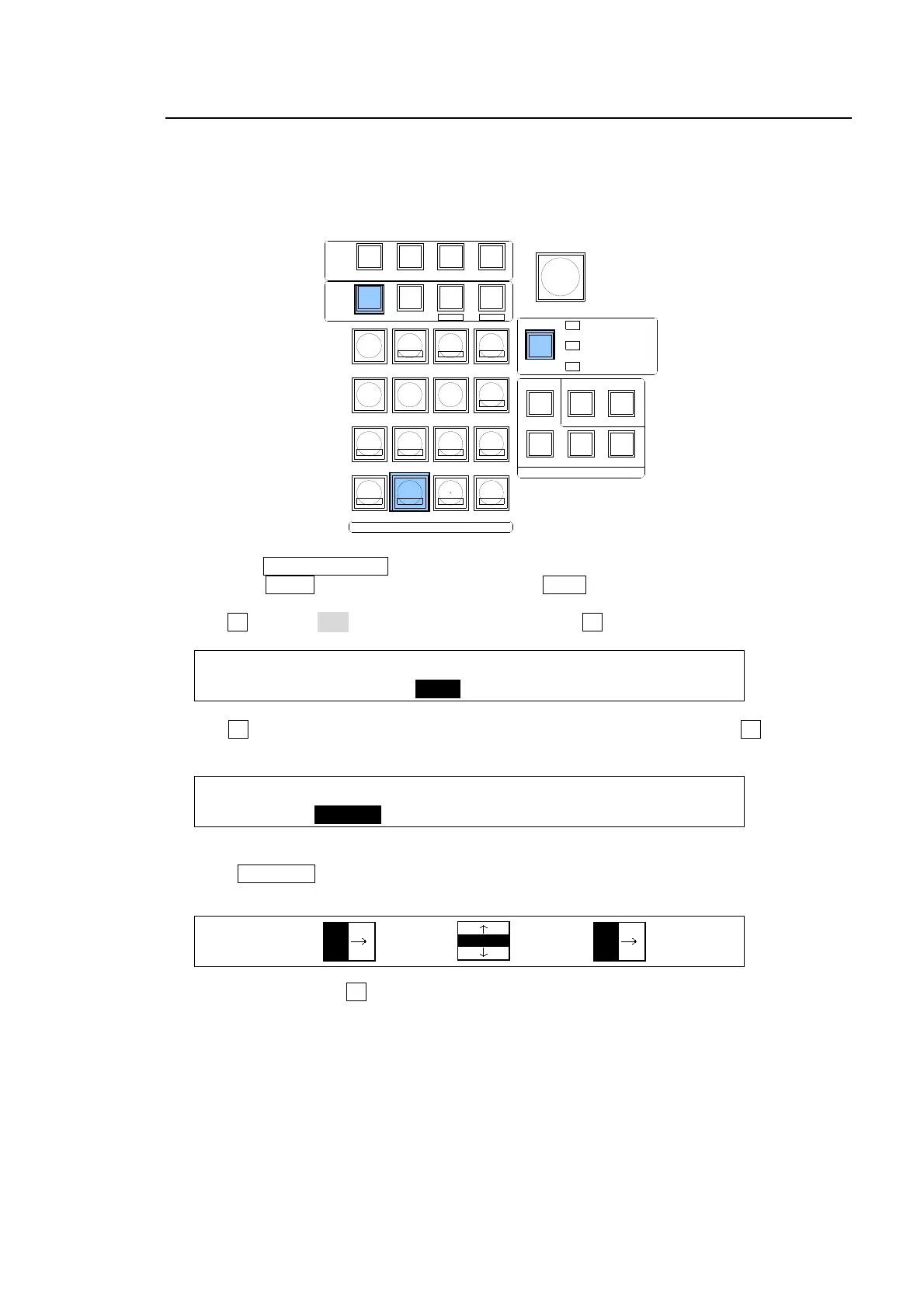
(1) Press the WIPE CHANNEL button to turn on the lamp of the bus where the pattern is used.
(2) Press the MENU control button, then press the WIPE button in the Keypad to display the
[WIPE] menu.
(3) Turn F1 to select INIT. And then press and hold down F1 for a while.
WIPE BG :>BORDER >POS/ASP >CROP >SUB EFF
No.117 :>CG WIPE >INIT
(4) Turn F1 to select the parameter group you want to reset under INIT. Press F1 to reset the
selected parameter values.
WIPE BG :INIT : : 1/1
INIT :=BORDER: :
To Reset a Modified Pattern using the WIPE PATTERN Menu:
(1) Press PATTERN in the TRANSITION block to display the [WIPE PATTERN] menu. The
letter "M" appears in front of the modified pattern.
WIPE:BKGD :KEY1 :KEY2 : 1/1
PATT:00 :M20 :00 :
(2) Press and hold down F2 to reset Pattern 20 in the above example.
To Reset a Modified Pattern using User Buttons:
(1) Assign the reset function of the WIPE menu (OTHER - WIPE MOD BKGD RESET, WIPE
MOD KEY1 RESET or WIPE MOD KEY2 RESET) to a USER button.
(2) Press the USER button. All parameters for the selected bus in the WIPE menu are returned
to factory default settings. (See section 21. "USER Button.")
TRANS
BLACK
SELECT / KEYPAD
BKGD
KEY1
KEY2
MENUMENU FINE DEF
ROTPOSWIPE POS
JOYSTICK
KEYER/P IN P
(2D DVE)
WIPE
CHANNEL
MEMORY
CONTROL
WIPE
MENU
INC
DEC
+/-
PLAY
STOP
CLEAR
2D DVE
USER BUTTON
7
4
1
CUT
0
COPY
EVENT
COPY/SWAP
8
SWAPCOPY
5
RECALL
PASTE
SEQUENCE
SEQ EDIT
9
NEW
6
INS
3
ADD
STORE
ENTER
OVWR
SETUP STILL MATT FILE
KEY1 KEY2 P IN P1 P IN P2
DSK1 DSK2 DSK3 DSK4
WIPE
2
DEL



 To Next Page