Appendix 3 - 22
6-7. IN/OUT Effects for PinP, KEY and DSK
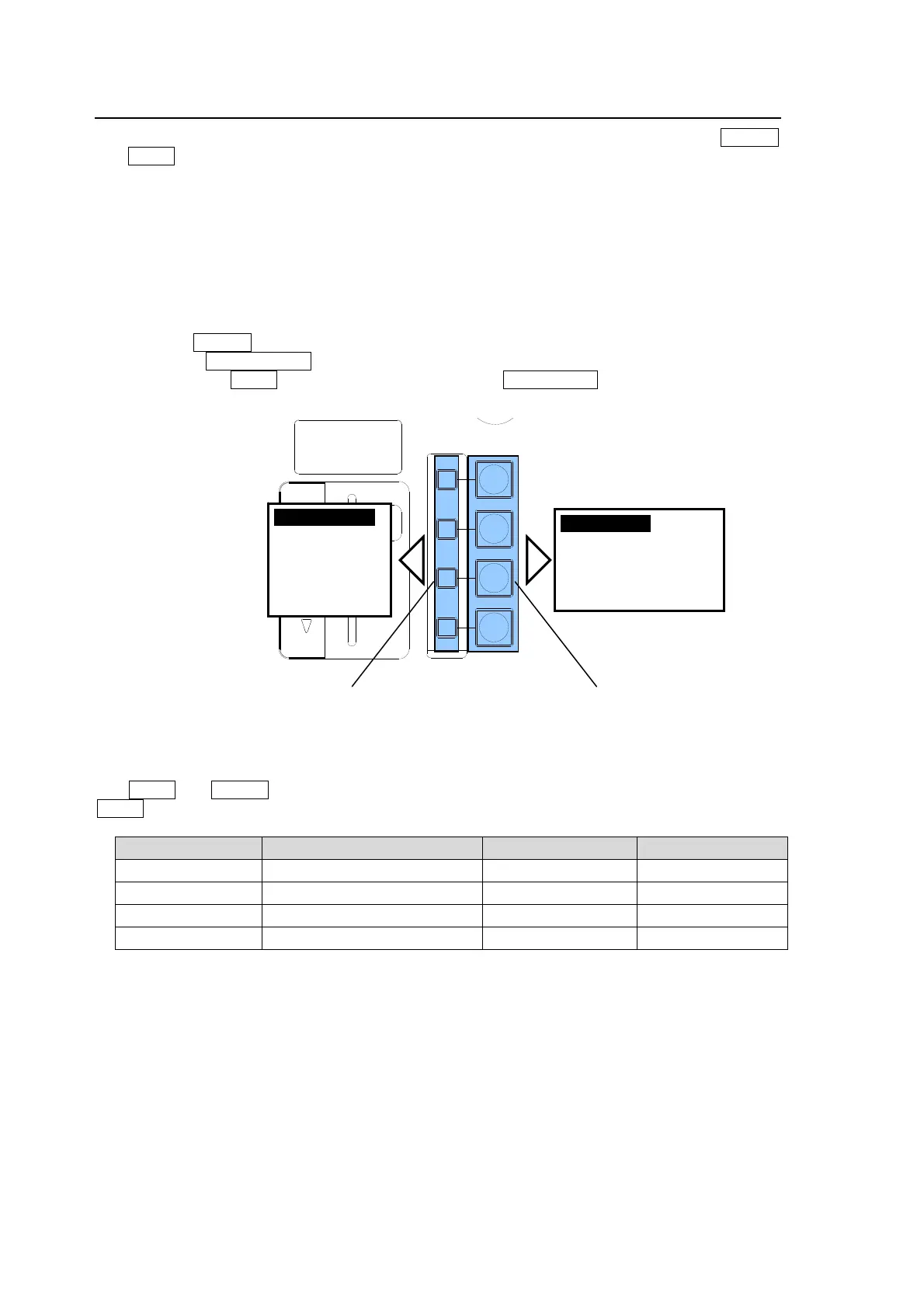
There are two transition buttons available for each of PinP 1-2, KEY1-2 and DSK1-4: ON AIR
and AUTO. (See the figure below.) They are multiple function buttons. The CUT, MIX, SLIDE (4
types) and WIPE (4 types) transitions can be performed using these two buttons for each bus.
The multiple function buttons are used for KEY1, PinP1, PinP2 and KEY2 from the top when
controlling M/E.
The multiple function buttons are used for DSK1, DSK2, DSK3 and DSK4 from the top when
controlling P/P.
To Perform PinP, KEY and DSK Transitions
(1) Set up a desired key or a PinP.
(2) Press the ON AIR button. For example, to insert the PinP1 on M/E program video by using
CUT, press PinP1 ON AIR (button's default setting).
(3) Then press the AUTO button. For example, pressing PinP1 AUTO fades out the PinP1 from
the screen (button's default setting), if it is on the image.
Light Indications of the AUTO button, ON AIR button and the DVE lamp
The AUTO and ON AIR buttons turn on while On-Air and turn off while Off-Air. The light color of
AUTO varies depending on the output bus.
State Output bus AUTO indication ON AIR indication
On-Air P/P PGM (*1) Lit red -
On-Air M/E PGM (*2) Lit green Lit
Transition P/P PGM, M/E PGM Flashing -
Off-Air - - -
(*1) Lit red when DSK is on the P/P PGM image or any key or PinP is on the P/P PGM image using the
re-entry function.
(*2) Lit green when DSK is on an AUX bus.
Buttons turn on while On-Air.
Buttons turn off while Off-Air.
DSK
KEYER
P IN P
1
2
P IN P
FADER LIMIT
ON AIR
HVS-300HS
DIGITAL VIDEO SWITCHER
Buttons turn on while On-Air.
(Light color varies by output bus)
Buttons turn off while Off-Air.
ON AIR ボタン
OFF
CUT (初期設定)
Scaler
Slide In/Out
Wipe In/Out
UTO ボタン
OFF
MIX (初期設定)
CUT (短く押す)
MIX (長く押す)
ON AIR button
OFF
CUT (default)
Scaler
Slide In/Out
Wipe In/Out
UTO button
OFF
MIX (default)
CUT (press)
MIX (press and hold)



 To Next Page