51
8-1. Transition Block Description
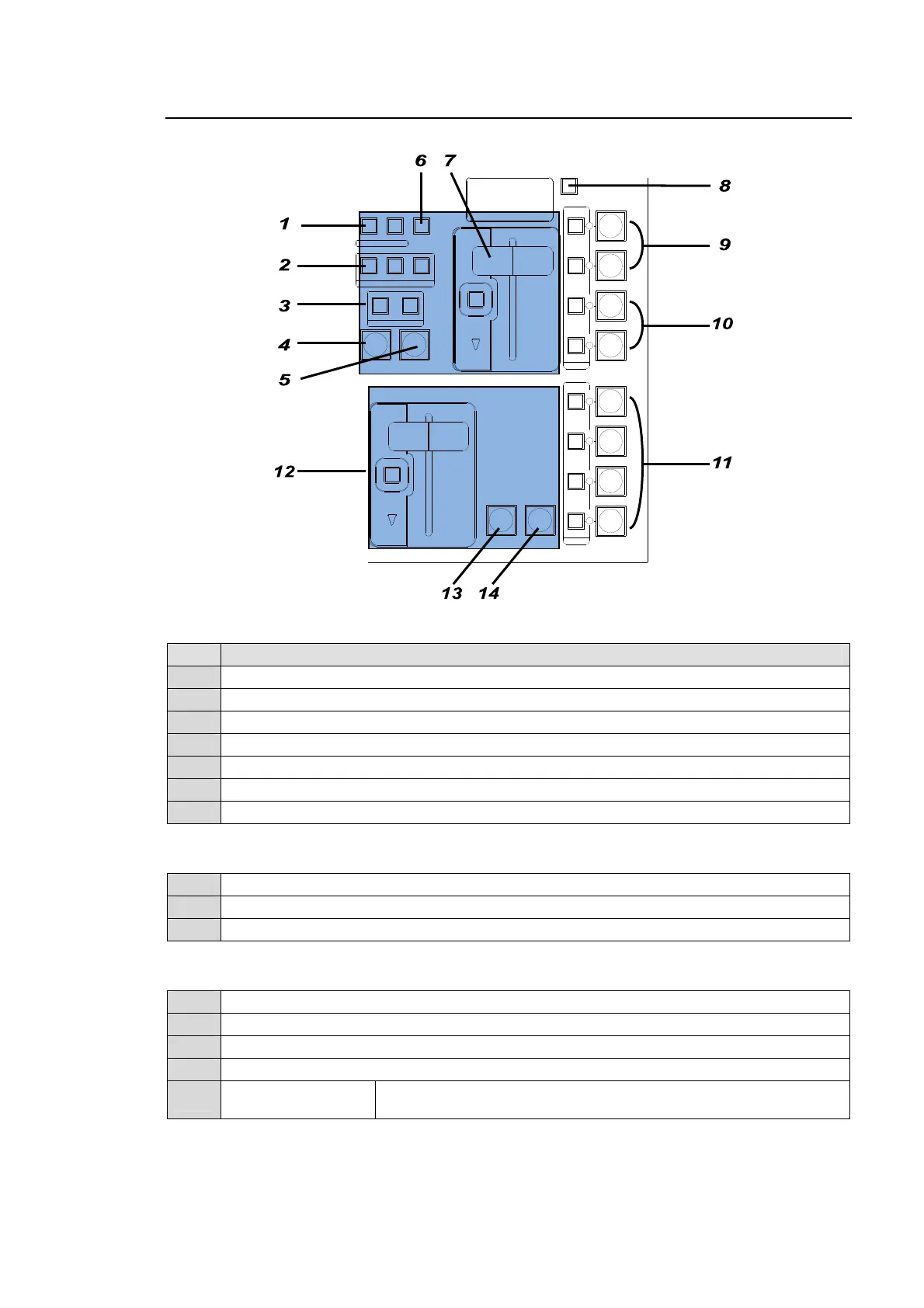
M/E transition section
No. Description
1 For pattern transition direction setting
2 For next transition bus selection
3 For transition type selection
4 AUTO transition button for BKGD and KEY
5 CUT transition button for BKGD and KEY
6 For pattern selection
7 BKGD and KEY fader lever and fader limit ON/OFF button
P/P transition section
12 BKGD and KEY fader lever and fader limit ON/OFF button
13 AUTO (MIX only) transition button for BKGD
14 CUT transition button for BKGD
Other transition related buttons
8 For transition rate setting. Pressing the button opens the related menu.
9 ON AIR and AUTO transition buttons for PinP.
10 ON AIR and AUTO transition buttons for KEY and DVE indicator.
11 ON AIR and AUTO transition buttons for DSK and DVE indicator.
-
BLACK TRANS
button
For BLACK transition use. (Located on the left next to the joystick)
AUTO CUT
AUTO CUT
DSK 2
DSK 1
DVE
DVE
DVE
DVE
DVE
DVE
FADER LIMIT
FADER LIMIT
DIRECTION
ON AIR
P IN P
1
P IN P
2
KEY 1
KEY 2
DSK 3
DSK 4
ON AIR
REV
BKGD
NOR/REV
KEY1
NEXT TRANSITION
TRANSITION TYPE
PATTERN
KEY2
WIPEMIX
TRANSITION
RATE
M/E transition section
P/P transition section



 To Next Page