41
6-4. Setting Up and Outputting KEY OUT
The KEY OUT signal (switcher processed key cut signal) can be assigned to AUX outputs.
Several kinds of key signals can be used as KEY OUT, such as KEY and DSK mixed key signal
and DVE key signal. This feature is useful for checking key signals while processing chroma
keys.
(1) Open the [SETUP-OUTPUT-AUX XPT] (2/2) menu referring to section 6-2. "Preview Set Up."
(2) Press the page down button to go to PAGE 2.
OUTPUT : M/EKEY: P/PKEY: AUX CONTRL : 2/2
AUX XPT : =D_PGM: =PPKEY: S=AUX1 E=OFF :
(3) Turn F1 to select a KEY OUT signal. Various types of KEY OUT signals are available as
shown in the table below. Press F1 or ENTER to confirm the setting.
Item Setting Description
M/E
KEY
D_PGM Key signal of M/E PGM when using DVE
D_PST Key signal of M/E PST when using DVE
D_MEA Key signal of M/E-A when using DVE
D_MEB Key signal of M/E-B when using DVE
KEY1-2 Key signal of KEY1-2 when using DVE
PinP1-2 Key signal of PinP1-2 when using DVE
ME KEY Key signal of M/E PGM including KEY1-2 and PinP1-2 when using DVE
P/P
KEY
DSK1-4 Key signal of DSK1-4 when using DVE
PP KEY Key signal of P/P PGM including DSK1-4 when using DVE
6-5. Setting Up Additional Outputs
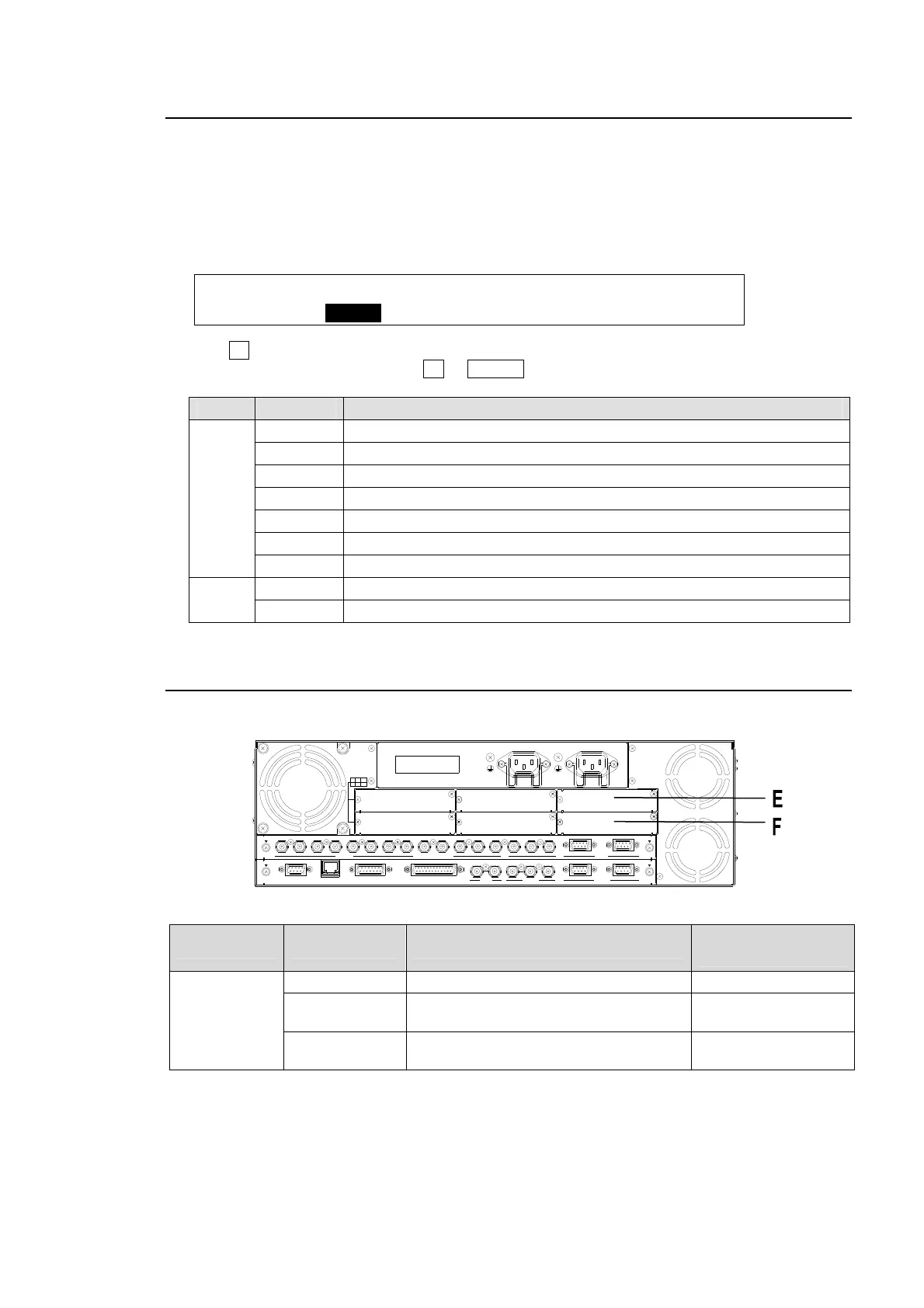
Up to two cards of additional outputs can be installed into slots E and F.
Option Slot Available card Available Video Signal (Connector)
Number of outputs
per card.
E, F
HVS-30HSDO HD/SD-SDI (BNC) 3 outputs (*1)
HVS-30HSAO
HD/SD analog component or
SD analog composite (BNC)
2 outputs
HVS-30PCO
Digital RGB (DVI-D) and
Analog RGB (VGA)
2 outputs
(*1) HVS-30HSDO can send two output channels to three connecters: Ch 1 to Connector 1 and Ch
2 to Connectors 2 and 3.
RATING LABEL
DB
ECA
OPTION SLOT
F
I
/O
4
3
2
1
S
D
I
IN
P
U
T
6
7
8
5
A
U
X
2
R
S
-
4
2
2
1
P
G
M
P
G
M
M
/E
P
/
P
4
1
2
3
5
6
C
P
U
/
G
E
N
L
O
C
K
T
O
O
U
G
E
N
L
O
C
K
R
E
F
I
N
R
E
F
O
U
T
G
P
I I
N
E
D
IT
O
R
G
P
I/
T
A
L
L
Y
O
U
T
4
R
S
-
4
2
2
3
21
A
C
1
0
0
V
-
2
4
0
V
5
0
/
6
0
H
z
IN
A
C
1
0
0
-
2
4
0
V
5
0
/
6
0
H
z
I
N
L
A
N



 To Next Page