76
10. KEY and DSK
The key feature enables you to superimpose titles and images onto background signals. With the
HVS-350 series, six keyer channels (two KEYs and four DSKs) are available. KEY and DSK can
use three keyer types: Luminance Key, Full Key and Bus Key. Key Invert, Mask and 2D DVE
effects can also be added to both DSK and KEY. Furthermore, the Chroma Key feature and Edge
effect are also provided to two KEYs.
Feature Comparison between KEY and DSK
KEY DSK
Key invert, Mask Available Available
2D DVE Available Available
Luminance key, Full key, Bus key Available Available
Chroma key Available -
Edge effect Available -
Pattern transition
M/E PGM image selection - Available (*1)
Output bus M/E M/E, P/P or AUX1-8 (*2)
(*1) Except when M/E is selected for the output bus.
(*2) The default output bus is P/P. See section 11. "Selecting Output Bus for DSK."
The method for KEY and DSK settings are almost the same. The following section describes the
key setup and adjustment using KEY1 as an example.
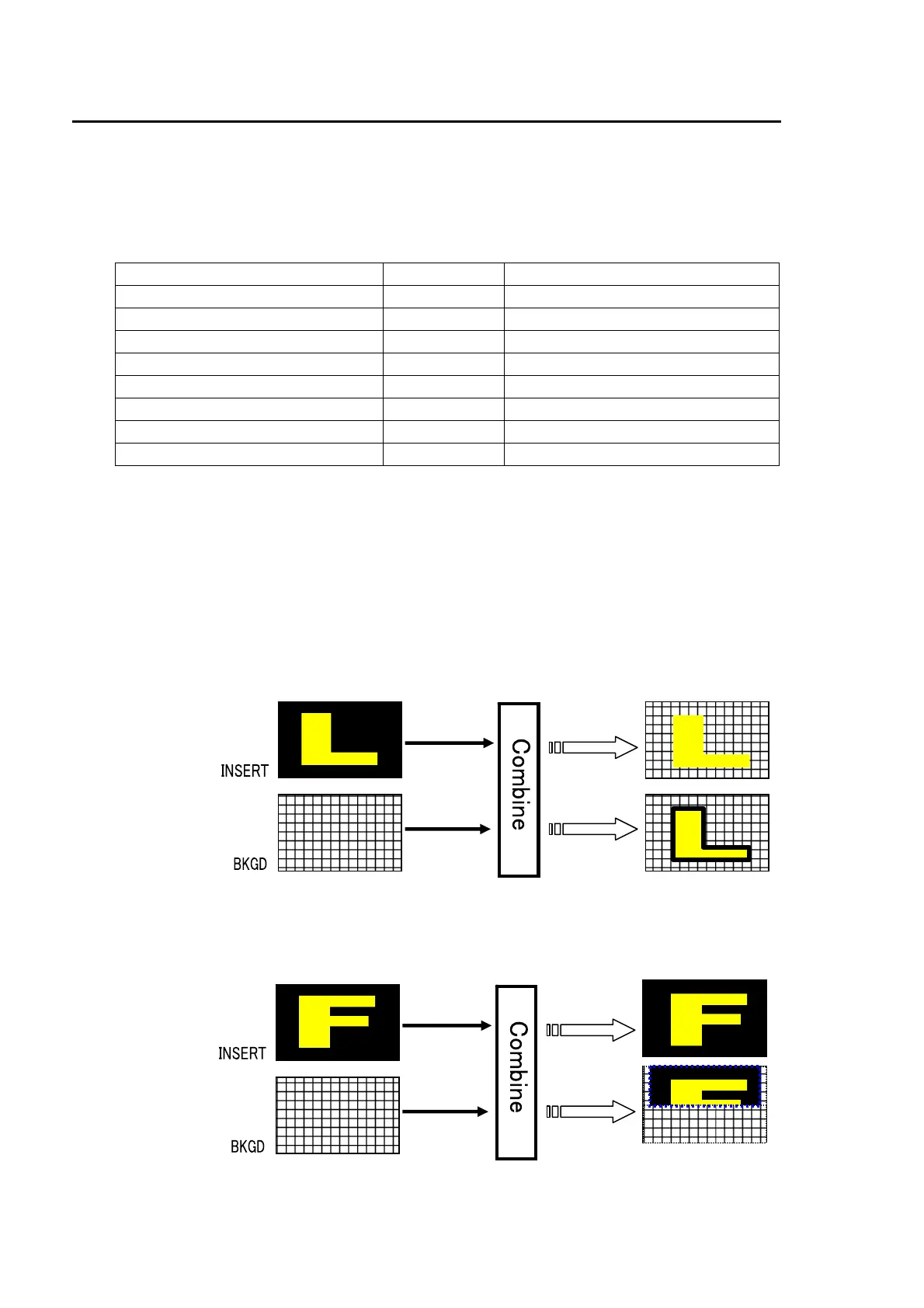
Luminance KEY
Luminance Key, also called Self Key, uses the same image for Key Source and Key Insert. This
image is selected from Key Insert.
Full key
Full Key displays the key insert signal full-screen.
Luminance Key
Edge
Full Key
BOX(AND)
mask



 To Next Page