102
13-3. Delay Line
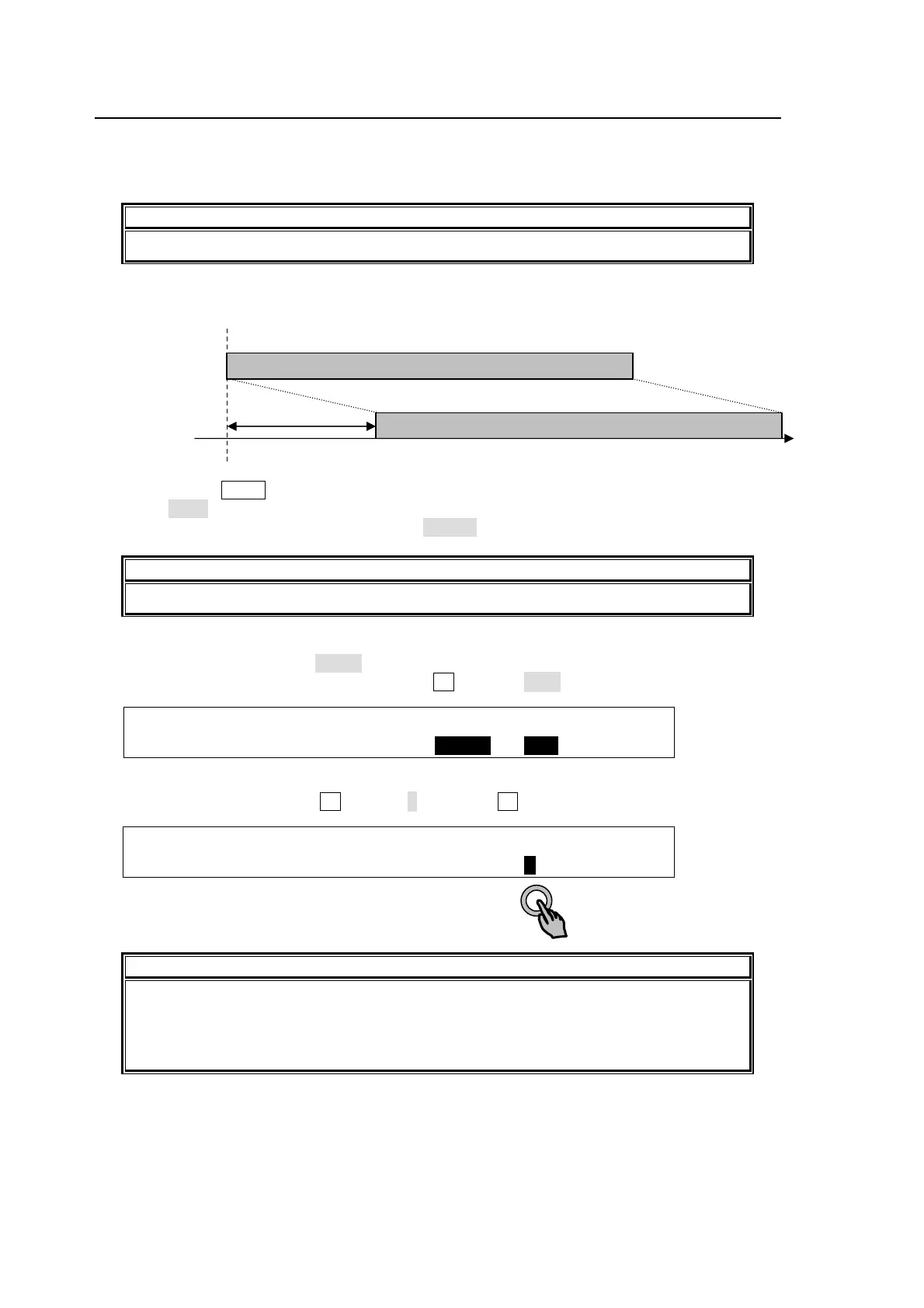
The clip memory can be used as a delay buffer. A delay line with the clip memory can delay an
output video up to 30 frames. Delay Line channels can be assigned to a bus button using a still
bus in the same way as clips and used as M/E, P/P and AUX output sources.
IMPORTANT
Clip recording/playback and delay lines cannot be used at the same time.
This example outputs PGM video with 5-frame delay from AUX1 using STILL2.
(1) Quickly press AUX1 to display the [SETUP-OUTPUT-AUX XPT] menu.
(2) Select STL2 under XPT.
(3) Open PAGE1 in the [STILL] menu. Select DELAY for STILL2.
IMPORTANT
Note that CLIP and DELAY cannot be selected at the same time for STILL1 to 4.
(4) Press the page down button to go to PAGE 2 in the [STILL] menu.
(5) Set SOURCE2 ASSIGN to CL/DL.
(6) To select a video signal to be delayed, turn F4 to select PGM in this example.
STILL :SOURCE1 ASSIGN :SOURCE2 ASSIGN : 2/6
SIGNAL : =STILL: =AUX1 : =CL/DL: =PGM :
(7) Press the page down button to go to PAGE 6 in the [STILL] menu.
(8) To set the delay value, turn F4 to set to 5 and press F4 to confirm the setting.
STILL : LOOP :RECMODE:KEYOUT : DELAY : 6/6
CLIP/DLY: =OFF : =STD : =STIL1: =5 : F=60
IMPORTANT
Note that the delayed image will be distorted if still store or still image transport from
the HVS-35GUI is performed while using the delay line.
If DELAY is set to one or more, the number of recordable frames is reduced even
when a delay line is not used.
DELAY
UX1 (STILL2)
PGM PGM video
PGM video with 5-frame delay



 To Next Page