49
7-3-2. Using the SHIFT function
Once the SHIFT function has been assigned to a bus button, the SHIFT button works in
normal mode by default. The SHIFT operation mode can be changed to toggle mode. The
SHIFT operation mode is set at the SHIFT item in the [SETUP- INPUT-ASSIGN](4/4) menu.
In the description below, assume that the SHIFT is assigned to Button 20.
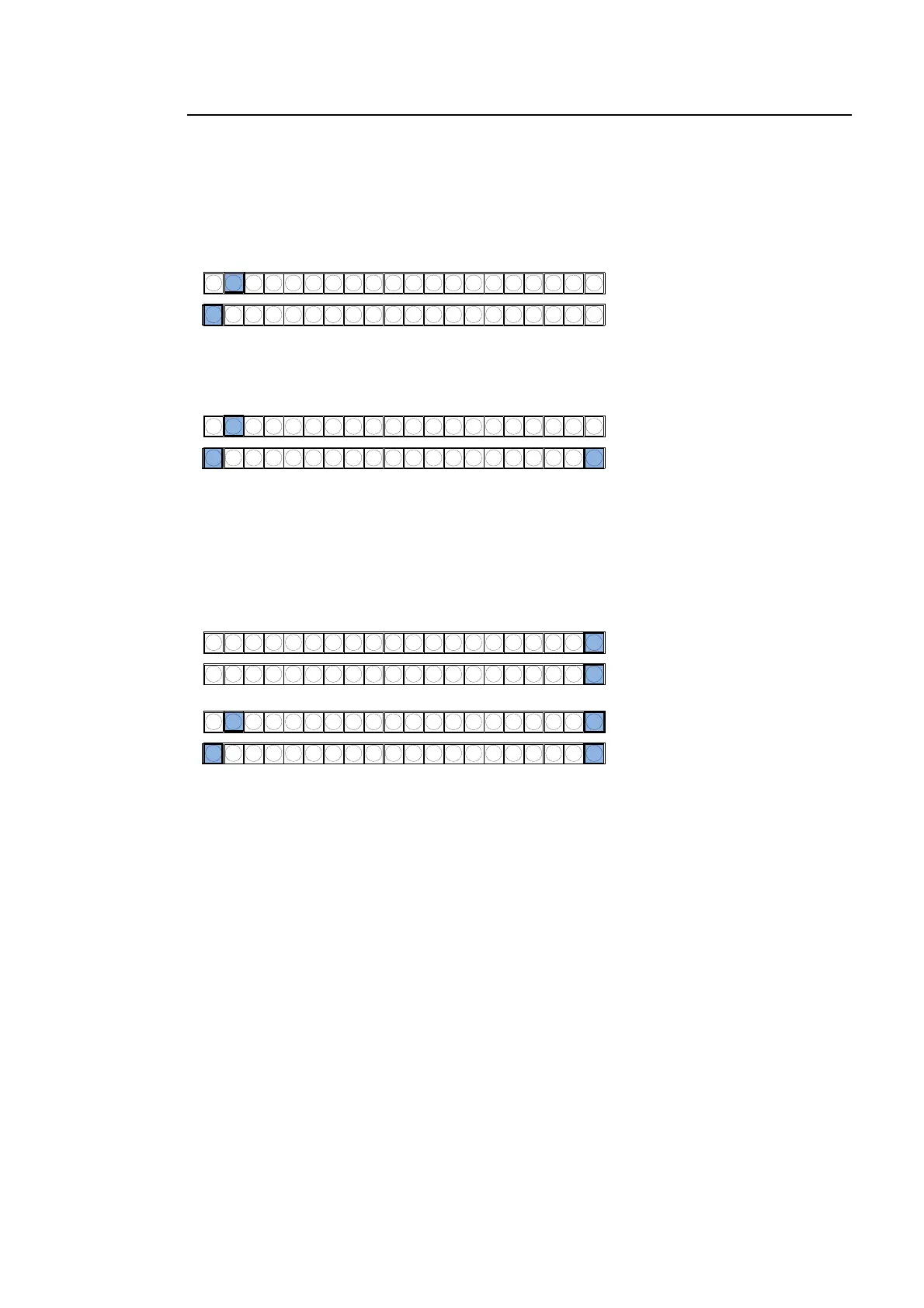
When SHIFT works in NORMAL mode:
To select 1 to 19, simply press a bus button with SHIFT turned OFF.
To select Shifted Button 1 to 19 (sft1 to sft19), press a bus button while holding down the
SHIFT button.
When SHIFT works in TOGGLE mode:
To select 1 to 19, simply press the relevant button with SHIFT turned OFF. Please note that
this procedure is the same as in Normal mode.
To select sft1 to sft19, press and hold down the SHIFT button and then press a bus
button (with SHIFT lit).
M/E
1110987654123 12 13 14 15 16 17 18 19 20
Pressing 2 selects Button 2.
Pressing 1 selects Button 1
Pressing 2 selects Shifted Button 2 (sft2).
Pressing 1 selects Shifted Button 1(sft1).
M/E
1110987654123 12 13 14 15 16 17 18 19 20
Pressing 2 selects Button 2.
Pressing both 1 and 20 (SHIFT)
selects Shifted Button 1 (sft1).
M/E
1110987654123 12 13 14 15 16 17 18 19 20
M/E
1110987654123 12 13 14 15 16 17 18 19 20
Press SHIFT (Button 20).



 To Next Page