143
19-4. Loading Data from USB Flash Memory
19-4-1. To Load Setting Data
This section explains how to load setting data to the USB memory by using a "data.all" file as
an example.
(1) Insert a USB flash memory into the USB port.
(2) Press the MENU control button, then press the FILE button to open the FILE top menu.
(3) Turn F1 to select LOAD, and then press F1 or the page down button to open the
[FILE-LOAD] menu.
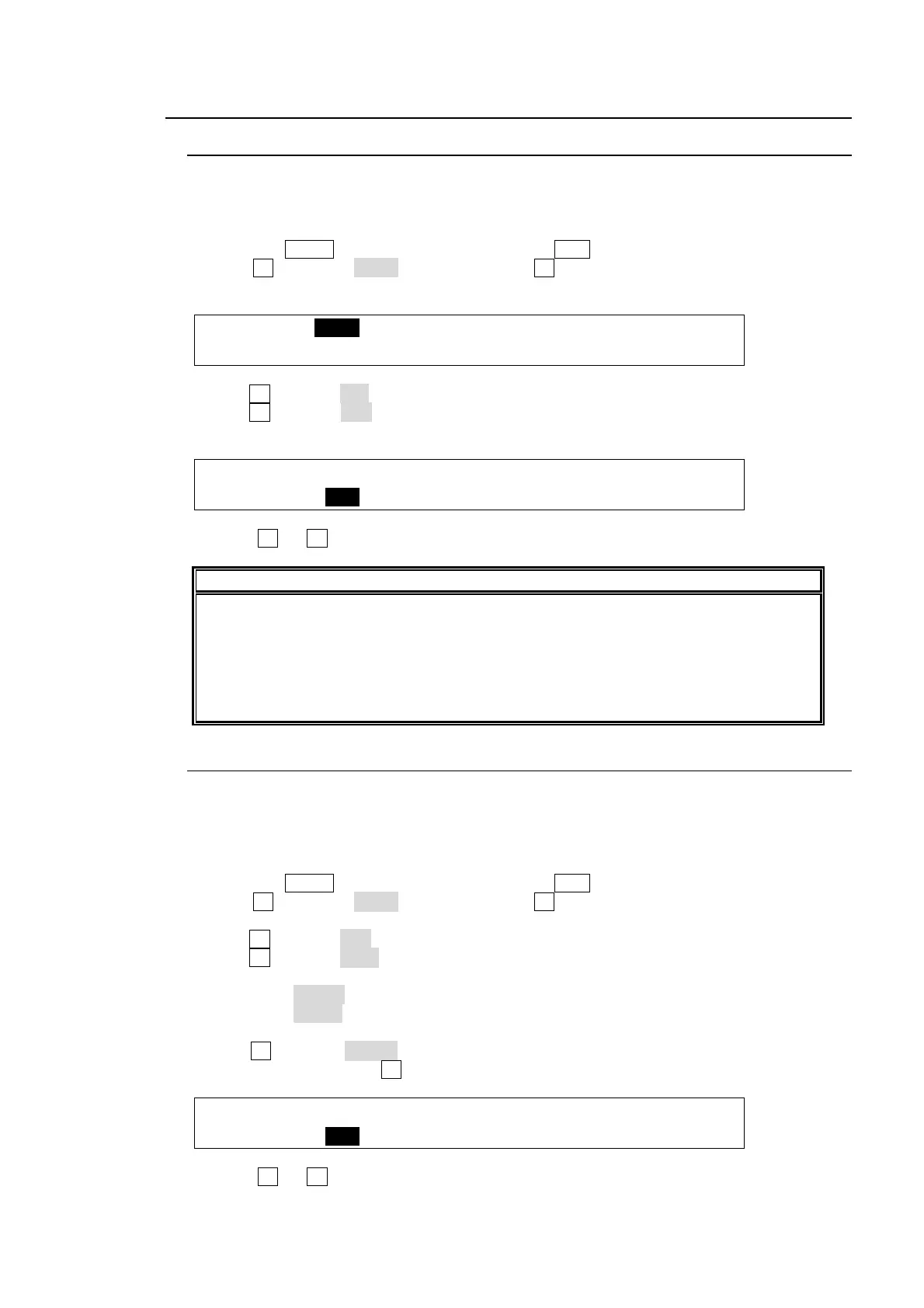
FILE :>LOAD >SAVE >UPDATE
TOP :
(4) Turn F1 to select ALL to the EXT (File Extension) item.
(5) Turn F3 to select data. (See section 19-5 "Moving between Directories in the USB Flash
Memory.")
FILE : EXT : LOAD : <DIR>.. 1/2
LOAD : =ALL : : DATA 101MB
(6) Press F3 (or F2) to load the setting data to the control panel.
IMPORTANT
Once the saved system data (files with "all" or "sys" extension) finishes loading, you
will have to restart the switcher. (The unit should be powered off then powered ON.)
The system data is applied only after the switcher is restarted.
Be careful when loading system data (setting files with "all" or "sys" file extension),
because the switcher and control panel cannot be connected each other if different
connection settings are loaded.
19-4-2. To Download Image Files
When loading a jpeg, targa or bitmap file from the USB flash memory, you can select a
centered or tiled format as well as a normal one. This section explains how to download the
"sample.jpg" file to STILL1 as an example.
(1) Insert a USB flash memory into the USB port.
(2) Press the MENU control button, then press the FILE button to open the FILE top menu.
(3) Turn F1 to select LOAD, and then press F1 or the page down button to open the
[FILE-LOAD] menu.
(4) Turn F1 to select JPG to the EXT (File Extension) item.
(5) Turn F2 to select STL1 to the LOAD item as a destination.
If selecting STL1C to LOAD, the image file is saved to STILL1as a centered format.
If selecting STL1T to LOAD, the image file is saved to STILL1as a tiled format.
(6) Turn F3 to select sample. . (See section 19-5 "Moving between Directories in the USB
Flash Memory.") Press F3 to confirm the file selection.
FILE : EXT : LOAD : <DIR>.. 1/2
LOAD : =JPG :=STIL1 : sample 101MB
(7) Press F3 (or F2) to load the image file to STILL1 memory.



 To Next Page