134
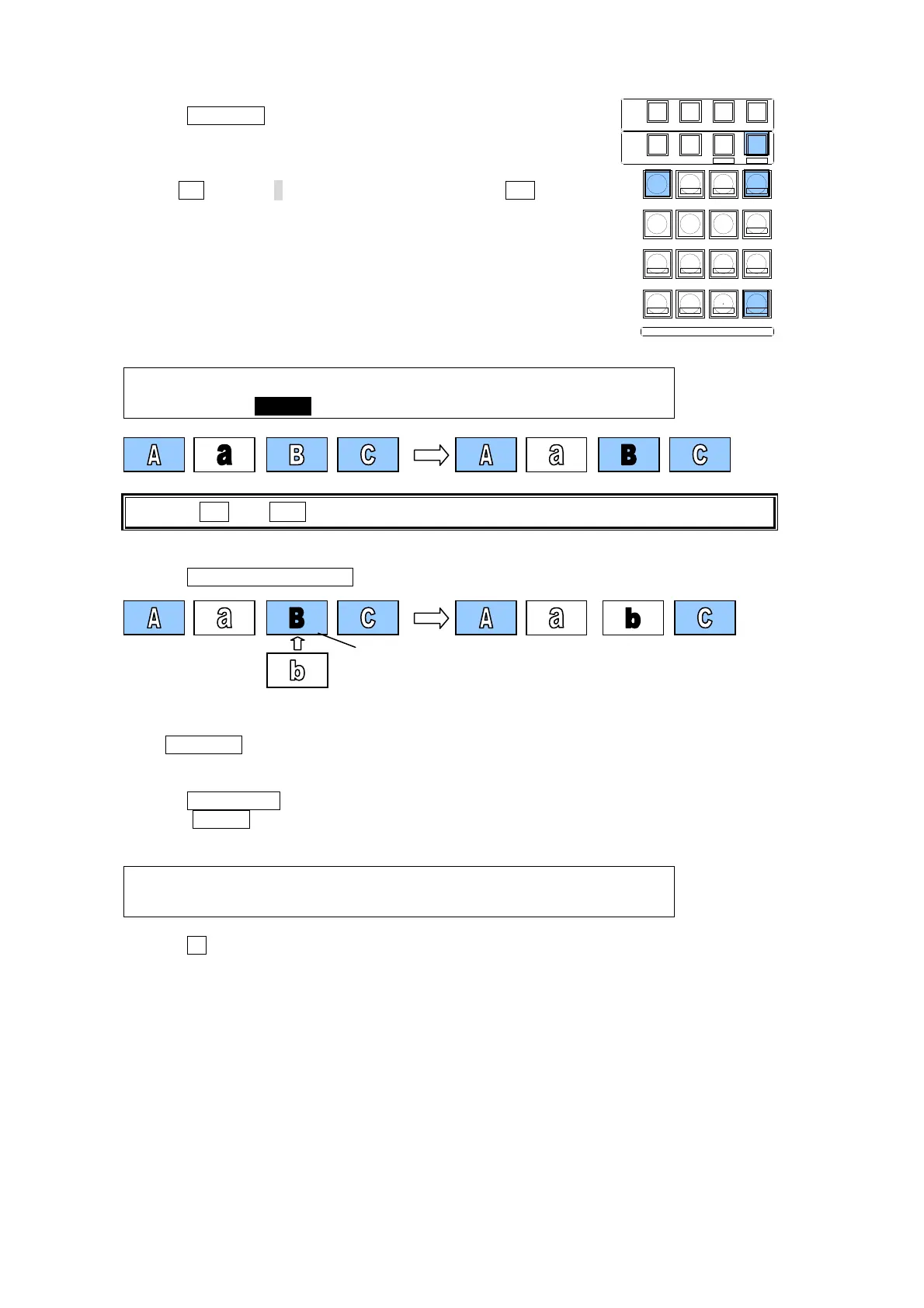
Overwriting Step3
(1) Press SEQ EDIT to change the Keypad to SEQ EDIT mode
and display the [SEQ EDIT] menu.
(2) Press the page down button to go to PAGE2. Verify the current
step.
(3) Turn F1 to select 3 at STEP in the menu or press INC in the
Keypad to go to Step3.
SEQ EDIT: STEP : DUR : BREAK :BRK CTL: 2/3
STEP : = 3/ 4: =30 : =ON : =OFF :
Pressing INC and DEC in the Keypad moves between steps.
(4) Create "Video b" for saving Step3.
(5) Press OVERWRITE(ENTER) in the Keypad to replace Step3.
Playing Back the Sequence
Press +/- (PLAY) to play back and check the sequence contents.
Storing the Sequence
(1) Press SEQUENCE to display the [SEQUENCE MEMORY] menu.
(2) Press STORE. The [SEQUENCE - STORE] menu appears, the current sequence
information is displayed and the Keypad is set to Sequence Store mode.
SEQUENCE:TOTAL STEP->4 :LOOP->ON : 1/1
STORE :TOTAL TIME->120 :DIR ->NOR :
(3) Press 1 .to store the current data in the working memory to "Sequence Memory 1."
SELECT / KEYPAD
MEMORY
CONTROL
WIPE
MENU
INC
DEC
+/-
PLAY
STOP
CLEAR
2D DVE
USER BUTTON
7
4
1
CUT
0
COPY
EVENT
COPY/SWAP
8
SWAPCOPY
5
RECALL
PASTE
SEQUENCE
SEQ EDIT
9
NEW
6
INS
3
ADD
STORE
ENTER
OVWR
SETUP STILL MATT FILE
KEY1 KEY2 P IN P1 P IN P2
DSK1 DSK2 DSK3 DSK4
WIPE
2
DEL
Press ENTER
here.



 To Next Page