56
Pattern transition
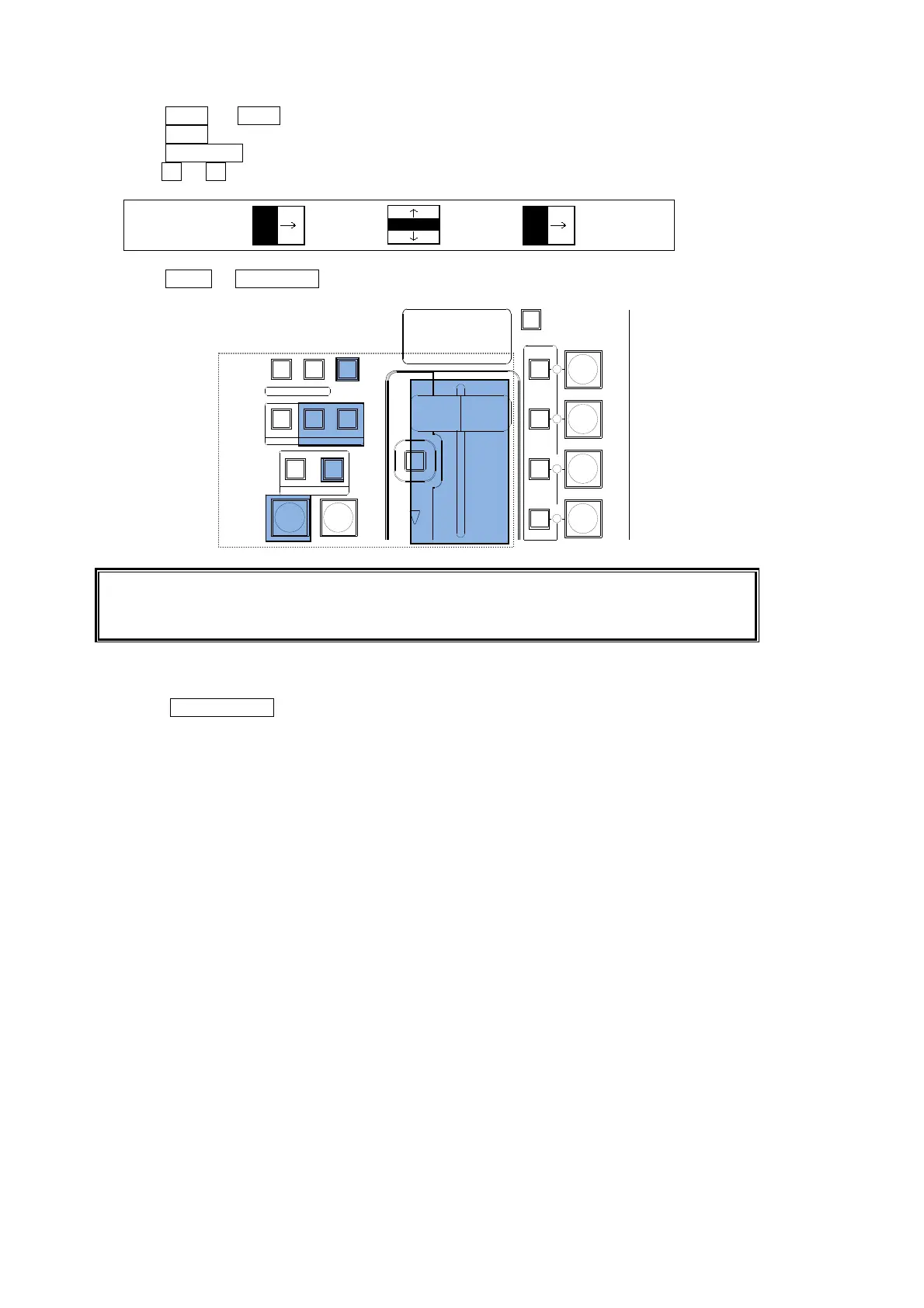
(1) Press KEY1 (or KEY2) in the NEXT TRANSITION block.
(2) Press WIPE in the TRANSITION TYPE block.
(3) Press PATTERN to display the [WIPE PATTERN] menu.
(4) Turn F2 or F3 to select a desired pattern. (See section 8-8 "How to Select Patterns.")
WIPE:BKGD :KEY1 :KEY2 : 1/1
PATT:00 :20 :00 :
(5) Press AUTO or KEY AUTO, or move the fader lever to perform the pattern transition.
See section 8-7. "Pattern (WIPE/DVE) Transitions " for the WIPE transition details.
See section 8-10-2. " Transition Rate" for the transition rate.
See section 8-10-1. " Fader Limit" for the fader limit.
USER Transitions
Press the KEY1 ON AIR (or KEY2 ON AIR) button to insert the KEY on the M/E program video
by using a USER transition (scaler, slide in/out or wipe in/out). (See section 8-9. " IN/OUT
Effects for PinP, KEY and DSK" for details.)
AUTO CUT
DVE
DVE
FADER LIMIT
DIRECTION
P IN P
1
P IN P
2
KEY 1
KEY 2
REV
BKGD
NOR/REV
KEY1
NEXT TRANSITION
TRANSITION TYPE
PATTERN
KEY2
WIPEMIX
TRANSITION
RATE


 To Next Page
 Loading...










