System
Save/load
MGCplus A0534-30.0 HBM: public 247
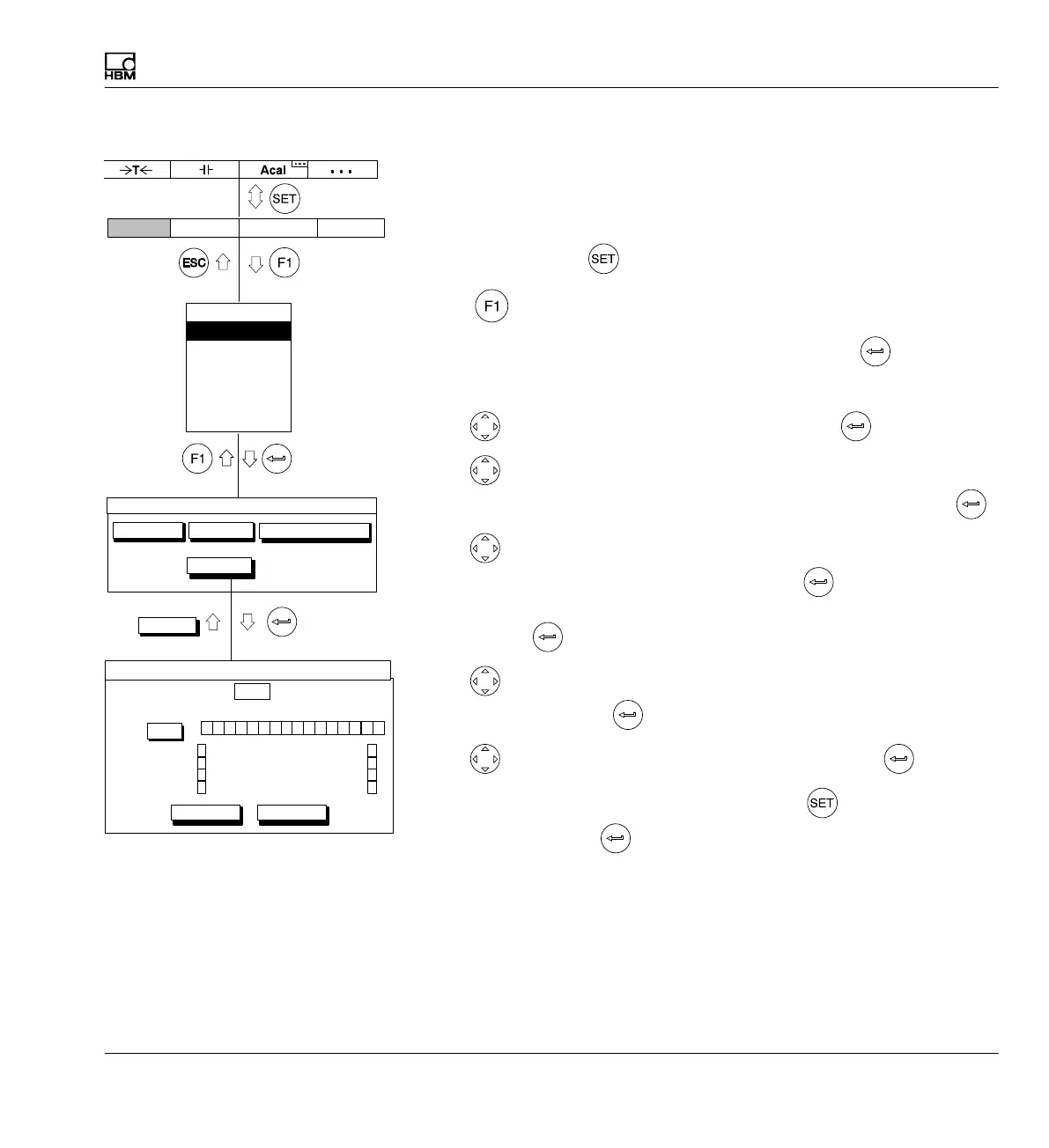
Copy amplifier
All or only certain settings can be transferred from one channel to another
(or to multiple channels) as defined by the user. Use the Copy button to do
this.
1. Use the Switch key to switch to Setup mode.
2. Print
3. In the pull‐up menu select Save/load and confirm with .
You will then be in the Save/load settings setup window.
4. Use
to select the Copy button and confirm with .
5. Use
to select the channel numbers for which you want to copy the
settings in the Copy from channel selection field and confirm with
.
6. Use
to select the channels for which you want to transfer the
settings in control fields 1...16 and confirm with
(a check mark
appears in the selection field). To transfer all channels select All and
confirm with
.
7. Use
to select which settings will be transferred in the vertical control
fields and confirm with
(a check mark appears in the selection field).
8. Use
to select the OK button symbol and confirm with .
To return to measuring mode, press the Switch key
and confirm the
confirmation prompt with
.
Display Amplifier OptionsSystem
Save/load settings
Factory settings
LoadSave
Copy
OK
to the channels
101112131415161 23456789
All
OK Cancel
Copy settings
Copy from channel: 1
All
Control input
Transducer
Signal conditioning
LV switch
Peak values
Display
Analog outputs
Password
Save/load
Recording
Interface
Print
Language
Time



 To Next Page