System
Recording series of tests
MGCplus A0534-30.0 HBM: public 251
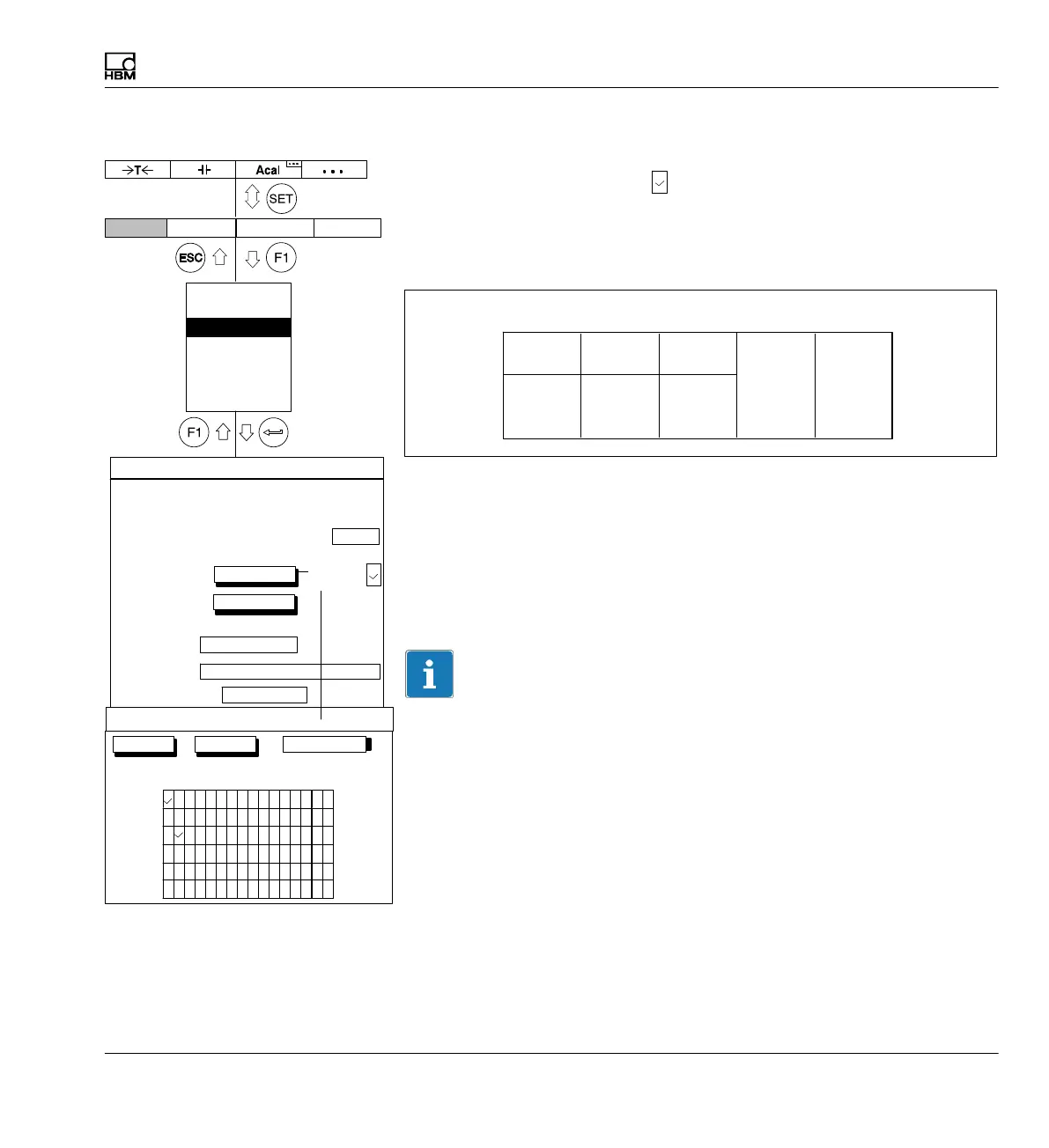
Time channel
If the time channel is selected (
), two additional time columns appear in
the recording files.
Example:
You selected: Channel 2, Gross; Channel 4 Net, PV1 and Time channel.
Channel 2
Gross
Channel 4
Net
Channel 4
PV1
Transfer
Time channel
Recording information file:
Time
channel 1
Channels/signals3
Selection of channels and signals (Gross, Net, PV1, PV2, Combined peak
value, Remote) for the current series of tests. "All channels" is used to
activate or deactivate all channels. The selection of signals in the first
column is retained intact. Assignment for sampling rate (1, 2 or 3)
Information
If multiple (≥2) signals are selected for a channel (for example Gross and
Net), the highest possible sampling rate is reduced to 2400Hz!
Measurement periods:
Channels/signals:
Trigger:
PreTrigger:
Start condition:
Stop condition:
Recording to:
Number:
Measuring interval/sampling rate:
Duration: 20.00
define...
define...
Immediately
20.00 % ...
Number of measured values
a file
Recording information file:
MGCP0000.MEA
...
Recording format:
4−byte integer LSB.. MSB
Autostart:
No
Param.set:
1
1000 ...
10 ...
s...
Rec. Comments:
change
Compression factor:
480
1: 2400 Hz 2: 2400 Hz 3: 100 Hz
RECORDING PARAMETERS
Display Amplifier OptionsSystem
Net
Gross
OK Cancel
PV1
PV2
All channels
2400 Hz
Comb. PV
Remote
1
2
3
4
5
6
7
8
10
1112
13
1415169
Channel
Measurement channel selection
Password
Save/load
Recording
Interface
Print
Language
Time
Time
channel:



 To Next Page