System
Interface
276 A0534-30.0 HBM: public MGCplus
If you access the MGCplus measuring amplifier system from your PC
through a router, you must specify the address of the router in MGCplus.
Please note that the CP52’s two Ethernet interfaces are not in the same
subnet.
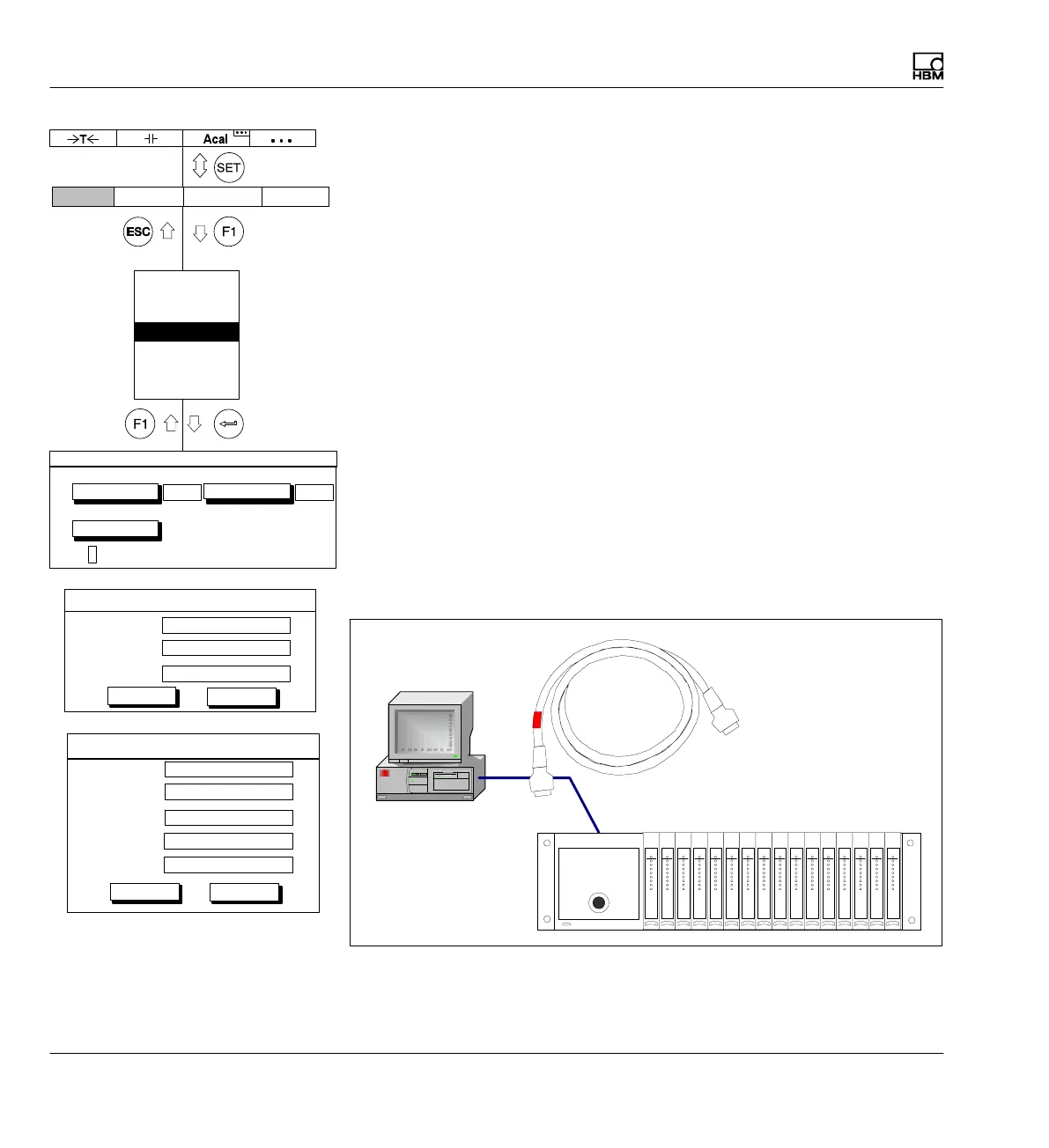
Direct Ethernet connection between PC and MGCplus with
DHCP/APIPA
The CP52 communication processor has two independent Ethernet inter
faces. The upper interface (X4) has DCHP and APIPA capability, the lower
interface (X5) has only DHCP capability. The CP52 is delivered from the
factory with DHCP adjusted on both interfaces.
To connect your PC with a CP52 in a network with a DHCP server (as is
typical in most companies), both the PC and the CP52 must be set to
DHCP. The DHCP administers the IP addresses of all the devices in the
network and assigns IP addresses to both.
If there is a direct connection between the PC and CP52 (without network
connection with a DHCP server) addresses are also promptly assigned to
the PC and CP52 by means of automatic addressing (APIPA) and the
connection can be made. This only applies to the upper Ethernet interface
(X4).
Computer
MGCplus
Display Amplifier OptionsSystem
Password
Save/load
Recording
Interface
Print
Language
Time
Interface settings
Ethernet 1…
Ethernet 2 ...
RS232…
3
AB disabled in computer mode
Info
Info
Subnet mask:
Ethernet 1 settings
Address:
172.20.14.182 ...
Router address:
OK
Cancel
255.255.0.0 ...
0.0.0.0 ...
Mask act:
Information on Ethernet 2 settings
Ipv4 act:
Ipv6:
OK
Cancel
Serial number:
Name:
0009E500887D
MGCplus



 To Next Page