L-INX User Manual 106 LOYTEC
Version 4.0 LOYTEC electronics GmbH
the COV increment. If any value change shall generate an update, delete the value,
which results in Any.
Active Text: For binary data points this property defines a human-readable text for the
active state (true).
Inactive Text: For binary data points this property defines a human-readable text for
the inactive state (false).
State Count: For multi-state data points this property defines the number of discrete
states.
State Text: For multi-state data points this property defines a human-readable state
label for each state.
6.2.5 Managing Multistate Maps
Multistate data points have a descriptive set of state texts for their state IDs. To manage
those state IDs and state texts among many multistate data points, they refer to multistate
maps. Some technologies have a fixed set of such multistate maps others have freely
configurable multistate maps (e.g, user registers). Editing a multistate map affects all
multistate data points, which are using that particular map. It is not necessary to edit each
data point individually.
To Edit a Multistate Map
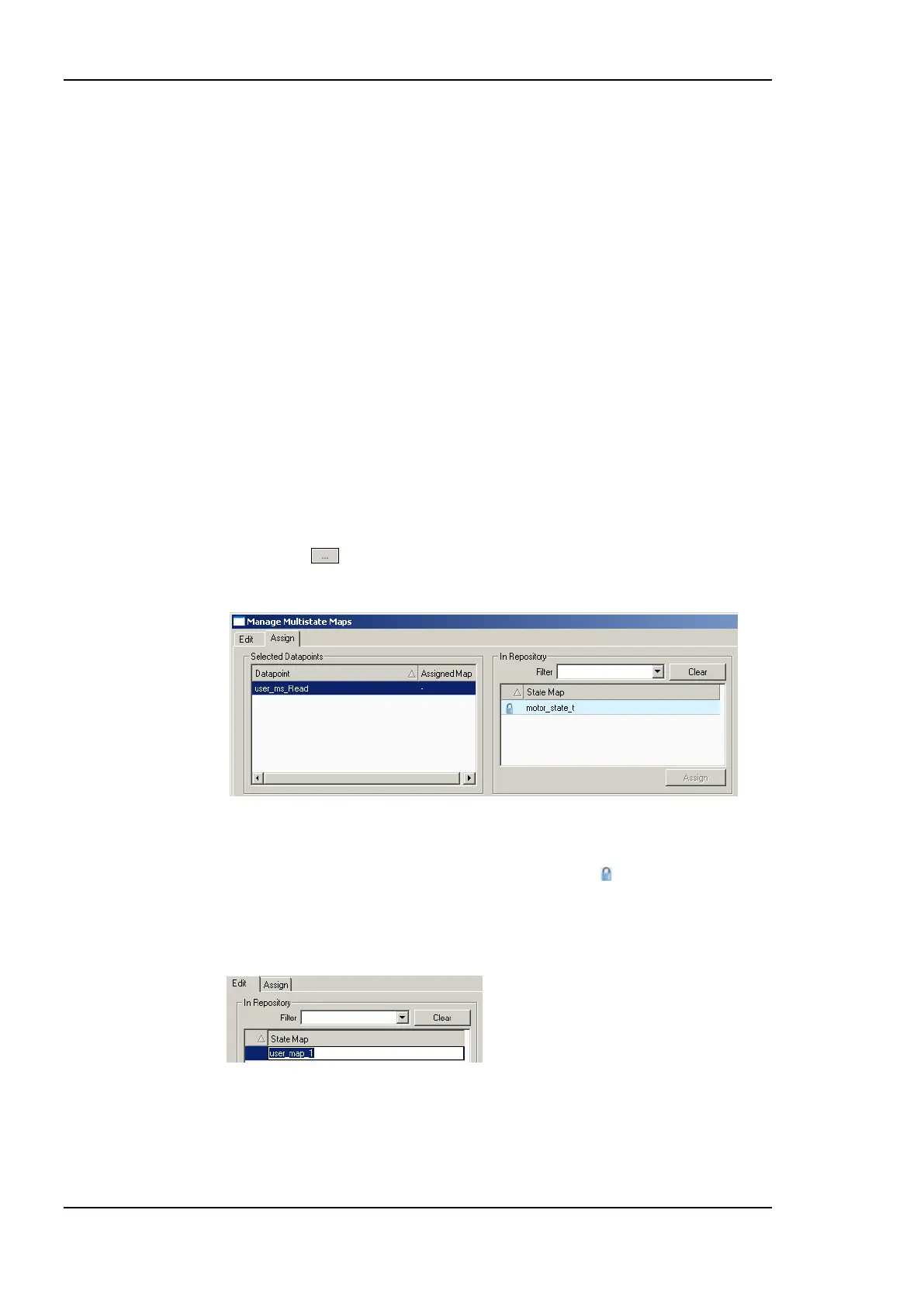
1. Click on the button in the State Count property of a multistate data point. This
opens the multistate map manager as shown in Figure 83.
Figure 83: Assign multistate maps in the multistate map manager.
2. Select an existing state map in the State Map list and click on Assign. Maps that are
fixed and cannot be changed are marked with a lock symbol .
3. If a new multistate map shall be created, change to the Edit tab.
4. Click on the Create button and enter a new multistate map name. Then hit Enter.
5. In the Configure States box enter the desired number of states and click Set.



 To Next Page