L-INX User Manual 136 LOYTEC
Version 4.0 LOYTEC electronics GmbH
The list can be sorted by each column. Selecting a line will display a number of associated
properties in the property view below. Multiple items can be selected by using the <Ctrl>
key and clicking with the mouse. All items can be selected by pressing <Ctrl-A>.
6.7.4 Scanning NVs online from the Network
LOYTEC devices also support an online network scan on the CEA-709 network. In this
scan, the device searches for other devices on the CEA-709 network and pulls in NV
information of these devices. These NVs can then be used instead of importing them from a
CSV file.
To scan NVs online off the CEA-709 network
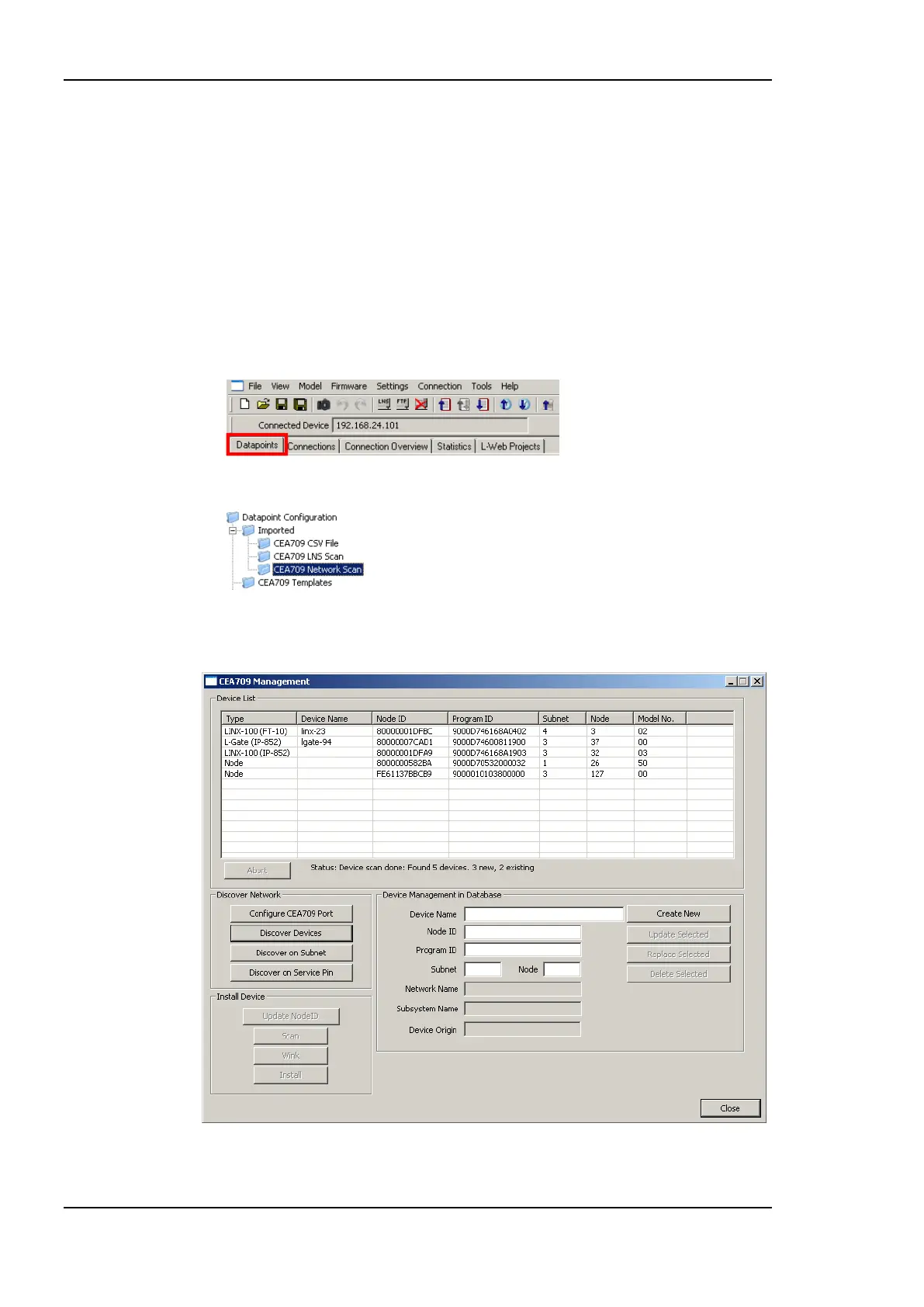
1. Click on the Datapoints tab.
2. Select the folder CEA709 Network Scan.
3. Right-click on that folder and select Scan CEA709/852 Network…. This opens the
CEA709 Management dialog as shown in Figure 119.
Figure 119: CEA-709 network scan dialog.



 To Next Page