L-INX User Manual 131 LOYTEC
Version 4.0 LOYTEC electronics GmbH
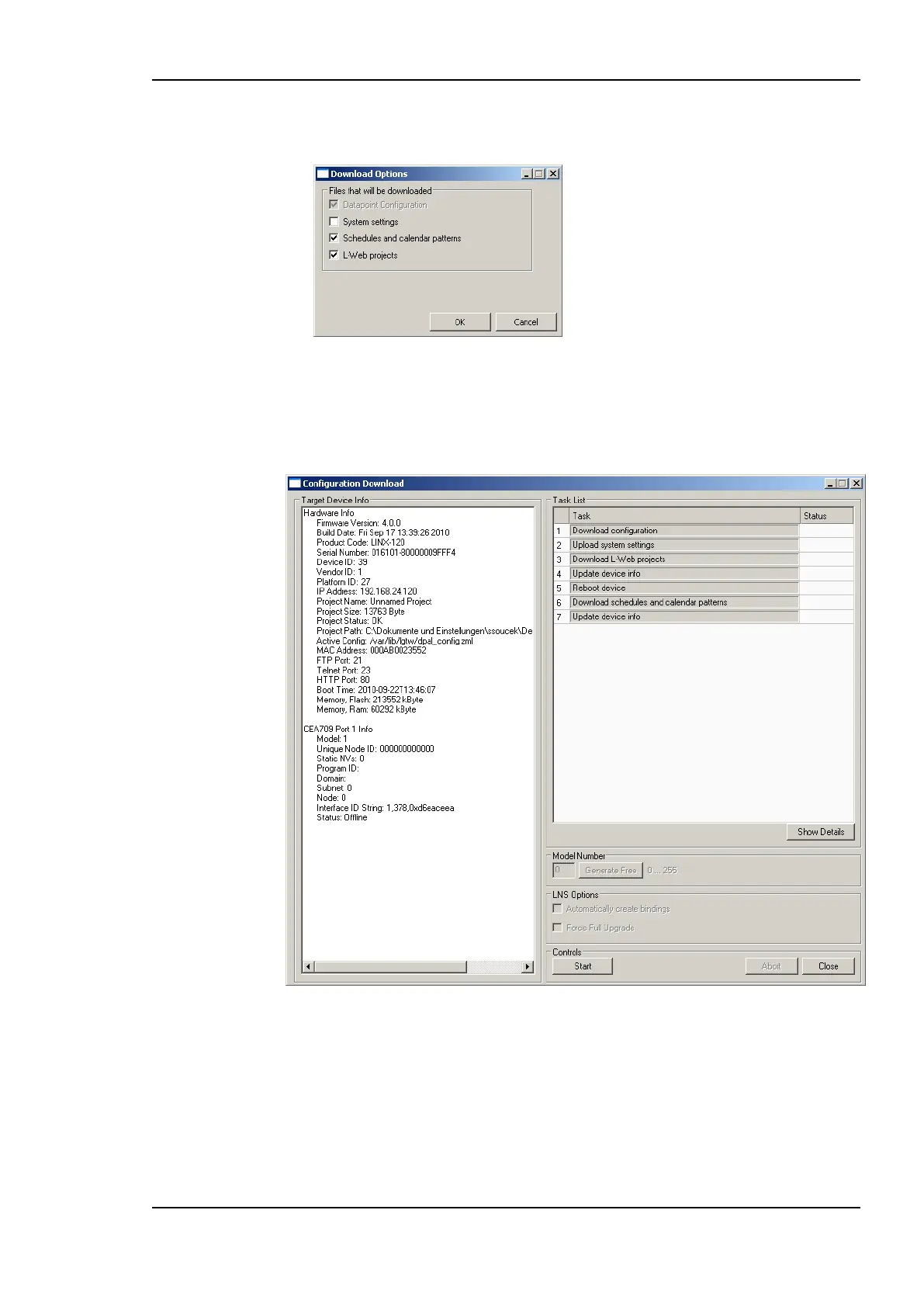
2. If the project settings specify to ask (see Section 6.3.1), which specific parameters shall
be downloaded, check all that apply and click Ok.
3. Click Start to start the download. Each of the actions is displayed in the Task List
section of the dialog. The current progress is indicated by the progress bar below.
4. When the download process has finished, a notification window appears, which has to
be acknowledged by clicking OK.
Figure 113: Configuration Download Dialog.
6.6.5 Upload the System Log
The system log on the device contains important log messages. Log messages are generated
for important operational states (e.g., last boot time, last shutdown reason) or errors at run-
time. This file is important for trouble-shooting and is available on the Web UI (see Section
4.3.1). The file can also be uploaded from the device with the Configurator.



 To Next Page