L-INX User Manual 154 LOYTEC
Version 4.0 LOYTEC electronics GmbH
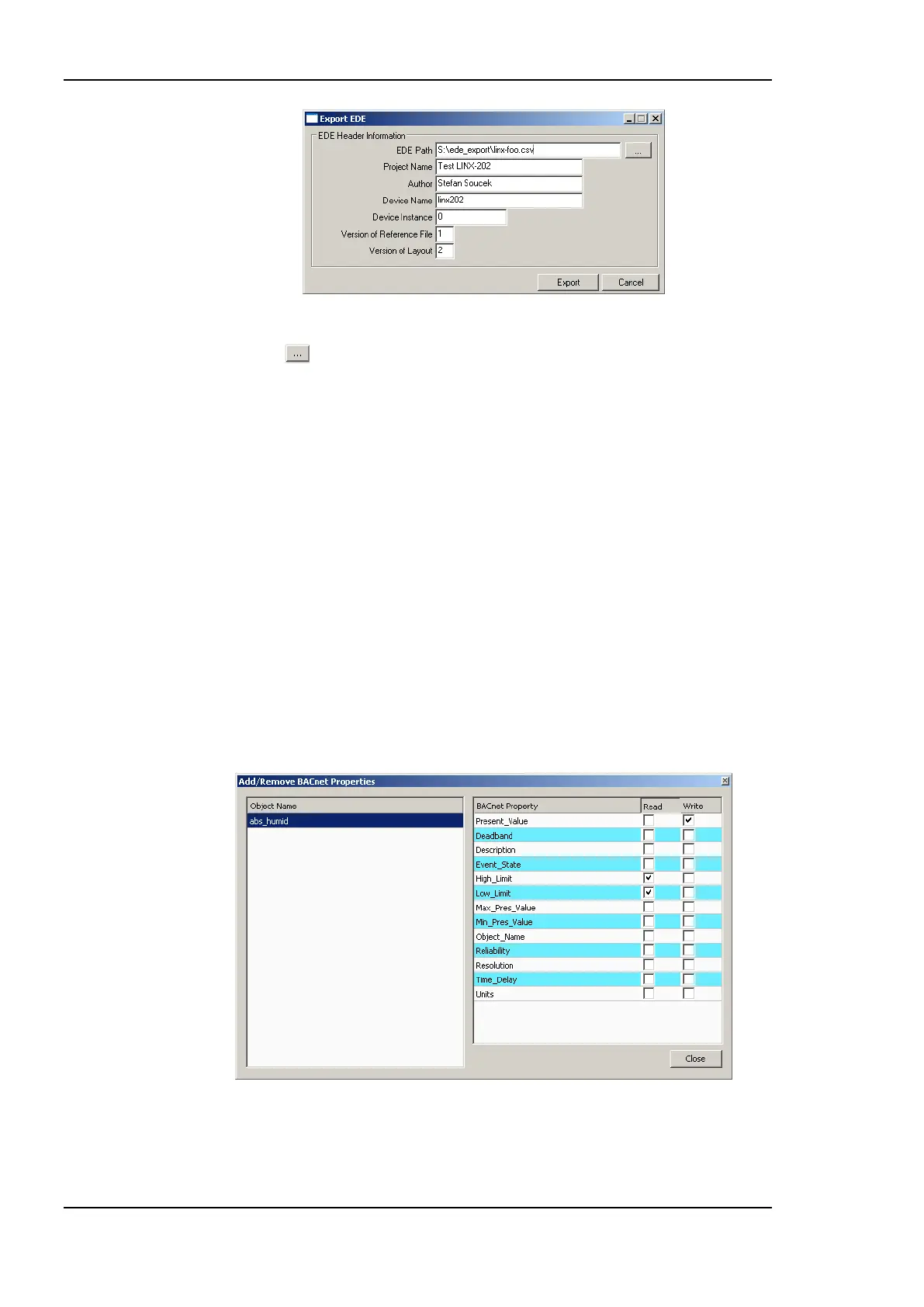
Figure 135: EDE Export Dialog.
3. Click the button to select the EDE file export location.
4. Specify the Device Name and Device Instance. The device instance will be used by
other tools to configure their BACnet clients for accessing the exported device.
5. Optionally fill in project name, author to document that information in the EDE file.
6. Click Export.
6.9.7 Map other Properties than Present_Value
When creating a BACnet server object, the Present_Value property is mapped by the
created data point. That means writing and reading on the data point reads or writes the
Present_Value. If other properties shall be accessed, they must be added to the BACnet
server object‘s data point.
To Add other Properties
1. Select the BACnet server object for adding properties.
2. Right-click on the data point and select Add/Remove BACnet properties … . The
dialog appears as shown in Figure 136.
Figure 136: Dialog for adding/removing BACnet properties.
3. Check the additional properties. Checking the Read box will add an input data point,
checking the Write box will add an output data point.



 To Next Page