L-INX User Manual 134 LOYTEC
Version 4.0 LOYTEC electronics GmbH
6.7.2 Scanning for Network Variables
When the L-INX Configurator is connected to an LNS database, network variables can be
scanned from that data base.
To scan network variables from the LNS database
1. Click on the Datapoints tab.
2. Click on the button Scan channel. This scans in all NVs on all devices connected
to the CEA-709 channel of the LINX-10X.
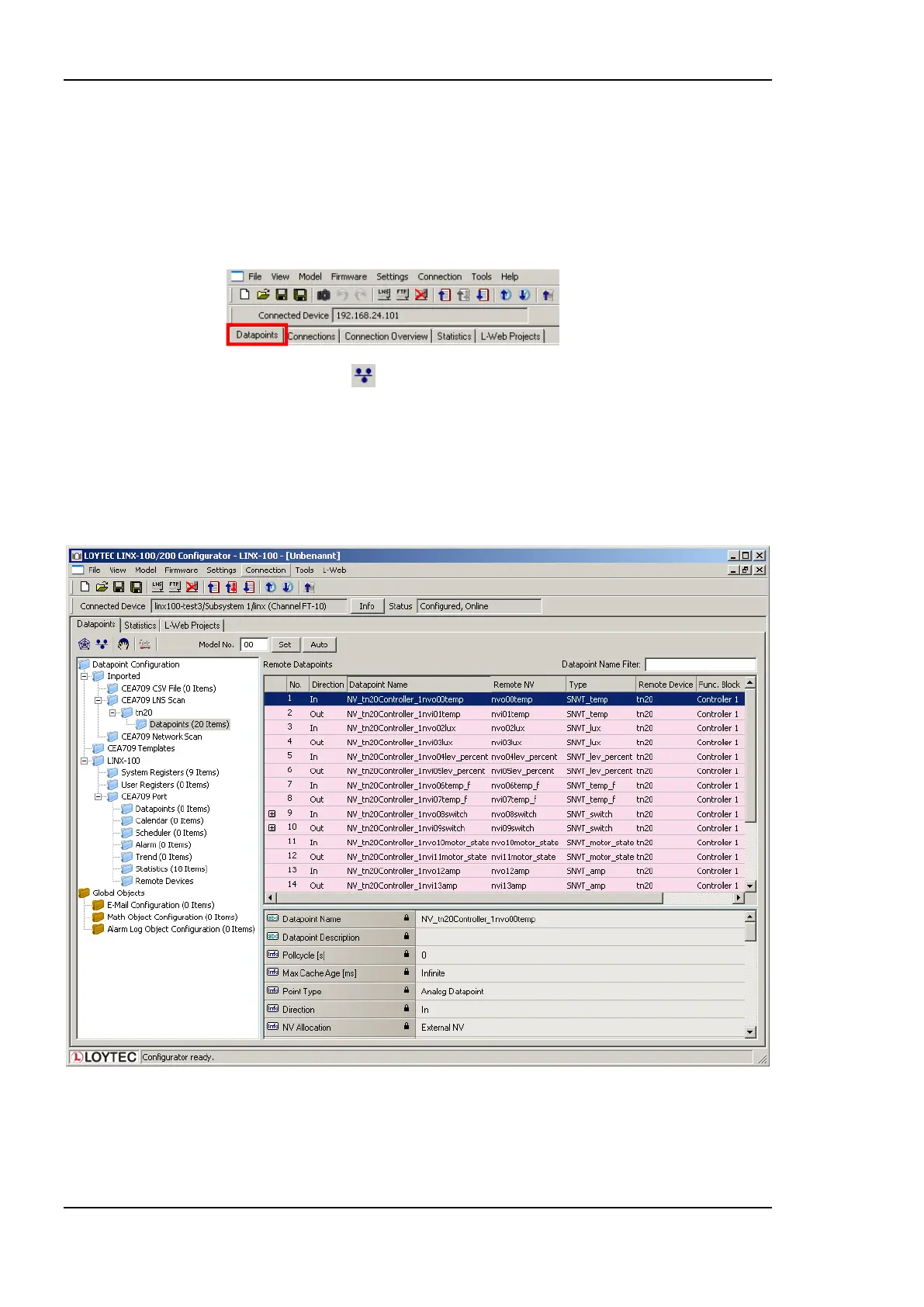
3. After the scan has completed, the folder LNS Database Scan is populated with the
found NVs. Data point names for those NVs are automatically generated, following the
data point naming rules defined in the project settings (see Section 6.3.2). By default
the name is generated from node name, object name, and NV name. These names are
ensured to be unique by adding a counter for multiple occurrences of the same name.
Figure 117: Scanned NVs in the LNS Database Scan Folder.
Figure 117 shows an example result of the database scan. The list can be sorted by each
column. Selecting a line will display a number of associated properties in the property view
below. Multiple items can be selected by using the <Ctrl> key and clicking with the mouse.
All items can be selected by pressing <Ctrl-A>.



 To Next Page