L-INX User Manual 205 LOYTEC
Version 4.0 LOYTEC electronics GmbH
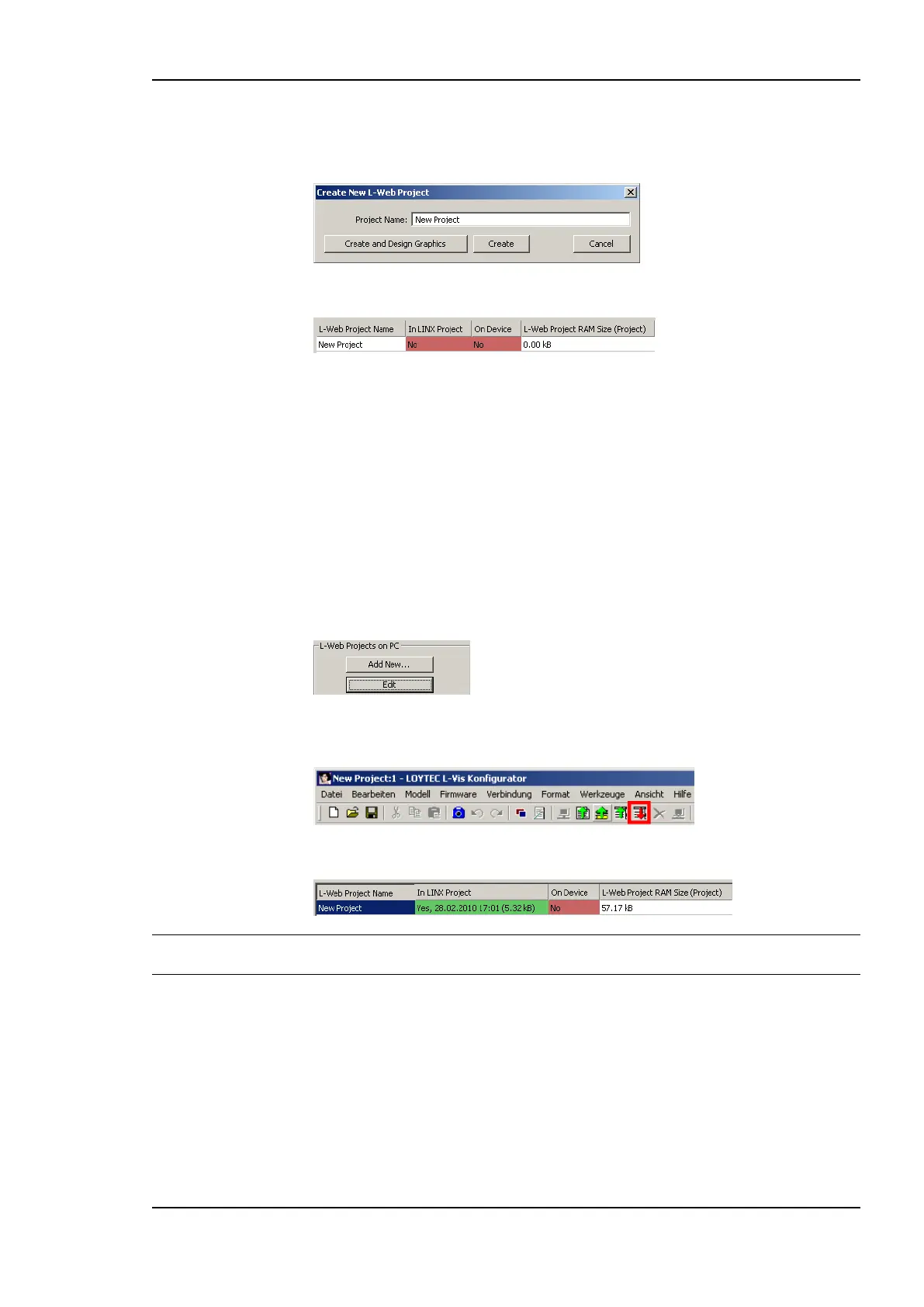
3. Click on Add New …
4. Enter a new Project Name.
5. Click on Create. The new project appears in the projects list.
9.2.2 Start a Graphical L-WEB Design
The L-WEB graphical design tool is started from within the L-WEB projects tab. The
graphical design for the L-WEB project is created in the L-VIS design tool (L-VIS/L-WEB
Configurator). The data point configuration created in the Configurator project is available
for the L-WEB project and its graphical design.
To Start a Graphical Design
1. Select the L-WEB Projects tab.
2. Select an L-WEB project.
3. Click Edit.
4. This opens the L-VIS graphical design tool. Complete the graphical design in the tool
and click the Write Project to Device speed button
5. The graphical design is now part of the project.
Note: If the Configurator had been connected to the device, the graphical design would have
been added to the device in the same step.
9.2.3 Organize L-WEB Projects
L-WEB projects can be organized within the L-INX configuration project. L-WEB projects
can be part of the configuration project and/or stored on the device. For instance, the
configuration project may contain a number of L-WEB projects, but for saving space on the
device, only one of them is downloaded on the device. The L-WEB projects tab provides a
number of tools to organize a set of L-WEB projects.
To Organize L-WEB Projects
1. Connect to the device as described in Section 6.6.1.



 To Next Page