L-INX User Manual 247 LOYTEC
Version 4.0 LOYTEC electronics GmbH
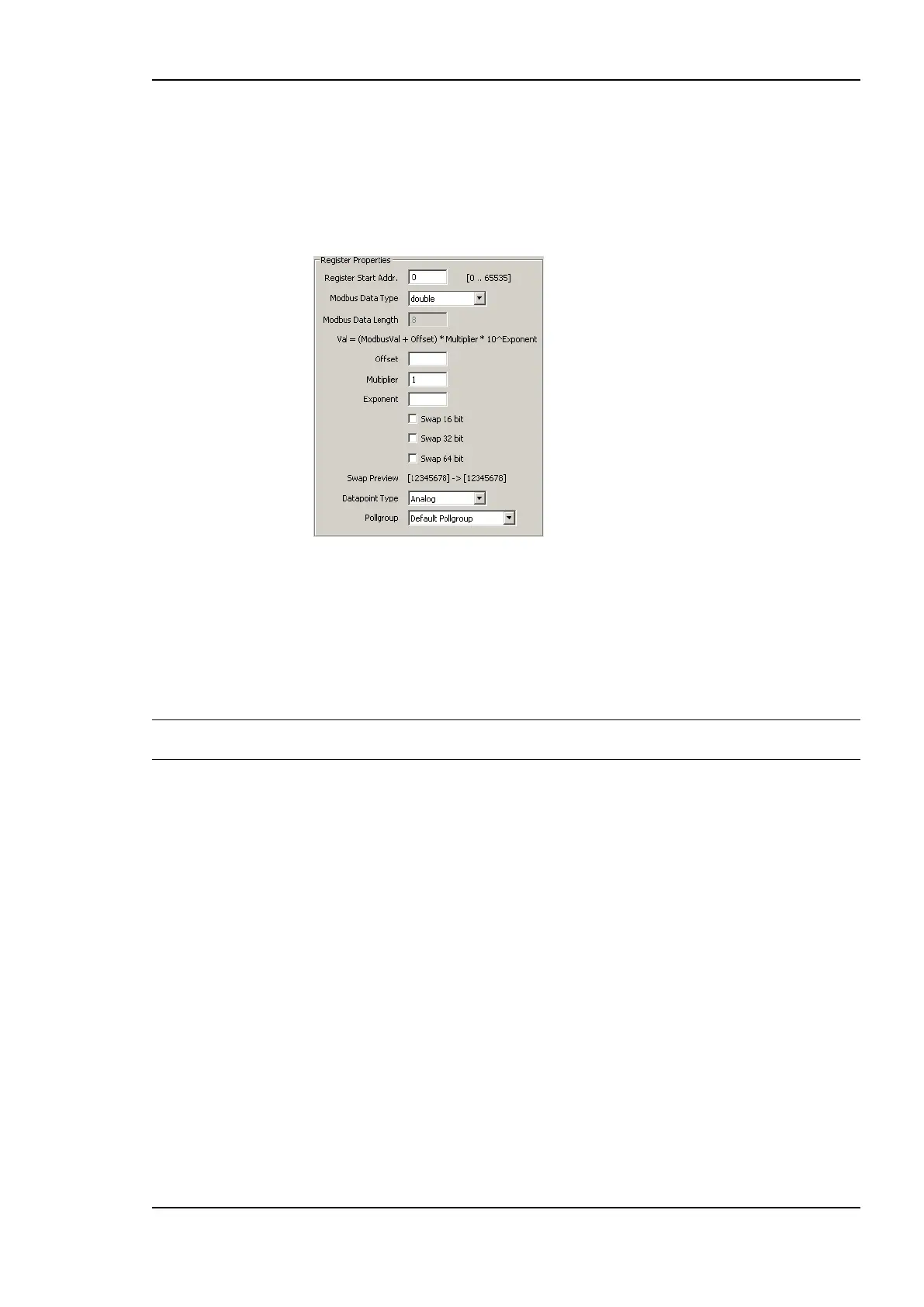
Swap 16 bit, Swap 32 bit and Swap 64 bit. When Swap 16 bit is activated, the 2 byte
of a word are swapped, when Swap 32 bit is activated, the 2 words of a 32 bit value are
swapped and if Swap 64 bit is activated, the two 32 bit words of a 64 bit value are
swapped. A preview of the byte order is shown under the check boxes.
Select the Data Point Type of the data point (analog value, multi-state or binary) –
only the types which are available for the register type-data type combination are
shown.
9. Select a poll group for read data points from the Pollgroup drop down box. The drop
down box is grayed out for write registers. Additional poll groups can be configured in
the Modbus Management dialog.
10. Press the Create button to create the Modbus data point.
11. After the point is created the dialog is not closed, so additional data points can be
created.
Tip: After creating a data point, the poll group can be changed in the data points property
view. Also multi-select can be used in the data point property view.
11.5.3 Importing via Device Templates
For some Modbus devices special templates are available which specify all available data
points of a Modbus device as well as the device properties. Such templates can be imported
into the configuration.



 To Next Page