L-INX User Manual 47 LOYTEC
Version 4.0 LOYTEC electronics GmbH
3.6 LCD Display and Jog Dial
L-INX models with an LCD display can also be configured to their basic settings through
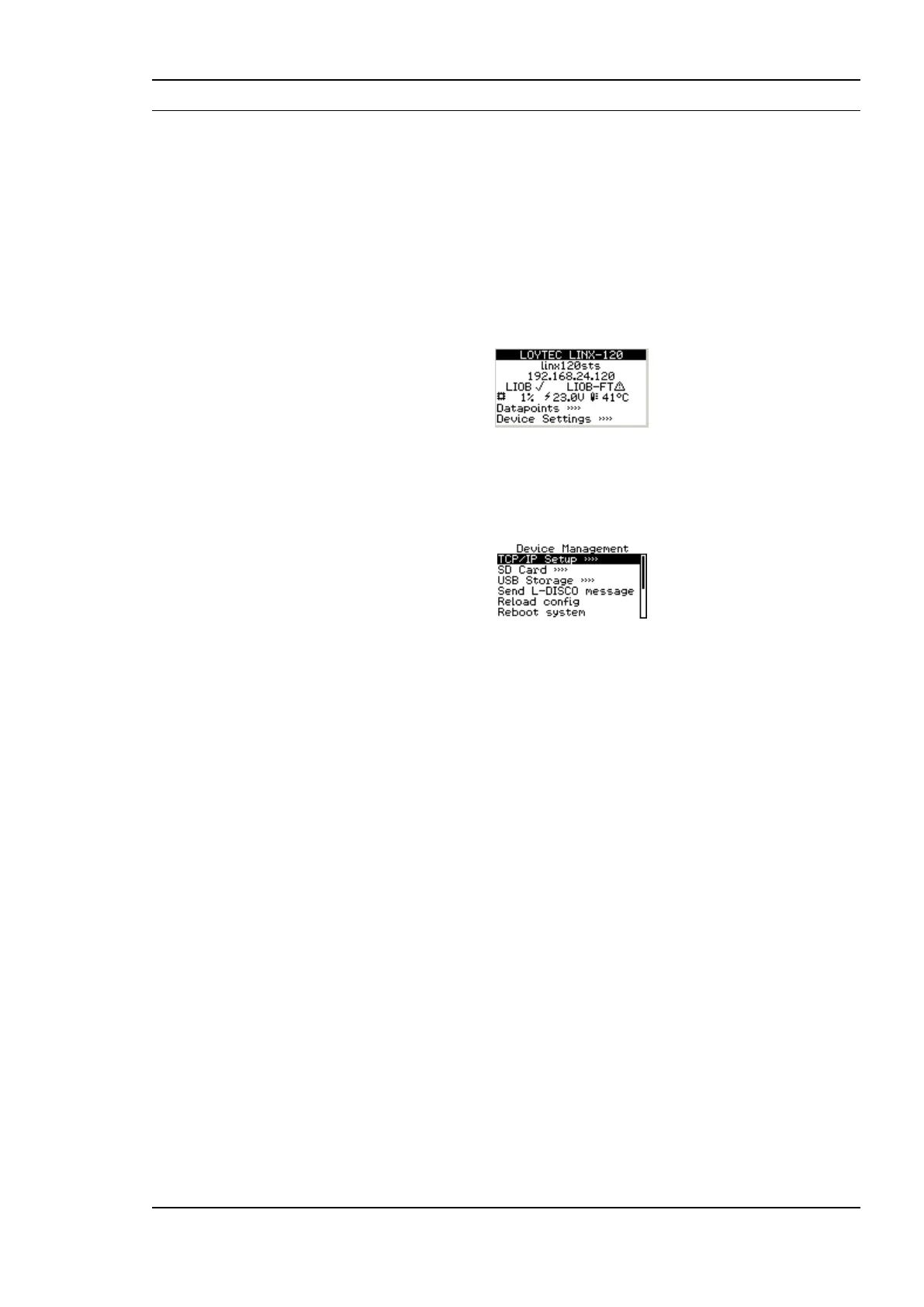
jog dial navigation on the LCD UI. The main page of the LCD UI is shown in Figure 30. It
displays the device‘s IP address, hostname, CPU load, system temperature and supply
voltage.
Below are menu items. Turn the jog dial to navigate between menu items and press to enter
a menu or go into selection mode. When in selection mode turn the jog dial to alter the
value and press again to quit the selection. The Datapoints »» menu allows browsing
through the data points on the L-INX automation server.
Figure 30: Main Screen of the LCD UI.
The Device Settings »» menu allows configuring basic device settings. Navigate to the
Device Mgmt »» sub-menu, which is displayed in Figure 31.
Figure 31: Device Management Menu on the LCD UI.
This menu gives you the following options for basic device configuration:
TCP/IP Setup: This menu allows configuring the device‘s IP address.
Send ID messages: When selecting this menu, the device sends out service pin,
BACnet I-Am, and identification broadcasts for finding the device in the L-Config tool
on all applicable ports.
Reload config: By choosing this menu, the device performs a quick restart by
reloading its configuration only.
Reboot system: By choosing this menu, the device performs a full reboot.
Clear DP config: By choosing this menu, the user can clear the devive‘s entire data
point configuration. This is equivalent to the same Web UI function. The IP address as
well as other settings needed to reach the device are not deleted.
Factory Defaults: By choosing this menu, the user can reset the entire device to its
factory default. Also IP addresses are cleared.
Remote Config: When enabling this option, the LWEB-822 master device manager
restores the last saved configuration to the discovered device, if it has no configuration
yet. This feature is beneficial when replacing a device.
Change PIN: Alter the default PIN to any 4-digit number to protect certain operations
on the LCD UI. The user will be prompted to enter the PIN on protected areas.



 To Next Page