L-INX User Manual 27 LOYTEC
Version 4.0 LOYTEC electronics GmbH
To Set the IP Address on the LCD Display
1. On the LCD main screen navigate to Device Settings »».
2. Then navigate to Device Mgmt »», TCP/IP Setup »».
3. There navigate to the needed input fields, press and change the value. Press again to set
the value. Continue to the next field.
4. Finally navigate to Save and Reboot and press.
5. The device reboots with the new IP address.
2.2.4 BACnet Configuration
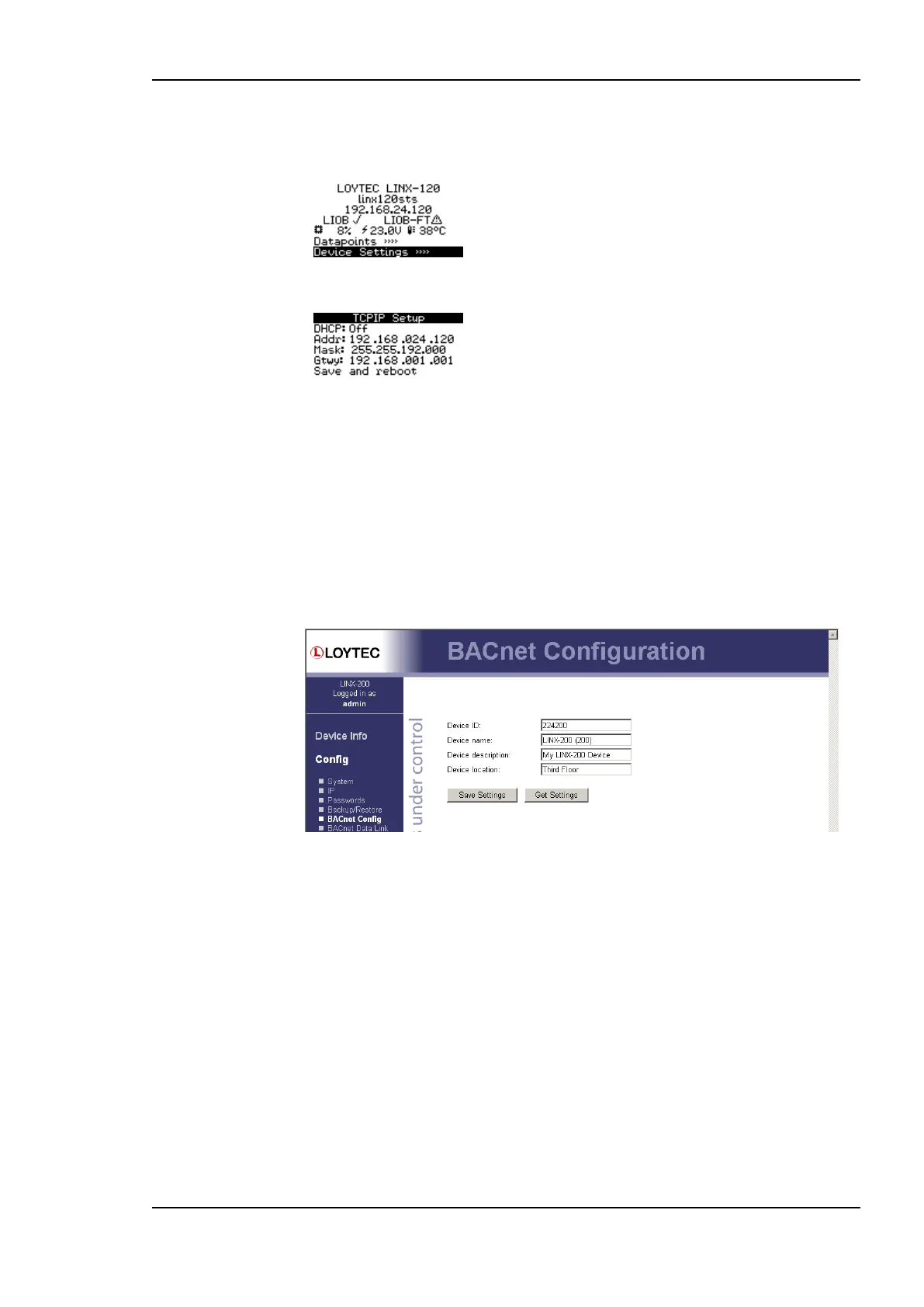
To configure the BACnet interface, at least the Device ID and the Device Name must be
configured (see Figure 7).
Figure 7: BACnet Device Configuration.
The device ID corresponds to the instance number of the BACnet device object. It must be
a unique ID on the BACnet internetwork. Also the Device Name must be a unique name on
the BACnet internetwork.
By default the BACnet/IP data link layer is used. If the device shall be used with the
BACnet MS/TP data link layer, please refer to Section 4.2.13 for further information.
On devices with an LCD display, the BACnet device ID can also be configured over the
LCD UI.
To Configure the BACnet Device ID over the LCD Display
1. On the LCD main screen navigate to Device Settings »».
2. Then navigate to the menu BACnet »».



 To Next Page