L-INX User Manual 114 LOYTEC
Version 4.0 LOYTEC electronics GmbH
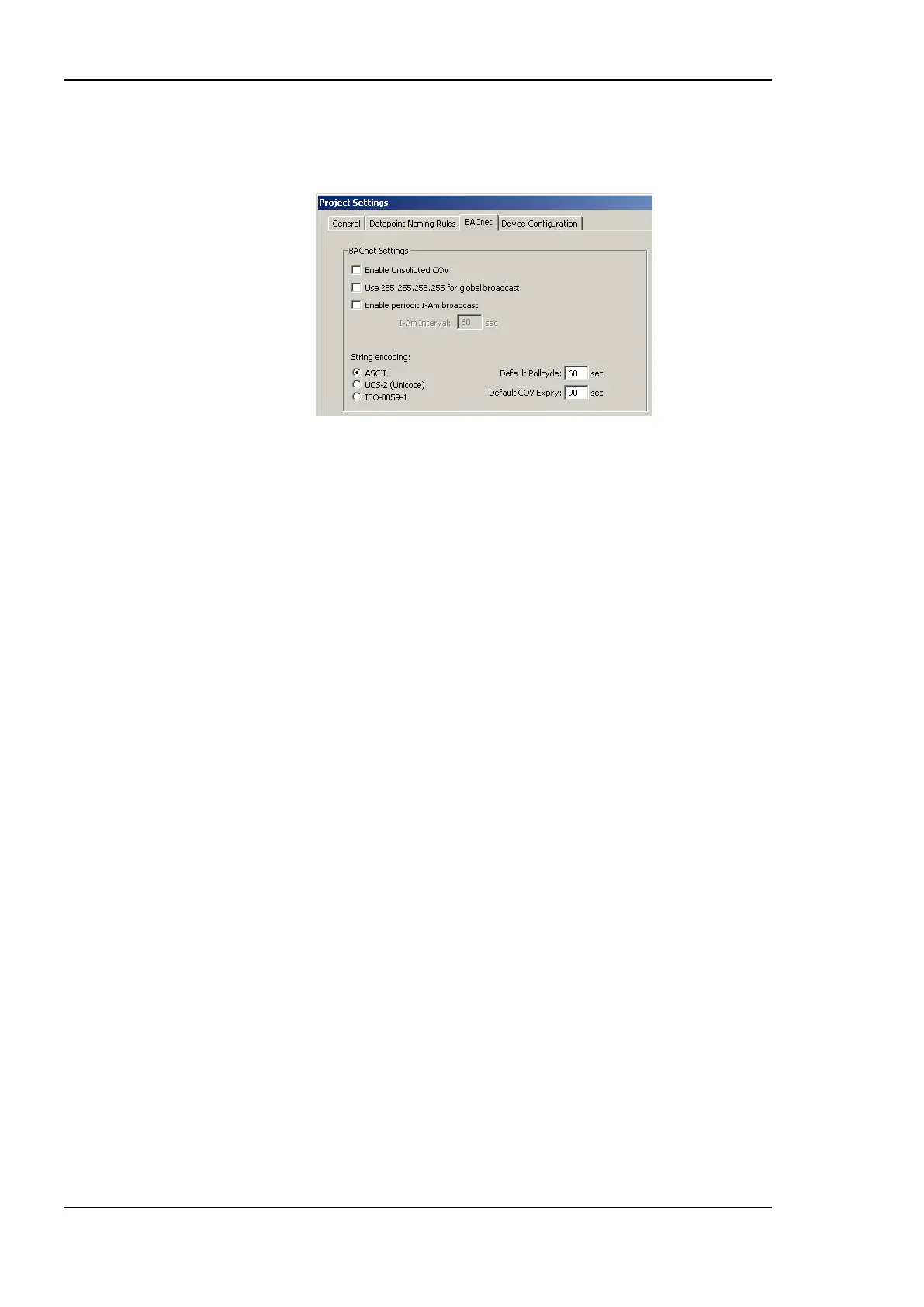
Default Poll cycle, Default COV Expiry: This setting defines the default values that
are used when creating new client mappings. Changing this option does not affect
already existing client mappings.
Figure 88: BACnet Project Settings.
6.3.6 Device Configuration
This tab is shown in Figure 89. It is available only with the newest firmware version and can
be used to configure the device through the Configurator. In the configuration tree on the
left-hand side the user can select certain groups of settings, e.g. Web server settings. The
dialog displays the settings of the selected group in the dialog area. The structure is similar
to the menu structure on the Web UI.
Under the port configuration tree, the user can enable or disable communication protocols
on the device‘s ports. Enabled protocols are marked with a checkmark. Click on the
checkmark and toggle it. Note, that depending on the device model communication
protocols on other ports may be disabled.
The IP address settings cannot be changed in this dialog. The FTP server can not be
disabled in this dialog, either. This ensures that the Configurator can maintain connection to
the device.



 To Next Page