L-INX User Manual 236 LOYTEC
Version 4.0 LOYTEC electronics GmbH
For optimizing the communication adjacent holding registers are usually read using a single
read request. This behavior can be turned of for devices which do not support reading a
random number of holding registers.
Modbus data points are specified by the function code, the address and the length.
Furthermore, a data type has to be specified together with the information how the order of
the bytes look like.
11.3 Web Interface
This section describes the Web interface for the Modbus port.
11.3.1 Port Configuration
The Modbus ports can be configured under the port configuration tabs of the Web UI (see
Section 4.2.3). If available on a given port, the Modbus protocol can be enabled. If enabled,
the Modbus communication settings on that port are displayed on the right-hand side. The
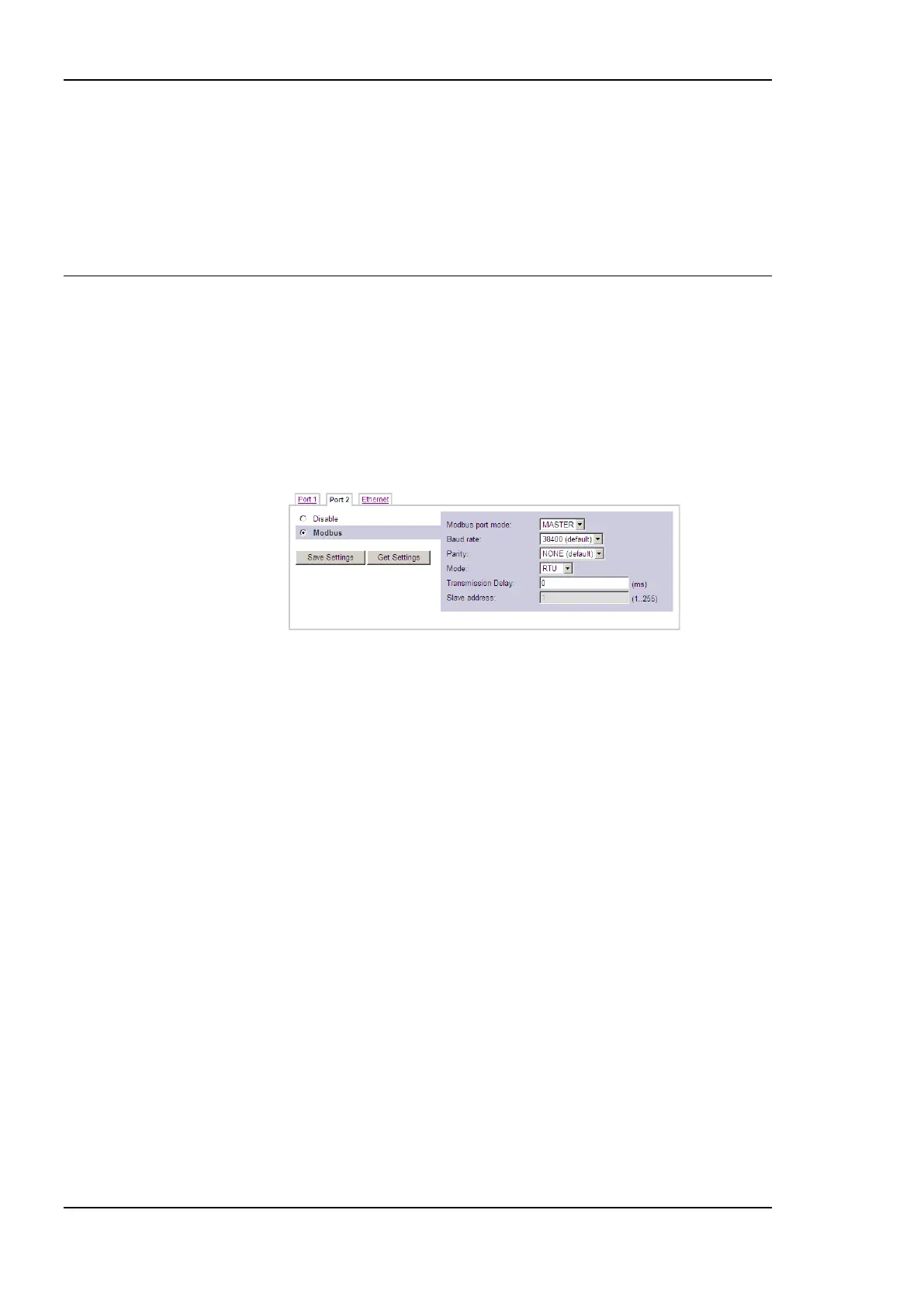
RS485 port configuration tab is.
Figure 182 Modbus RS485 port configuration.
The settings for Modbus RS485 are displayed in Figure 182. For Modbus port mode, the
following selections are available: MASTER can be selected, if the device shall operate as
Modbus master. SLAVE can be selected, if the device shall operate as a Modbus slave on
this port.
Under Baud rate the Baud rate for the Modbus communication can be configured. The
available Baud rates are 1200, 2400, 4800, 9600, 19200, 38400 (default). Under Paritiy
currently only NONE can be selected, using 1 stop bit. Parity and stop bits are not
configurable. The Mode specifies if the communication shall use the Modbus RTU mode or
the Modbus ASCII mode.
If operated as Modbus master, an additional Transmission delay can be defined in
milliseconds. This can improve communications on Modbus RS485 with slow devices that
operate outside the timing specifications. Normally, leave this setting at ‗0‘. As a Modbus
slave, the user needs to define a unique slave address that this port will have on the
Modbus channel.
Press the button Save Settings for storing the parameter configuration into the device or
press Get Settings for overwriting the changes with the original configuration.



 To Next Page