L-INX User Manual 77 LOYTEC
Version 4.0 LOYTEC electronics GmbH
4.3.3 CEA-852 Statistics
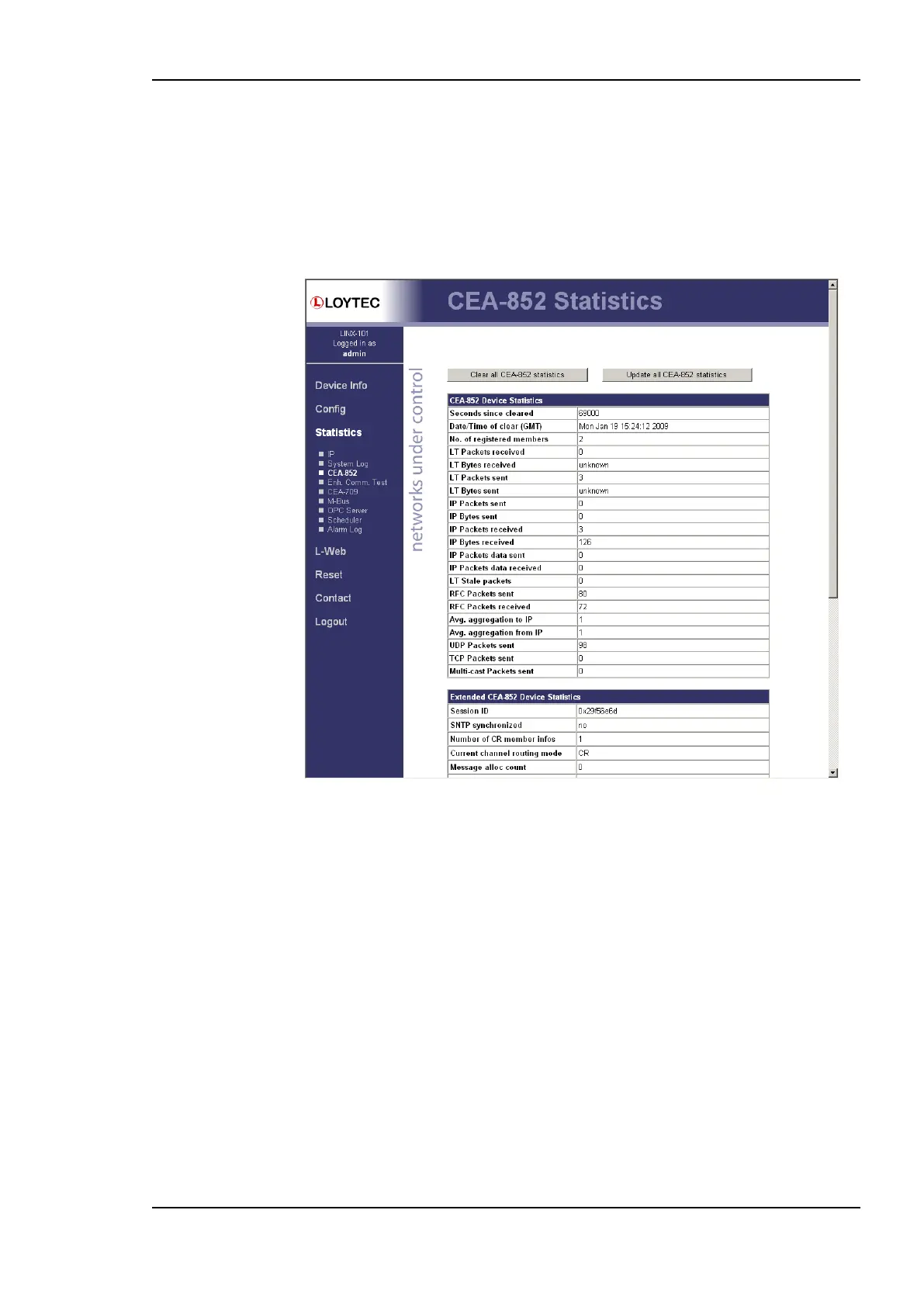
The CEA-852 statistics page displays the statistics data of the CEA-852 device on the
device. It is only displayed if the CEA-852 interface is enabled and supported by the L-INX
model. The upper part of the CEA-852 statistics page is depicted in Figure 66. To update
the statistics data, press the button Update all CEA-852 statistics. To reset all statistics
counters to zero, click on the button Clear all CEA-852 statistics. The field Date/Time of
clear will reflect the time of the last counter reset.
Figure 66: Part of the CEA-852 Statistics Page.
4.3.4 Enhanced Communications Test
The Enhanced Communications Test allows testing the CEA-852 communication path
between the CEA-852 device on the L-INX and other CEA-852 devices as well as the
configuration server. The test thoroughly diagnoses the paths between individual members
of the IP channel and the configuration server in each direction. Port-forwarding problems
are recognized. For older devices or devices by other manufacturers, which do not support
the enhanced test features, the test passes as soon as a device is reachable, but adds a
comment, that the return path could not be tested. A typical output is shown in Figure 67.



 To Next Page