L-INX User Manual 237 LOYTEC
Version 4.0 LOYTEC electronics GmbH
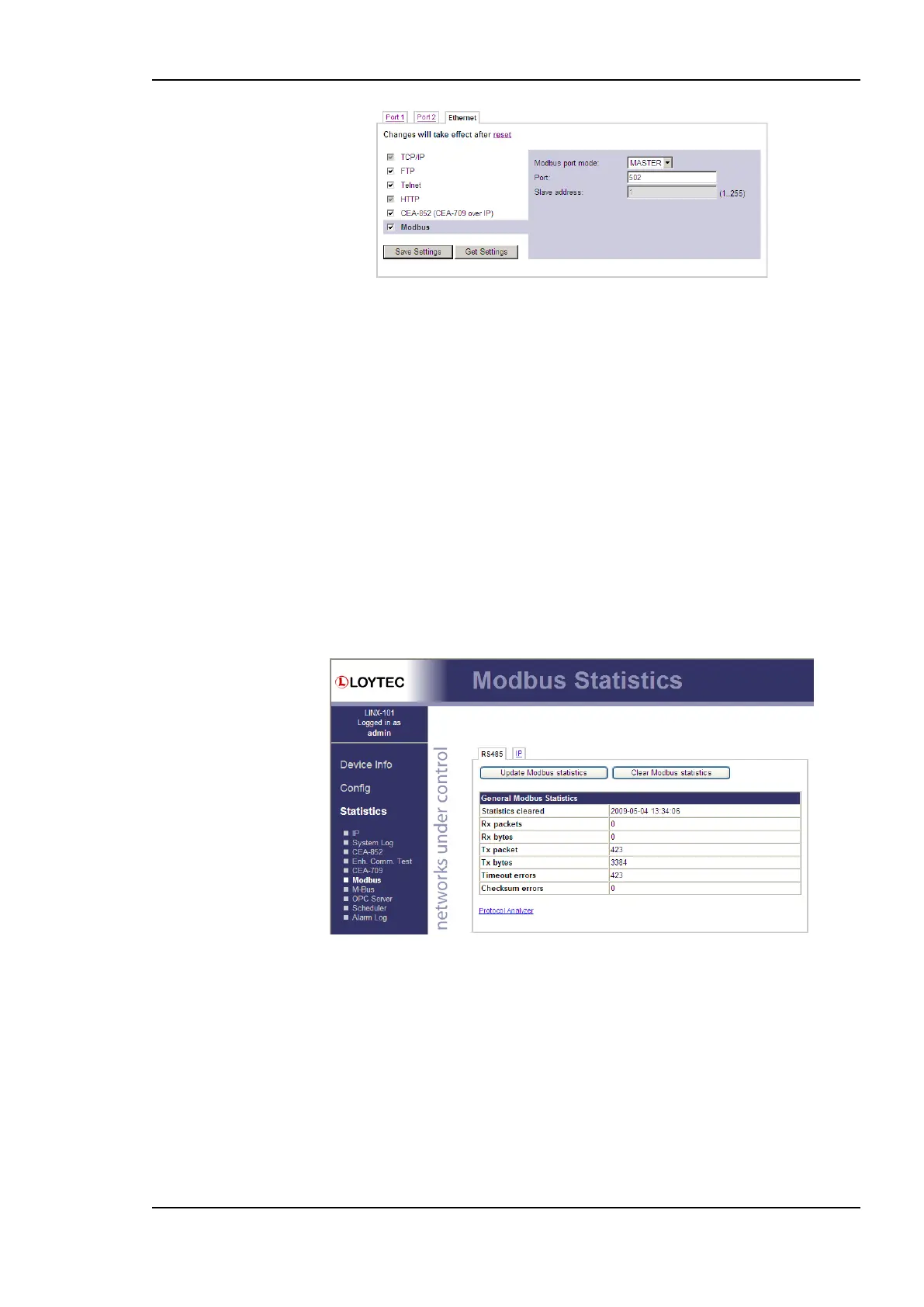
Figure 183 Modbus TCP port configuration.
On an Ethernet port, Modbus TCP can be enabled by selecting the check box. The Modbus
TCP communication settings are displayed on the right-hand side as shown in Figure 183.
For Modbus port mode, the following selections are available: MASTER can be selected,
if the device shall operate as Modbus master. SLAVE can be selected, if the device shall
operate as a Modbus slave on this port. Configure the desired TCP port, which is used by
Modbus TCP devices on that channel. The default Modbus port number is 502.
11.3.2 Data Points
Modbus data points can be accessed through the Web UI as described in Section 4.2.15.
11.3.3 Statistics
Figure 184 shows a typical output of the statistics information which can be displayed for
the Modbus ports. For each port available one statistics tab is displayed. The statistics can
be cleared for each Modbus port separately by pressing the Clear Modbus statistics
button. A refresh of the statistics can be done by pressing Update Modbus statistics.
Figure 184: Statistics of the Modbus port.
The following information is available:
Statistics cleared: last time of statistics reset
Rx packets: number of Modbus packets received
Rx bytes: number of bytes received
Tx packets: number of Modbus packets sent
Tx bytes: number of bytes sent
Timeout errors: number of communication errors (timeout)



 To Next Page