L-INX User Manual 196 LOYTEC
Version 4.0 LOYTEC electronics GmbH
8 The LINX-100 RNI
8.1 RNI Function
The CEA-709 L-INX devices without the router provide a remote network interface (RNI)
function, if the device is configured to use the FT interface (FT mode). In this mode the
device provides a remote network interface, which appears like a LOYTEC NIC-IP it is
intended to be used together with the LOYTEC NIC software. The RNI can be utilized for
remote access and configuration as well as trouble-shooting with the remote LPA.
In particular, the RNI appears as a regular LOYTEC network interface on the PC. The
LOYTEC NIC software needs to be installed to utilize this interface also in LNS-based
applications such as NL-220 or LonMaker. Using this software, the L-INX can act as a
direct interface to its local FT channel to be managed by LNS or similar tools. For more
information on how to configure the LOYTEC NIC software on the PC, please refer to the
LOYTEC NIC User Manual [3].
8.2 Remote LPA Operation
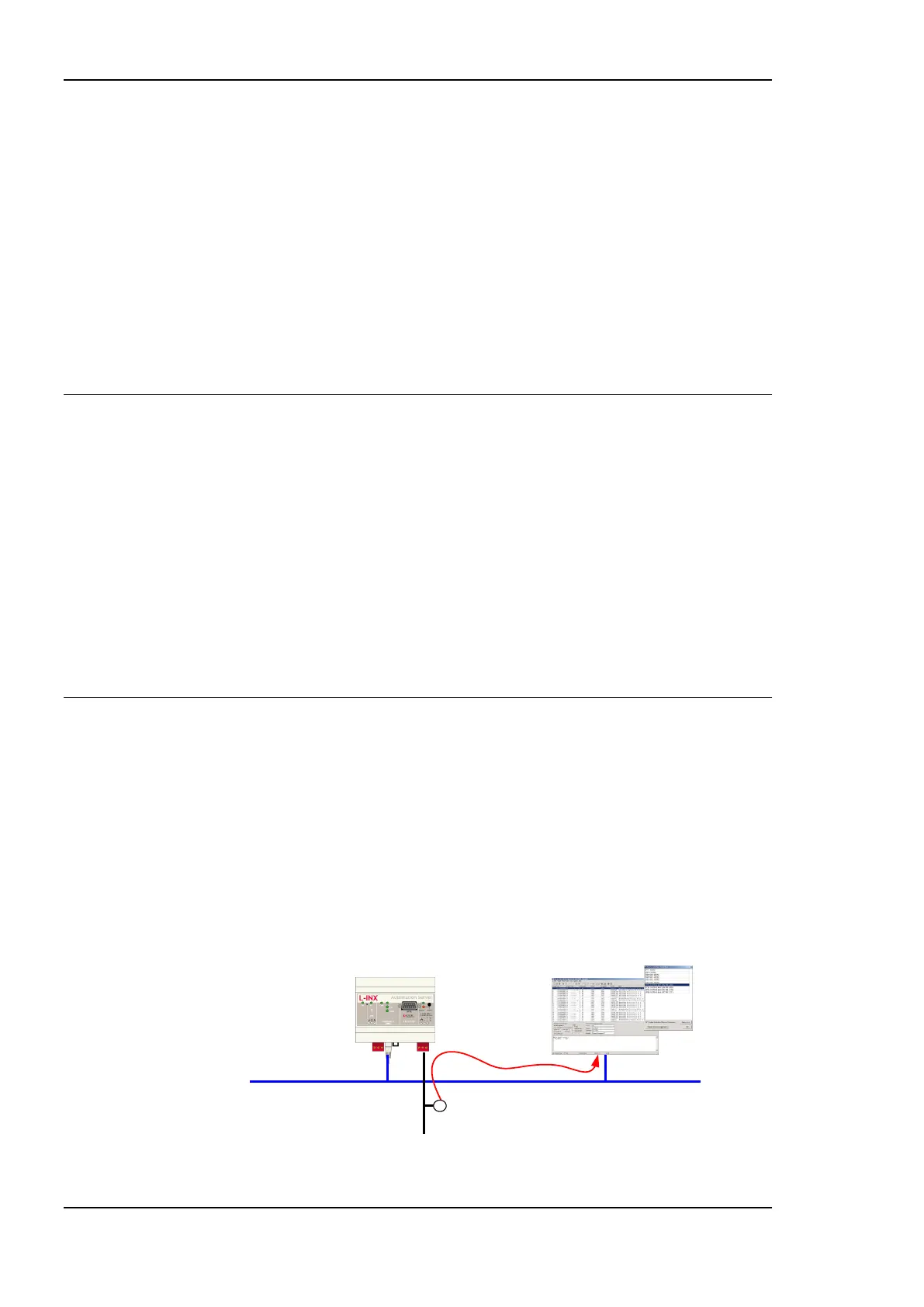
The L-INX supports remote LPA access through its RNI. This means that a CEA-709
protocol analyzer connected to the Ethernet network can connect to the L-INX and record
all packets on the CEA-709 channel (FT-10). The LOYTEC LPA-IP supports this advanced
feature. The functionality is shown in Figure 157.
The LPA-IP runs on a Windows PC that is connected to the Ethernet network. In the
NIC-IP/RNI device selection window, one can for example select the L-INX with IP
address 192.168.1.210 and display all packets on the FT-10 channel connected to the L-
INX with IP address 192.168.1.210. Please consult our product literature for the LPA-IP to
learn more about this IP-based CEA-709 protocol analyzer.
IP: 192.168.1.10
IP: 192.168.1.210
Ethernet
LPA-IP
Figure 157: Remote LPA on the L-INX.



 To Next Page