L-INX User Manual 240 LOYTEC
Version 4.0 LOYTEC electronics GmbH
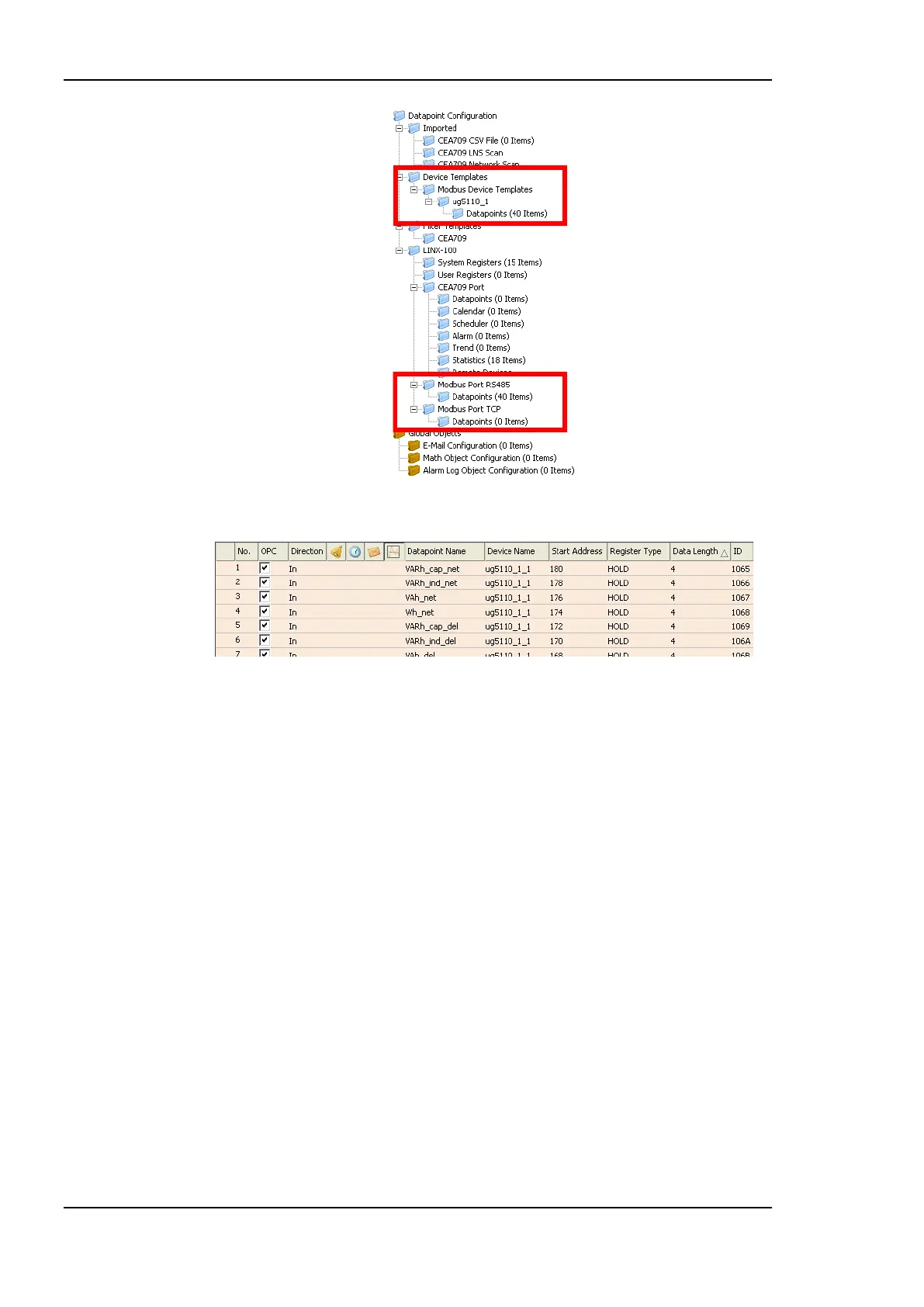
Figure 187: Data Point Manager Dialog with Modbus folder list.
Figure 188: Datapoint Manager Dialog with Modbus Data Point List.
11.4.3 Folder List
At the left is a list of folders which is used to sort the available data objects by their
category. There are a number of predefined Modbus folders available. All other folders are
described in section 6.2.1:
Device Templates: This folder contains created data point templates for the different
technologies.
o Modbus Device Templates: This folder contains a sub-folder for each device,
which is imported from an Modbus device template. This device folder also
contains a sub-folder with the data points specified in the template. Data
points can be added to the folder. Additionally suitable data objects can be
created for the use on the device by selecting the Use on Device option.
LINX-XXX: This is the device folder (see Section 6.2.1). For Modbus additional port
sub-folders exist:
o Modbus Port RS-485: This folder contains the remote Modbus data points of
the Modbus RS-485 port, which are used on the device.
o Modbus Port TCP: This folder contains the remote Modbus data points of
the Modbus TCP port, which are used on the device.
11.4.4 Network Port Folders
The Modbus network port folder on the device has the same structure of sub-folders as the
other network port folders in Section 6.2.2. Currently only the Datapoints folder exists for
the Modbus network ports.



 To Next Page