L-INX User Manual 132 LOYTEC
Version 4.0 LOYTEC electronics GmbH
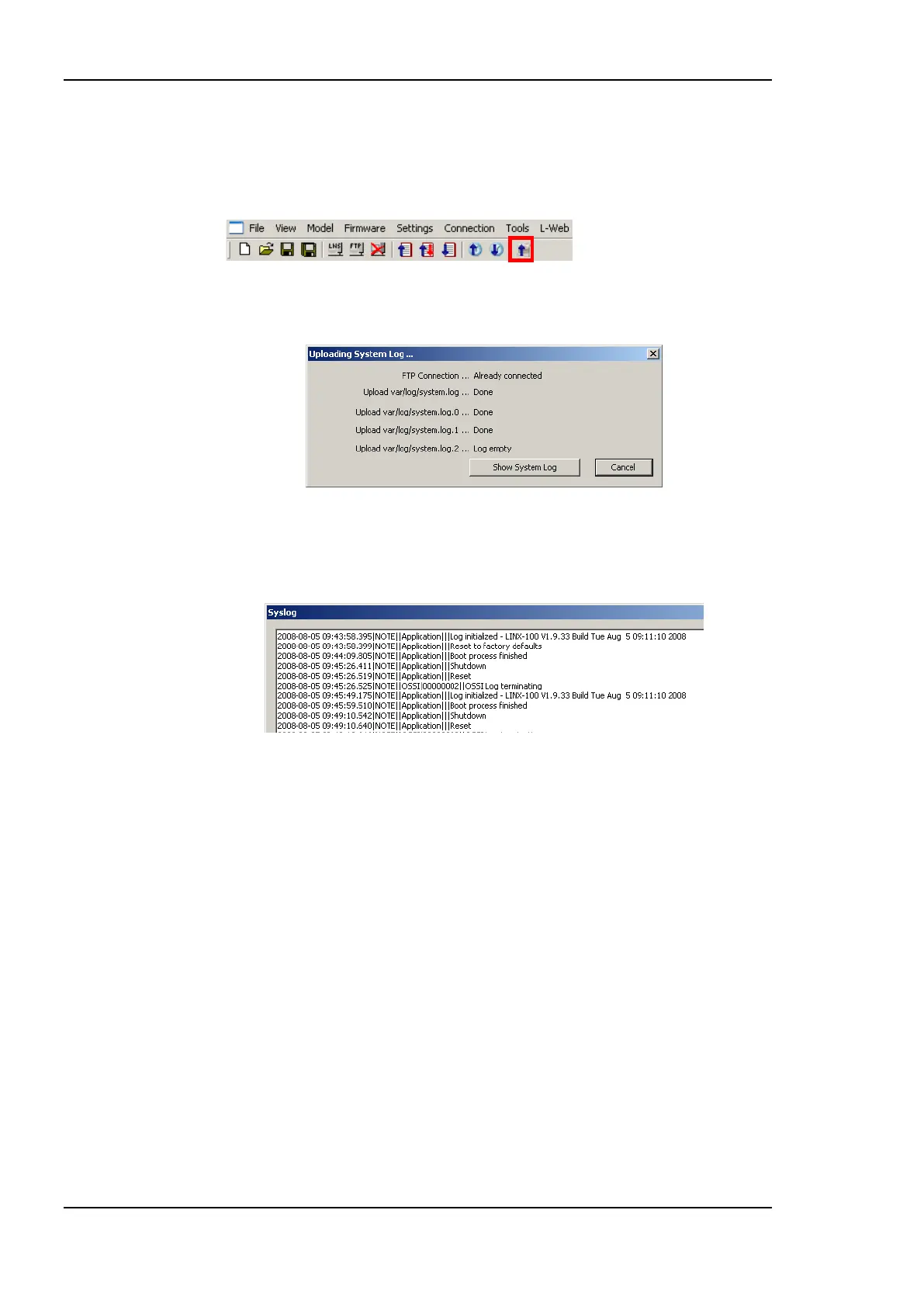
To Upload the System Log
1. Connect to the device (see Section 6.6.1).
2. Click on the Upload system log button
in the tool bar. The upload system log dialog as shown in Figure 114 opens showing the
upload progress.
Figure 114: Upload system log dialog.
3. When the upload is finished, click on Show System Log. The system log window
appears as shown in Figure 115.
Figure 115: System log window.
4. Click on Save to store the system log into a file on your local hard drive.
6.6.6 Backup and Restore
The Configurator provides a backup and restore function for the connected device. It is
highly recommended to create a device backup once the device configuration has been
completed. This backup can be used in the case a device needs to be replaced in the
network.
To Create a Backup
1. Connect to the device (see Section 6.6.1).
2. Choose the menu Tools Backup Device Configuration ….
3. A file requestor opens. Choose a location to store the ZIP file of the device backup.
The suggested file name contains device IP address and creation date.



 To Next Page