L-INX User Manual 74 LOYTEC
Version 4.0 LOYTEC electronics GmbH
selected and edited in the box on the right-hand side. In the example in Figure 61, the date
14.7.* is selected, which means ―The 14.7. of every year‖. Other entry types such as Date
Range and Week-and-Day can be selected. See Section 5.3.3 for more information about
defining exception dates.
4.2.20 Alarm
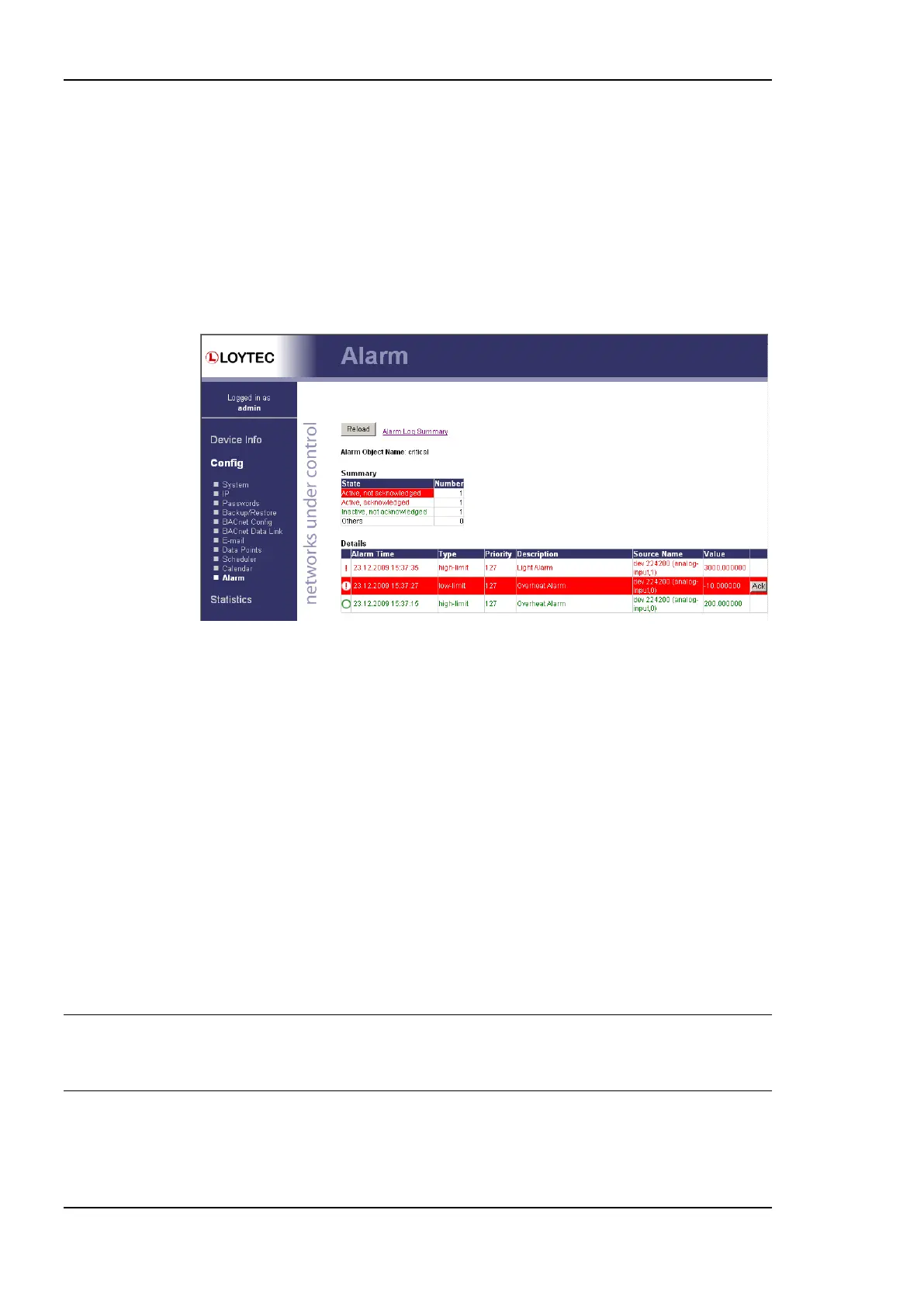
The Web interface provides the alarm page to view the currently pending alarms of its alarm
data points. The alarm main page displays all available alarm data points. Alarm objects
which have active alarms are displayed in red. Click on the alarm object to be viewed. This
opens the alarm summary page. An example is shown in Figure 62.
Figure 62: Alarm Summary Page.
Active alarms are highlighted red. Inactive alarms which have not been acknowledged are
rendered in green. Alarms that can be acknowledged have an Ack button. Press on the Ack
button to acknowledge the alarm. Depending on the technology, this and older alarm
records will be acknowledged. Acknowledged, active alarms are rendered in red. Click on
Reload to refresh your alarm list.
Inactive alarms that have been acknowledged disappear from the list. To record historical
information about those alarms, the alarm log must be used. See Section 4.3.9 for the alarm
log Web interface.
4.2.21 IEC61131 Configuration
On the IEC61131 configuration page the user can download an IEC61131 program as well
as controlling the behavior of the IO driver, see Figure 63.
After downloading the IEC61131 program rebooting the L-INX is necessary in order to
load and start the new IEC61131 program. After resetting the device check the PLC LED
for a successfully started program.
Important! Downloading a new IEC61131 may result in the need for a new data point configuration.
Hence, take care about the requirements of the downloaded program and in case of a
different set of IEC61131 variables use the L-INX configuration tool to adapt the data
point configuration.
The data exchange of the IEC61131 program can be disabled by disabling the IO driver. As
a result the IEC61131 program is not able to receive or send update from/to the appropriate
data points. Hence, for debugging purpose, the data point values can be manipulated
regardless of the data set from the IEC61131 program.



 To Next Page