L-INX User Manual 73 LOYTEC
Version 4.0 LOYTEC electronics GmbH
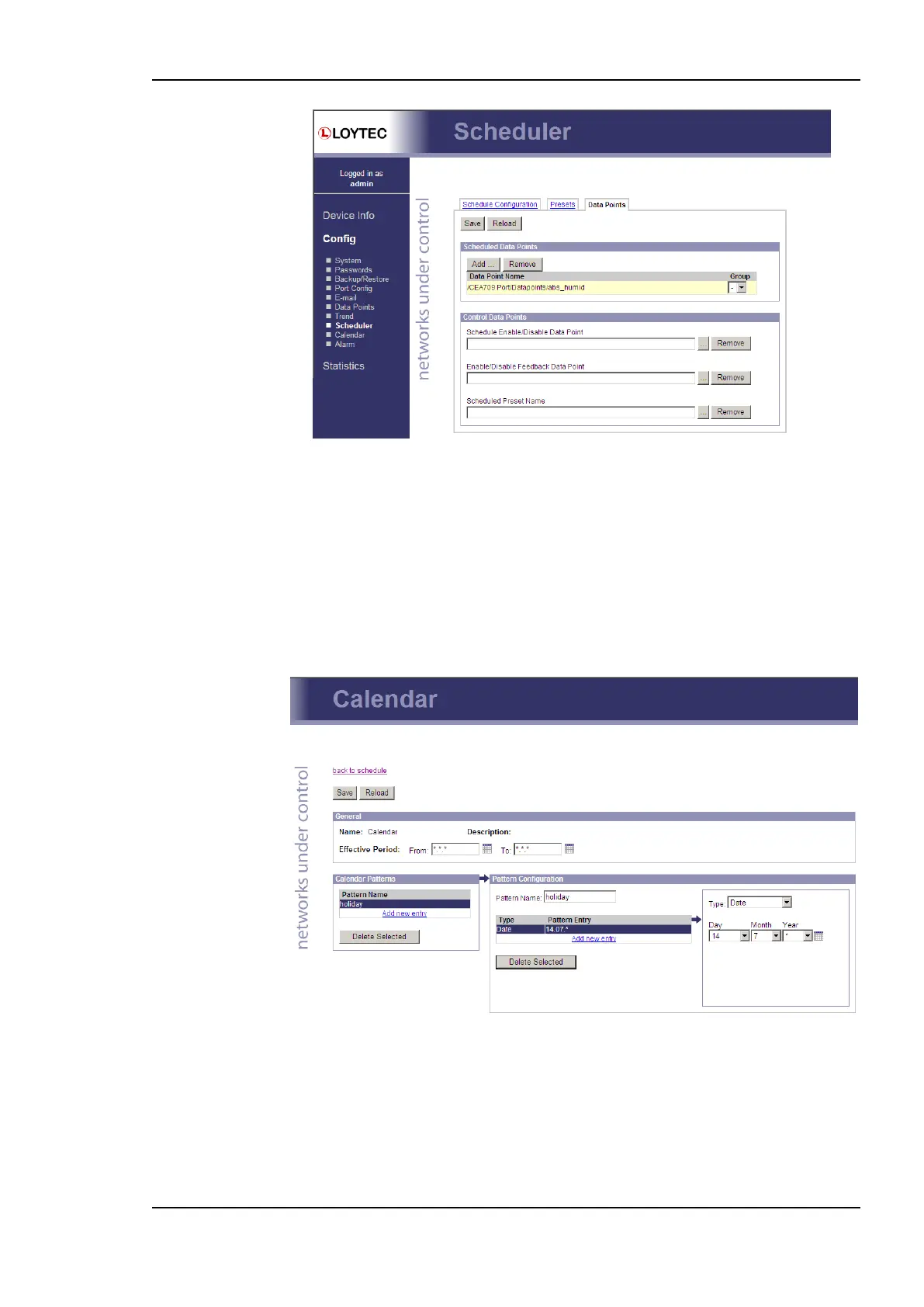
Figure 60: Re-configure scheduled data points on the Web UI.
4.2.19 Calendar
The Web interface provides the calendar page to edit its calendars at run-time, i.e. change
the exception days. The calendar main page displays all available calendars. Click on the
calendar to be edited. This opens the calendar configuration page. An example is shown in
Figure 61.
The effective period defines when this calendar shall be in effect. Leave From and To at
‗*.*.*‘ to make this calendar always in-effect. Otherwise enter dates, such as ‗30.1.2000‘.
Figure 61: Calendar Configuration Page.
On the remainder of this page, work from left to right. Click on a calendar pattern or create
a new calendar pattern by clicking Add new entry. A calendar pattern defines a set of
pattern entries, which defines the actual dates or date ranges. In the example in Figure 61,
the calendar pattern Holidays is selected.
In the Pattern Configuration box, the calendar pattern‘s name can be edited. It also lists
the entries. New entries can be added by clicking Add new entry. Existing entries can be



 To Next Page