L-INX User Manual 209 LOYTEC
Version 4.0 LOYTEC electronics GmbH
To Configure a Server in the Bridge
1. Start the OPC bridge from the Windows Start menu under Programs LOYTEC OPC
Bridge OPC Bridge manual Setup.
2. In the system tray, right-click on the bridge icon .
3. In the context menu select Register new Server.
4. In the Register Server dialog click Add.
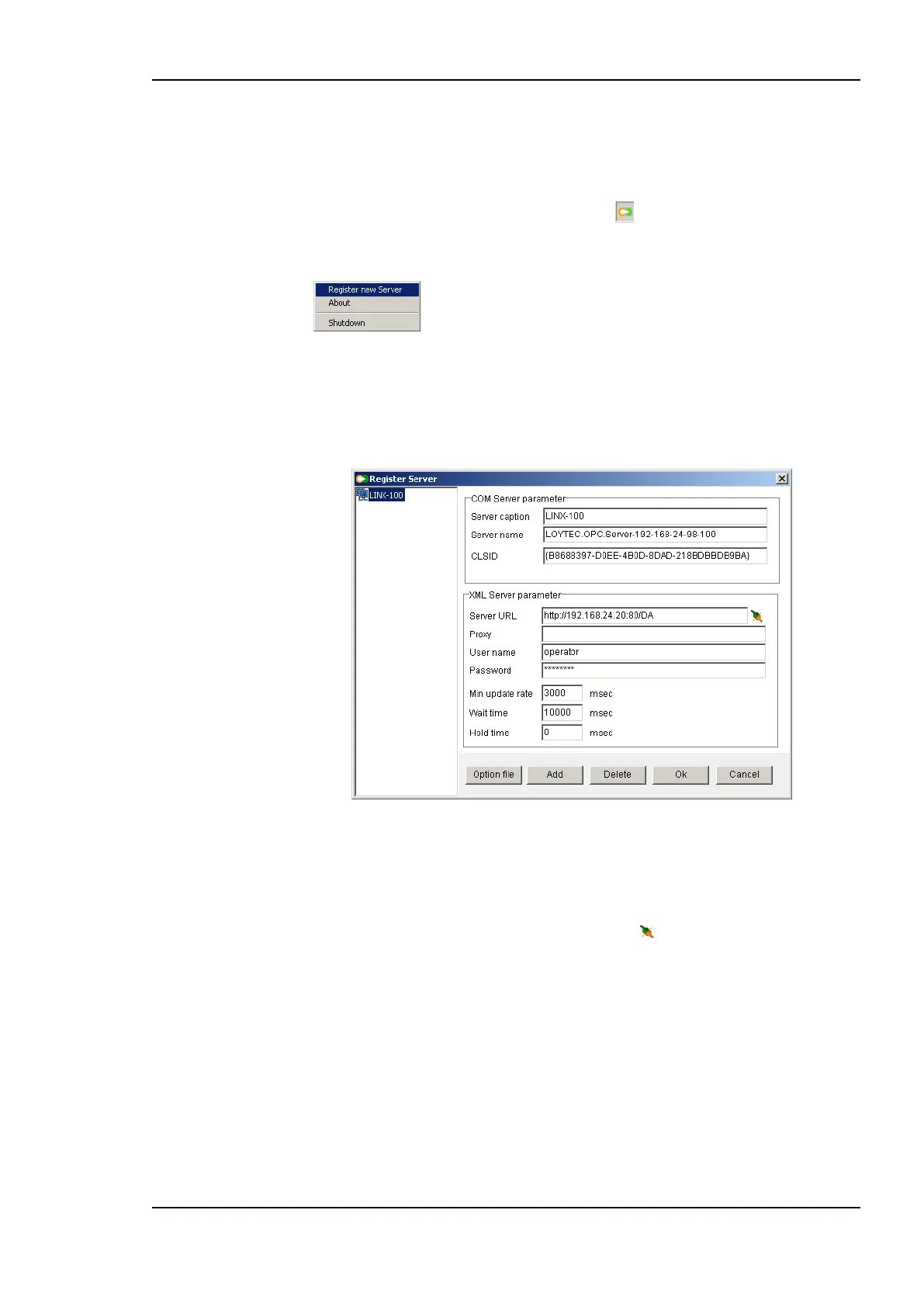
5. A new server entry is added. Enter the information on Server caption (this is
displayed), Server name (this is the COM object name), and the Server URL (the
URL of the LOYTEC device) as shown in Figure 163.
Figure 163: Register Server dialog in the bridge software.
6. Additionally, enter the ―operator‖ as the User name and its Password on the device.
Enter the default timing parameters (min update rate 3 sec, wait time 10 sec, hold time
0). For information on the timing parameters refer to Section 9.3.6.
7. To test the connection to the device, press the button .
8. Click OK.
9.3.6 Bridge Timing Parameters
The OPC bridge uses three timing parameters to operate on the OPC XML-DA side. The
defaults for those parameters are good for most cases. For specific use cases, however, they
might need to be adapted.
Minimum Update Rate: This parameter defines the rate at which the LOYTEC OPC
server will update its value caches. In general value changes could occur much more
frequently than the value caches are updated. Therefore, the minimum update rate
determines the granularity at which updates may be notified to the OPC client. If an
OPC client specifies an update rate less than this value for a group of subscribed data



 To Next Page