L-INX User Manual 61 LOYTEC
Version 4.0 LOYTEC electronics GmbH
Also note that entering the MD5 secret on the Web interface may pose a security risk. Since
the information is transmitted over the network it can be subject for eavesdroppers on the
line. It is recommended to use a cross-over cable.
In the field Location string the user can enter a descriptive test which identifies the
physical location of the LINX. A location string can have a maximum length of 255
characters. This is optional and for informational purposes only.
If the CEA-852 device on the L-INX is used behind a NAT router, the public IP address of
the NAT router or firewall must be known. To automatically detect the NAT address leave
the Auto-NAT checkmark enabled.
The Multicast Address field allows the user to add the CEA-852 device of the L-INX into
a multi-cast group for the CEA-852 IP channel. Enter the channel‘s IP multi-cast address
here. Please contact your system administrator on how to obtain a valid multi-cast address.
To learn when it is beneficial to use multi-cast addresses in your channel please refer to the
L-IP User Manual [1].
4.2.8 CEA-709 Router Configuration
This page is only available on L-INX models with the router option (101, 111, 121, 151).
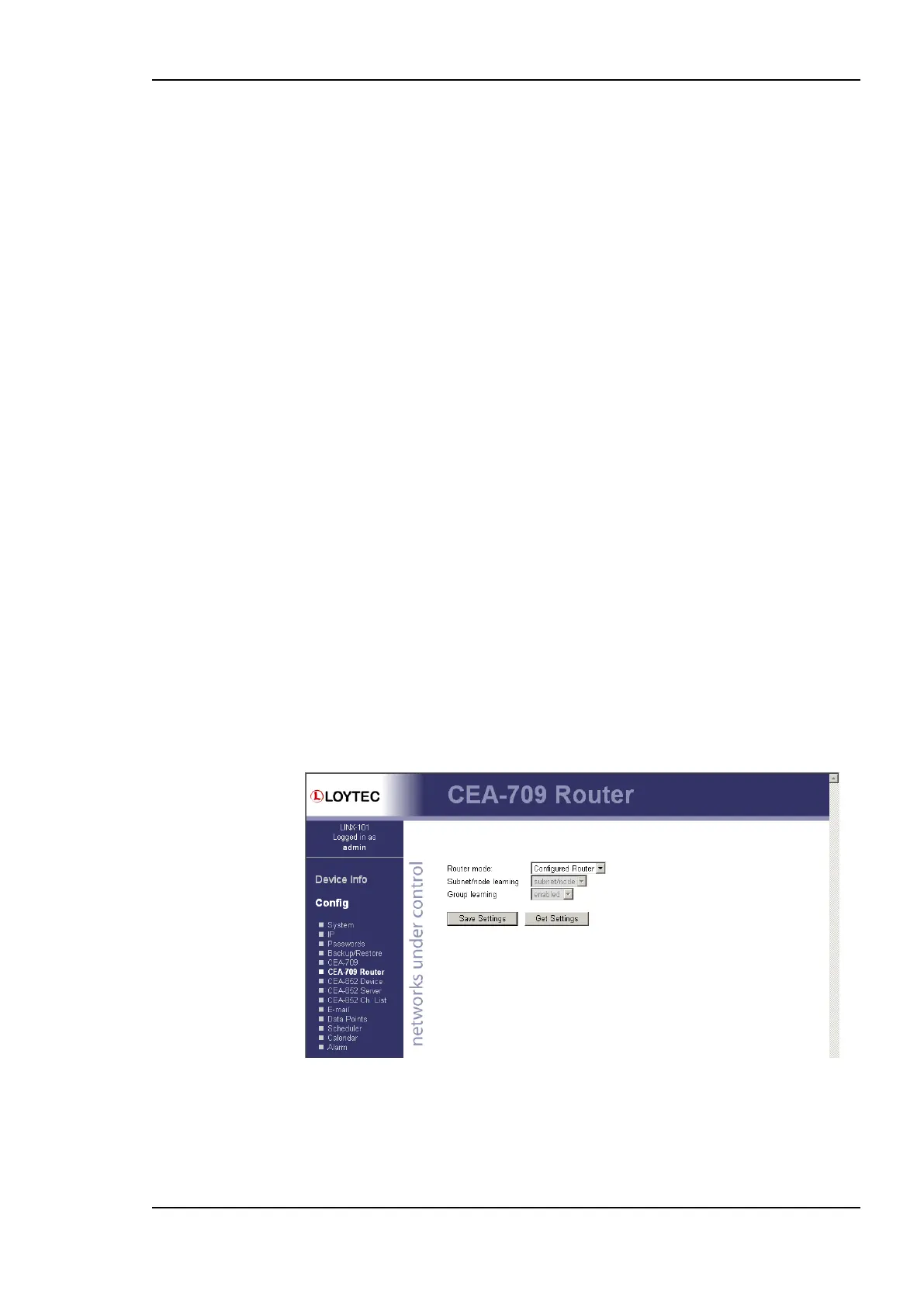
The CEA-709 router configuration page allows configuring the built-in router mode.
Available modes are Configured Router and Smart Switch. The L-INX must be rebooted
to let the changes on this page take effect.
The configured router mode is the default setting. Choose this setting if you want to use the
L-INX as a standard configured CEA-709 router that can be configured in a network
management tool such as NL-200 or LonMaker.
The Smart Switch mode lets the device act as a self-learning router like the L-Switch. In this
configuration the LINX‘s router doesn‘t need to be configured with a network management
tool but is completely transparent in the network. Use this operating mode in a plug&play
networking environment. The switch mode should only be used in LAN networks. In Smart
Switch mode, this page has two more configuration fields: Subnet/node learning and
Group learning.
Figure 47: CEA-709 Router Configuration Page.
4.2.9 CEA-852 Server Configuration
This page is only available on CEA-709 L-INX models with the router option (101, 111,
121, 151). On this configuration page the configuration server on the LINX-101 can be
enabled or disabled. In the drop-down box Config server status select enabled and click



 To Next Page