L-INX User Manual 172 LOYTEC
Version 4.0 LOYTEC electronics GmbH
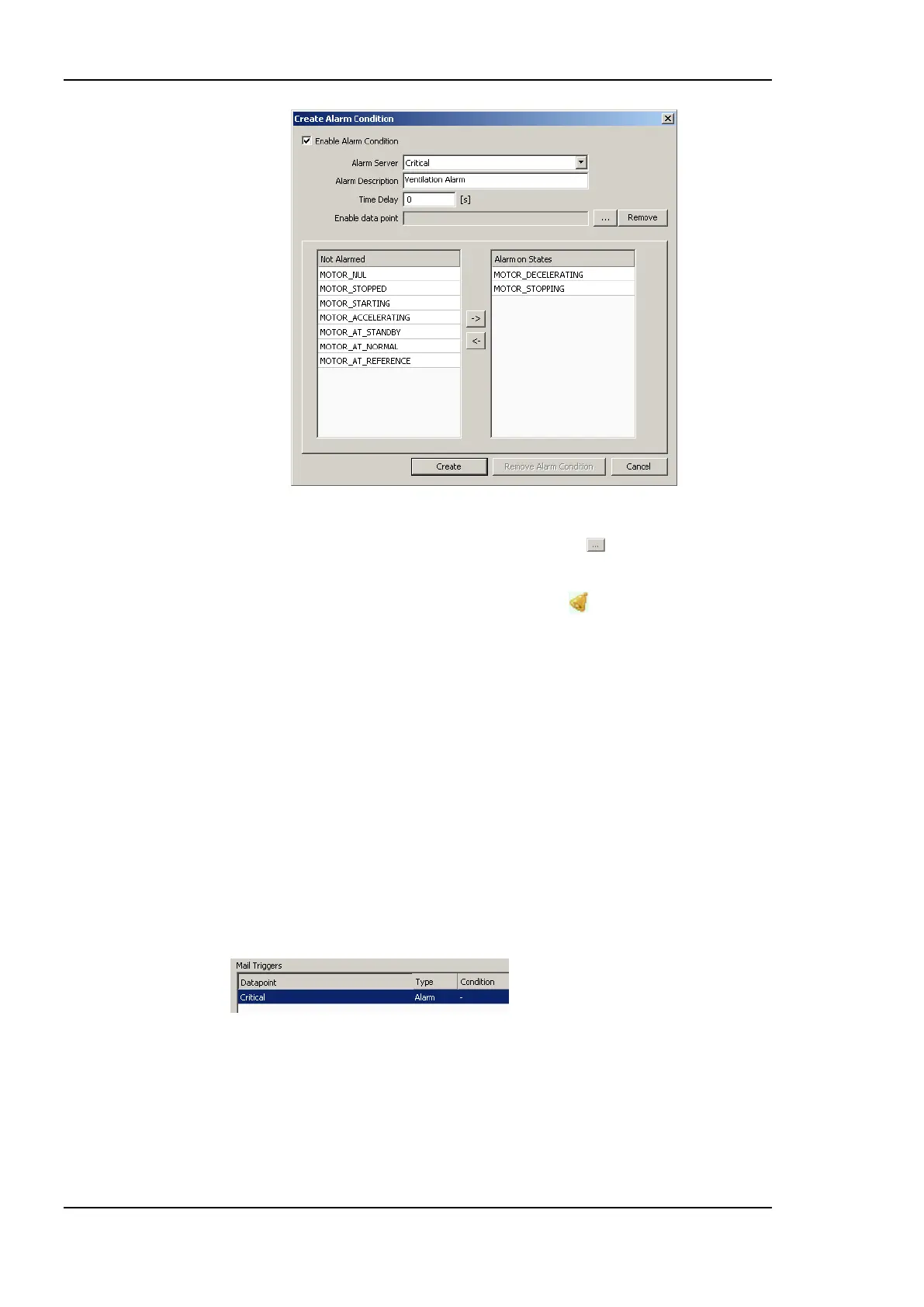
Figure 146: Alarm Condition for a Multi-State Data Point.
8. For enable, a data point can be attached by clicking the button. This data point is
used by the device to determine the actual values at run-time.
9. Click on Create. In the alarm column, the alarm sign will be added for those data
points that have an alarm condition.
6.13.3 Deliver Alarms via E-mail
Updates in the alarm summary of an alarm object can be used as a trigger to send e-mail.
For setting up e-mails, the account information has to be configured on the device, e.g., on
the Web UI (see Section 4.2.15). Then an e-mail template can be created and the alarm
point attached as a trigger.
To Create an E-mail Template for Alarms
1. Create or configure an e-mail template as described in Section 6.11.1.
2. Change to the Mail Triggers tab.
3. Click the Add… button and select an alarm data point.
4. In the Mail Triggers list select the added trigger data point.
5. In the Manage Trigger Conditions list put a check mark on alarm conditions that shall
invoke the transmission of the e-mail.



 To Next Page