11.6 Sample racks
■■■■■■■■■■■■■■■■■■■■■■
104
■■■■■■■■
900 Touch Control
Input range –10.00 to 10.00 °
Default value 0.00 °
[Adjust rack]
Adjust the rack (see chapter 11.6.2, page 108).
[Lift pos. tower 1]/[Lift pos. tower 2]
Define rack specific lift positions (see "Lift positions Tower 1/2", page
104).
[Special beakers]
Define rack positions as special beakers (see "Editing special beakers",
page 105).
Lift positions Tower 1/2
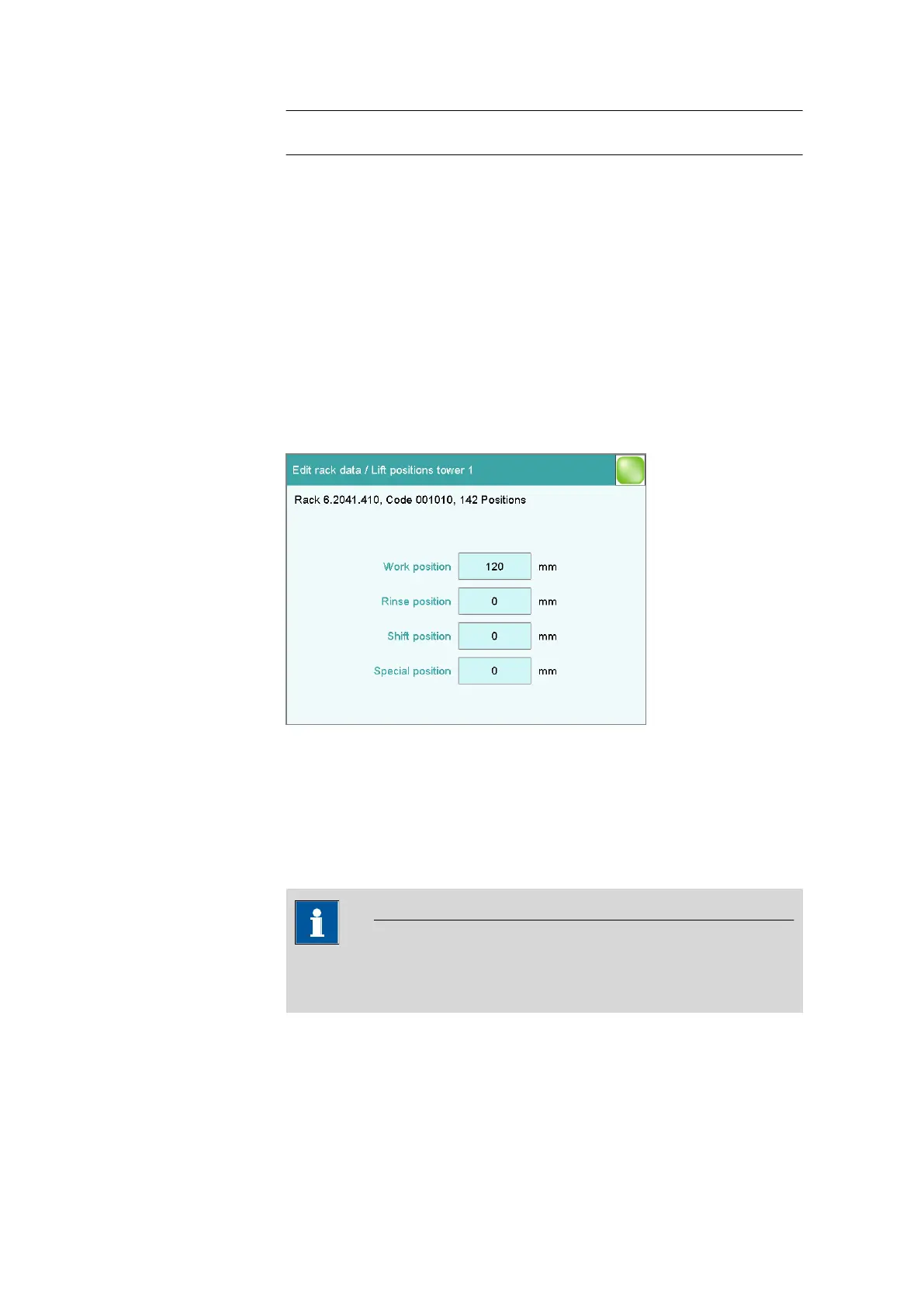
Sample rack list: Rack ▶ Edit ▶ Lift pos. tower 1 / Lift pos. tower 2
You can define rack-specific lift positions in the dialog Edit rack data /
Lift positions tower 1/2. These then apply for all rack positions except
those that have been defined as special beakers.
These positions can be moved to directly under manual control and with
the LIFT command. Only lift positions within the maximum stroke path can
be entered. This is defined in the device properties of the tower.
NOTICE
These lift positions can also be assigned directly in manual control after
moving to the desired lift height (see chapter 28.7.1, page 270).
Work position
At this lift position the electrodes, stirrer and buret tips are optimally posi-
tioned for work.















 To Next Page