■■■■■■■■■■■■■■■■■■■■■■
3 Overview of the instrument
917 Coulometer
■■■■■■■■
7
3 Overview of the instrument
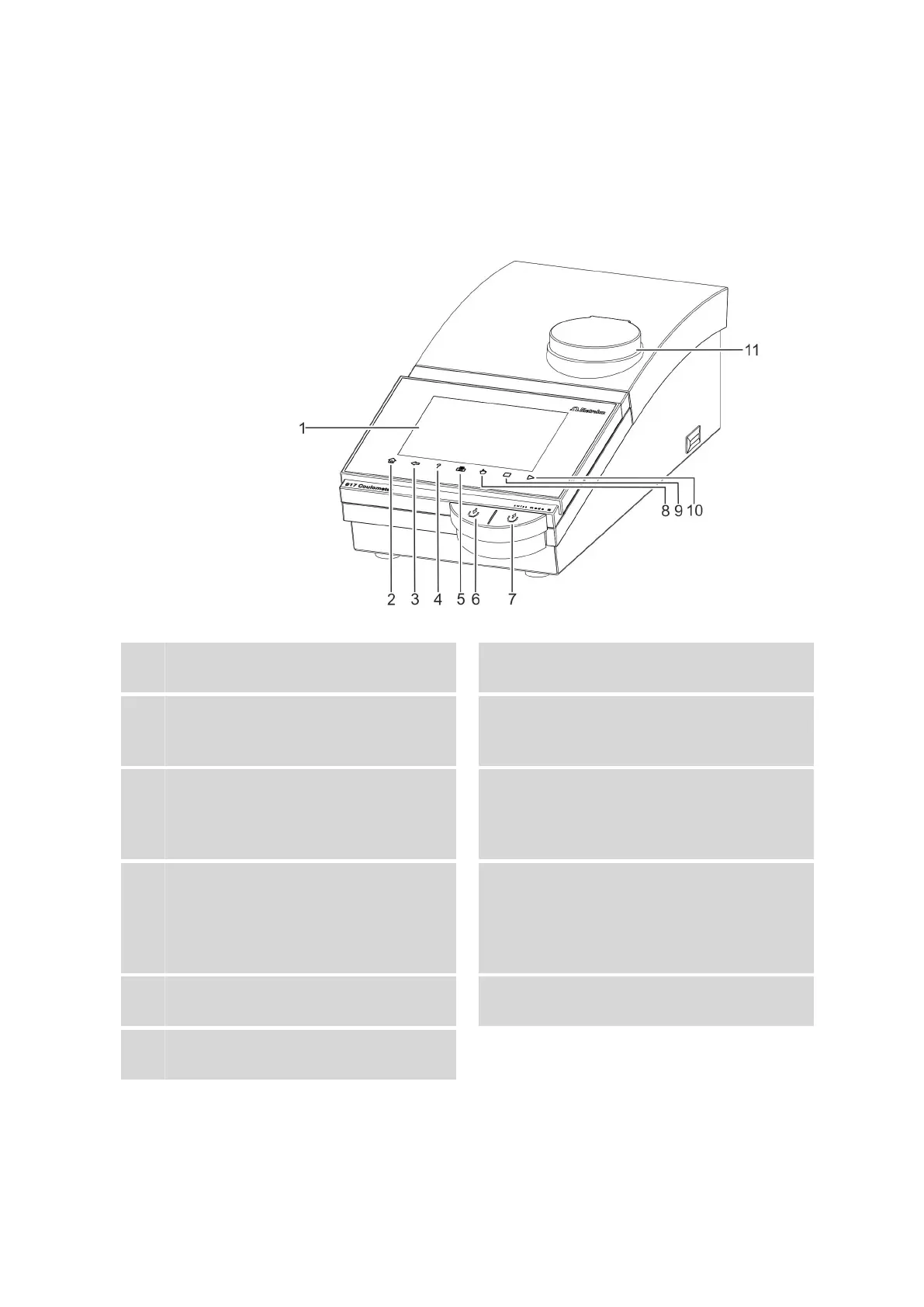
3.1 Front of the instrument
Figure 1 Front
1
Display
Touch screen.
2
Fixed key [Home]
Opens the main dialog.
3
Fixed key [Back]
Saves the entry and opens the next-higher
dialog page.
4
Fixed key [Help]
Opens the online help for the dialog dis-
played.
5
Fixed key [Print]
Opens the print dialog.
6
Key
Pressing the key pumps air into the solvent
bottle. The overpressure in the solvent bottle
pushes solvent into the titration cell.
7
Key
Pressing the key aspirates air out of the aspi-
ration bottle. The vacuum in the aspiration
bottle aspirates the liquid out of the titration
cell and into the aspiration bottle.
8
Fixed key [Manual]
Opens the manual control.
9
Fixed key [STOP]
Cancels the running determination.
10
Fixed key [START]
Starts a determination.
11
Magnetic stirrer
For placing the titration vessel holder.















 To Next Page